PGM-FI Setting
20
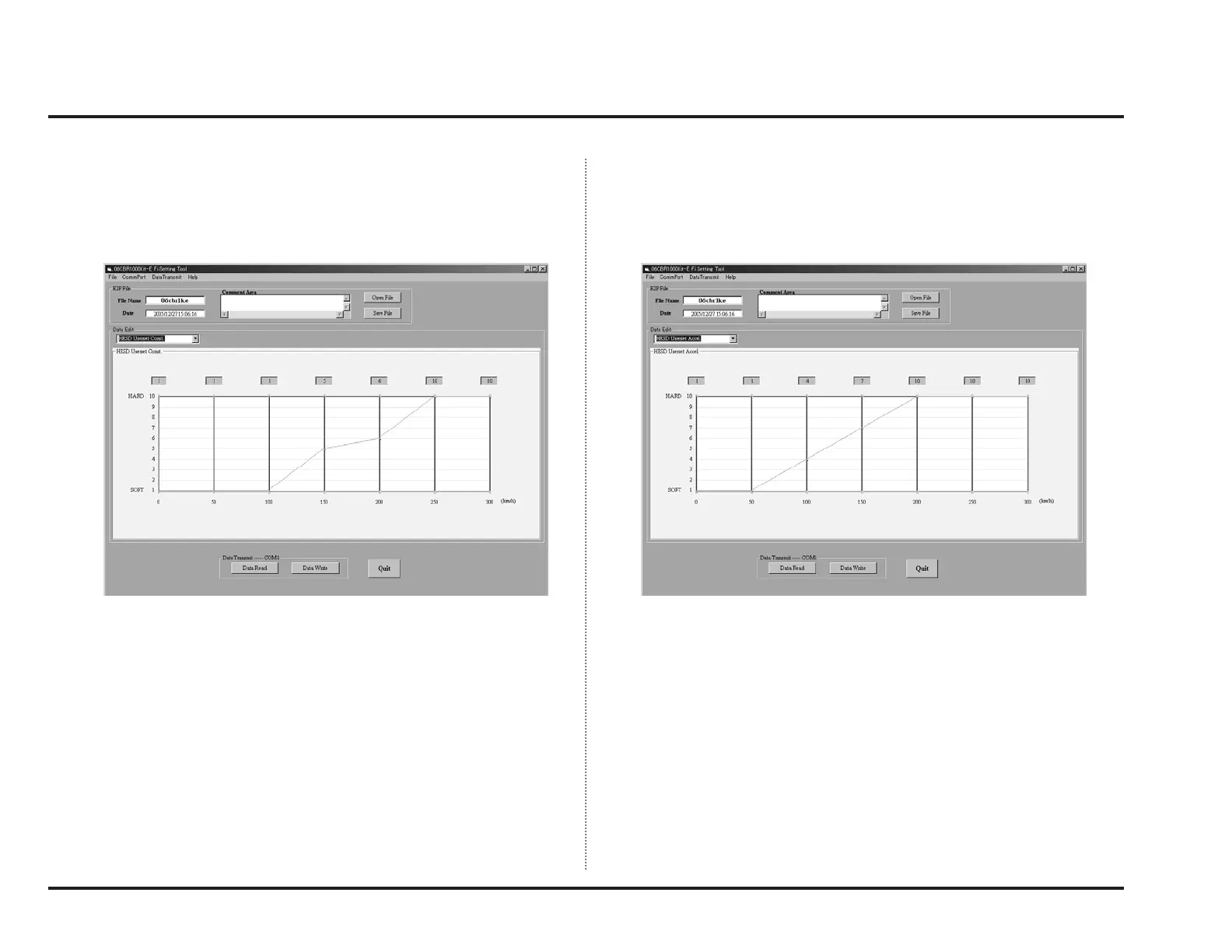
When you select the “Use” and “User setting” in HESD setting menu, next
select “HESD Userset Const.” in the data edit selector pulldown menu.
You can change the steering damper damping at constant speed (not at accel-
eration and deceleration) in this window.
When you decrease the setting value, the damping is decrease.
When you select the “Use” and “User setting” in HESD setting menu, next
select “HESD Userset Accel.” in the data edit selector pulldown menu.
You can change the steering damper damping at acceleration in this window.
In the same manner of “constant speed”, when you decrease the setting value,
the damping is decrease.
Actual vehicle speed is changed by the radius of tyre and the final drive ratio.
The calculate vehicle speed is differ from actual vehicle speed because the
vehicle speed is picked up from the countershaft with the vehicle speed sensor.
Please note that the setting speed is not exact.
Please set the setting values as follow:
A: Setting value at “not at acceleration and deceleration”
B: Setting value at “acceleration ”
A ≤
_
B



 To Next Page