Chapter 12 Camera and Multimedia 237
The files begin synchronizing to your phone. The next time you
connect your phone to your computer while Windows Media Player is
running, synchronization will start automatically.
To manually sync content to your phone
1. If you have not set up media synchronization between your
phone and computer, follow steps 1 to 3 in “To automatically sync
content to your phone”.
2.
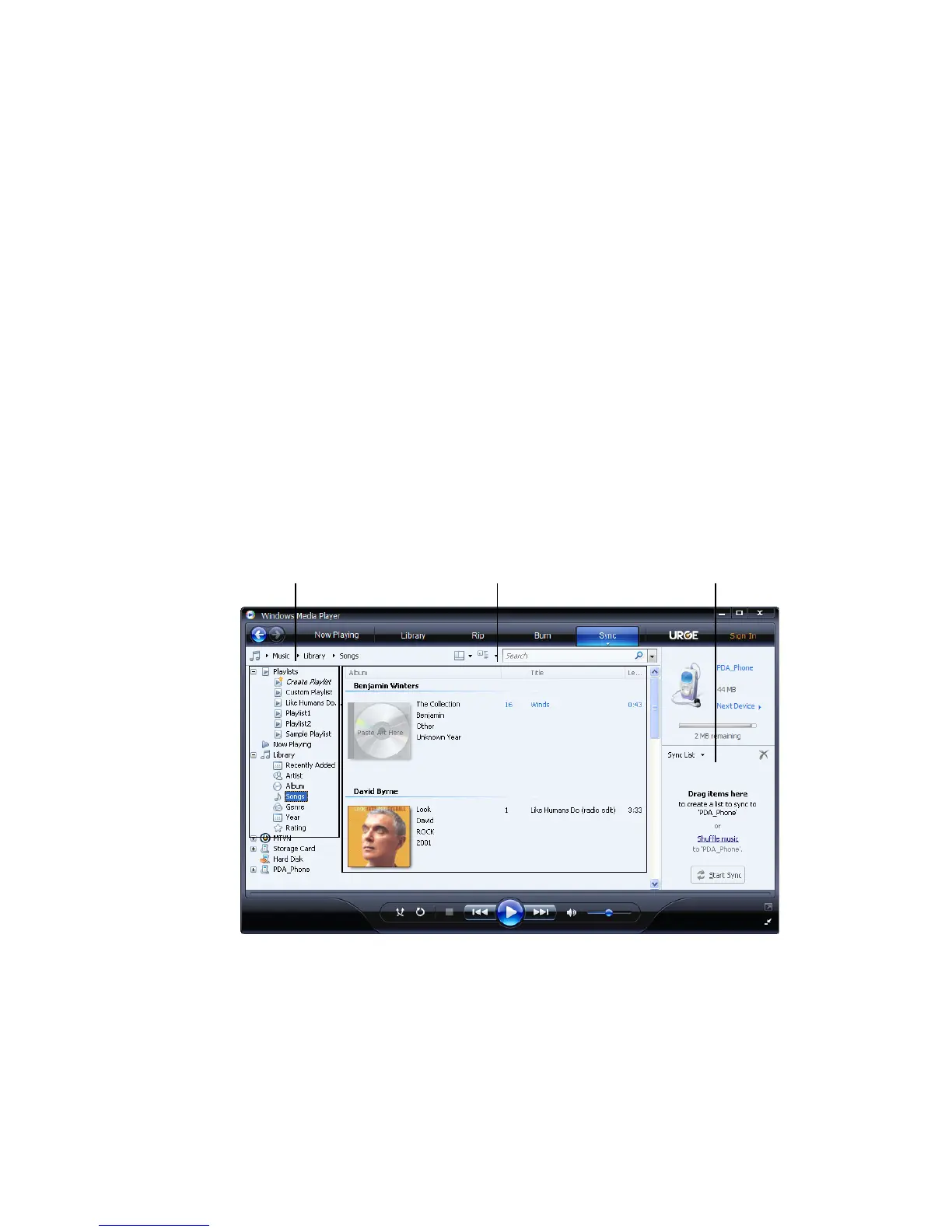
Click the Sync tab on the Windows Media Player of your
computer. Select a Playlist or a Library on the left panel of the
Windows Media Player.
3.
From the Content List, drag the media files that you want to sync
to your phone and drop them to the Sync List.
Playlists and Library List Sync ListContent List
4. Click Start Sync to start synchronizing the selected files to your
phone.



 To Next Page