EasyManua.ls Logo

HTI HT-04D - User Manual

HTI HT-04D
18 pages
Print Icon
To Next Page IconTo Next Page
Loading...
Instruction Manual
Thermal Imaging Camera
Dongguan Xintai Instrument Co.,Ltd.
Add: Building F, No. 22 Yuhua Street, Hongye Industrial Zone,
Tangxia Town, Dongguan City, Guangdong Province
Postcode:523710
Tel:+86-769-82612006
Fax:+86-769-82612005
Website:www.hytechcn.com.cn www.xintest.com.cn
www.xintest.en.alibaba.com
Email:kevin@xintest.com.cn
User Manual Version 1.0. March 52019.
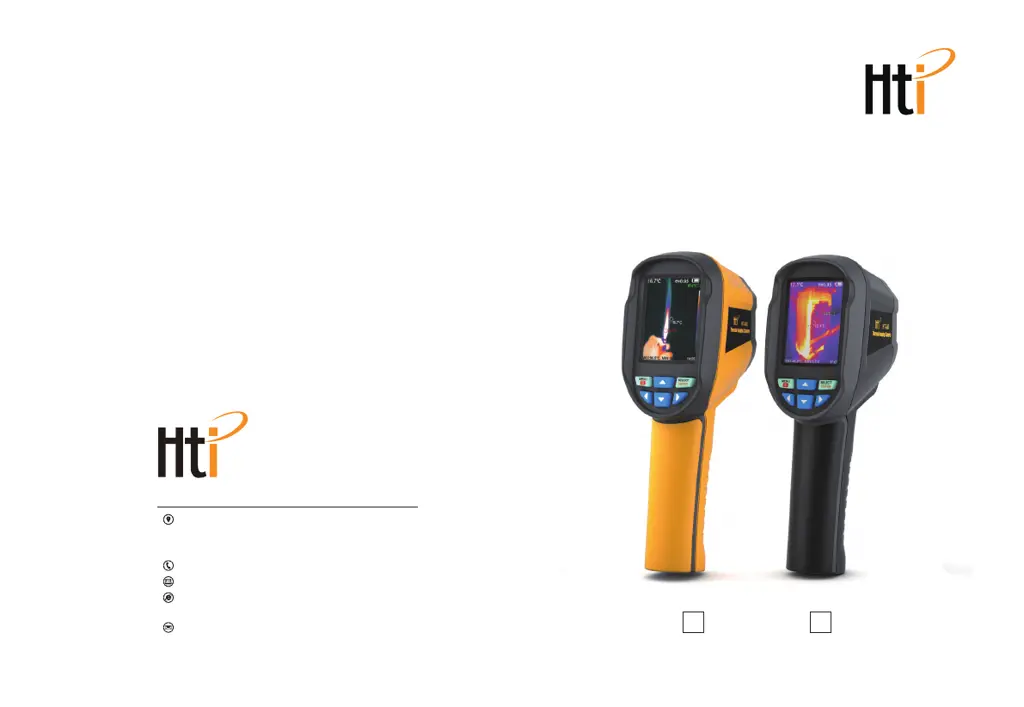
HT-04D HT-04(new)

Questions and Answers

Summary

Preface

Limited Warranty and Responsibility

Explains the product's one-year warranty terms and limitations.

Safety Instructions

General Warning

Alerts users to potential harm from specific operations and laser use.

Product Care Considerations

Provides guidelines to prevent product damage and notes about normal operation sounds.

Preliminary Acquaintance with Infrared Thermal Imager

Overview of the Thermal Imager

Lens Maintenance

Provides instructions on how to clean and maintain the infrared lens safely.

Battery Charging and Description

USB Charging Procedure

Steps for charging the built-in battery using a USB data line.

Lithium-Ion Battery Care

Tips to ensure optimal performance and lifespan of the lithium-ion battery.

Performance Specifications

Product Structure Overview

Display Screen Description

Keypad Functions

Initial Operation Guide

Device Power Management

Instructions on how to turn the thermal imaging device on and off.

Screen Display Status

Describes the initial status shown on the screen after powering on.

LED Lighting Lamp Control

How to activate or deactivate the LED lighting lamp on the device.

Image Mode Switching

How to switch between thermal and visible image modes and adjust fusion.

Image Capture and Saving

Instructions on how to capture and save images from the device.

Menu Navigation and Submenus

Image Overlapping Submenu

Explains the feature for combining visible and infrared images for better analysis.

Image Submenu Operations

Viewing Captured Images

Instructions on navigating and viewing captured images on the device.

Deleting Captured Images

Steps for deleting unwanted captured images from the device storage.

Color Palette Submenu

Color Palette Functionality

Explains the purpose and types of color palettes available for display.

Color Palette Application

Emissivity Submenu Introduction

Emissivity Definition and Importance

Defines emissivity and its crucial impact on temperature measurement accuracy.

Emissivity Setting Configuration

Common Materials Emissivity Values

Settings Submenu Overview

Auto Shutdown Configuration

How to configure the automatic power-off feature of the device.

Screen Brightness Adjustment

Adjusts the screen brightness level for optimal viewing.

Language Selection

Selects the preferred language for the device interface from available options.

Temperature Unit Configuration

Configures the temperature units displayed as Celsius or Fahrenheit.

Time Format Setting

Sets the time display format to 12-hour or 24-hour.

Time Setting Procedure

Temperature Cursor Control

Troubleshooting Common Issues

HTI HT-04D Specifications

General IconGeneral
BrandHTI
ModelHT-04D
CategoryThermal cameras
LanguageEnglish

Related product manuals