2. Introduction to “image” sub-menu
3. Introduction to “color palette” sub-menu
2.1. View image
2.2. Delete images
3.1. Color palette description
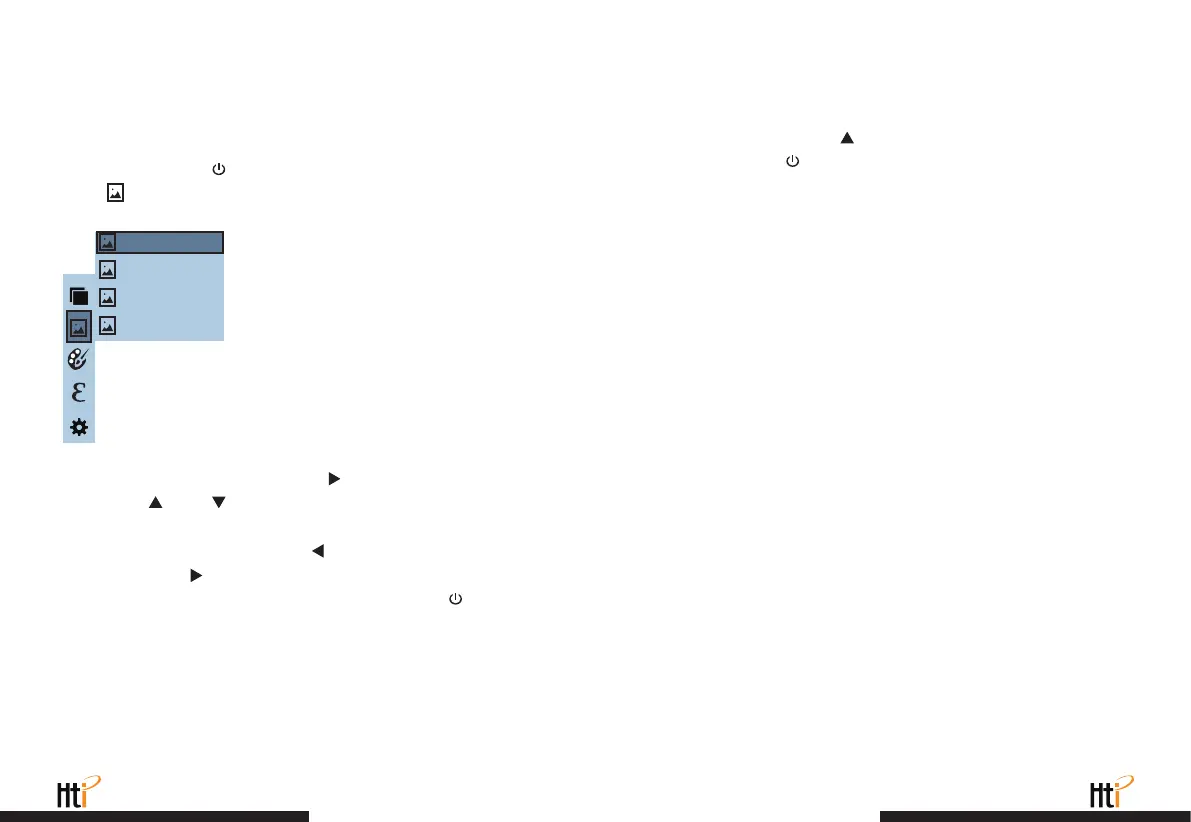
As shown in the figure, Then press “ ” key to enter image list.
Press “ ”or “ ” key in navigation to select the image. Then
press “
SELECT/ENTER
” key to view image.
When viewing the images, press “ ” key to view the precious
image, Press “ ” to view the next image.
Press “
SELECT/ENTER
” key to return. Press “
MENU/
” key to
exit from the menu.
When viewing the images, the screen will show the prompt of “Delete
photo?” by pressing “ ” key. If “yes” is selected at the moment,
press “
MENU/
” key to determine to delete the image. If “no” is
selected, press “
SELECT/ENTER
” key to determine not to delete
the image.
Press the “
MENU/
” button to enter the main menu, and select
“ ” (image) in the main menu.
171229-105030
171229-105031
171229-105032
171229-105033
The palette can be used to change the pseudo-color display of the
infrared image on the display. Some tune
Swatches are better suited for specific applications and can be set
up as needed. The palette is divided into: rainbow, iron red, cool,
white hot, black hot, five palettes. These palettes work best with
high thermal contrast and provide additional color contrast between
high and low temperatures.
Suitable selection of color palette displays the details of the target
objective better. Rainbow, iron oxide red and cold color palettes
focus on display of color. Such color palettes are very suitable for
high heat contrast and are used to improve the color contrast
between high temperature and low temperature. But the black &
white and white & black color palettes provide even linear color.
www.xintest.com.cn
21
www.xintest.com.cn
22



 To Next Page