j
i
p
k
l
4
Step 1
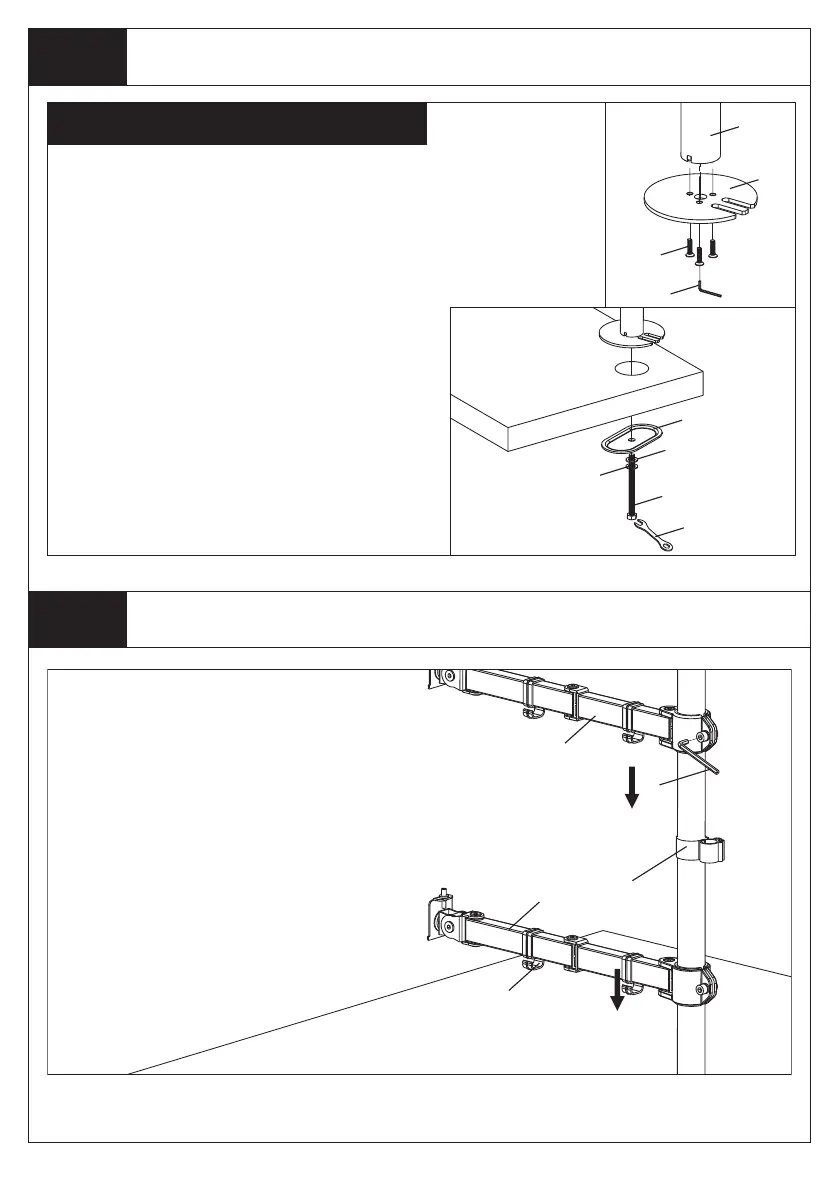
Install the Pole to the Desktop
Step 2
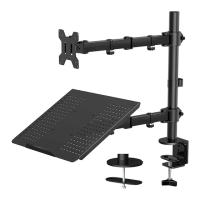
Install Arm to the Pole
Option B: Grommet Base Assembly
a
Figure 5
Figure 6
m
f
Existing Grommet Hole Installation
1. Position the Pole(a) on the mounting surface
and mark the center hole. Drill a 3/8" (10mm)
diameter hole at the marked position through the
mounting surface.
2.Use 3 pieces M5x14 Bolts(f) to install the
Grommet Base Plate(m) to the Pole(a). Use the
Allen Key(o) to tighten the bolts. See Figure 5.
3.Position the Pole(a) on the mounting surface
and under the desktop comes the Support Plate
(j), M10 Washer(k), Spring Washer (l). Use the
provided Wrench(p) to fasten the M10 Bolt. See
Figure 6.
Install Swivel Arms(d) to the Pole(a). Fasten the
bolt with supplied Allen Key(o). Attach the Wire
Clip(n1,n2) to the Pole(a) and Swivel Arms(d).
d
o
n1
n2
d
o


 To Next Page