DPU40D-N06A3, DBU20B-N12A3, and
DBU50B-N12A1 Distributed Power System
User Manual
Copyright © Huawei Technologies Co., Ltd.
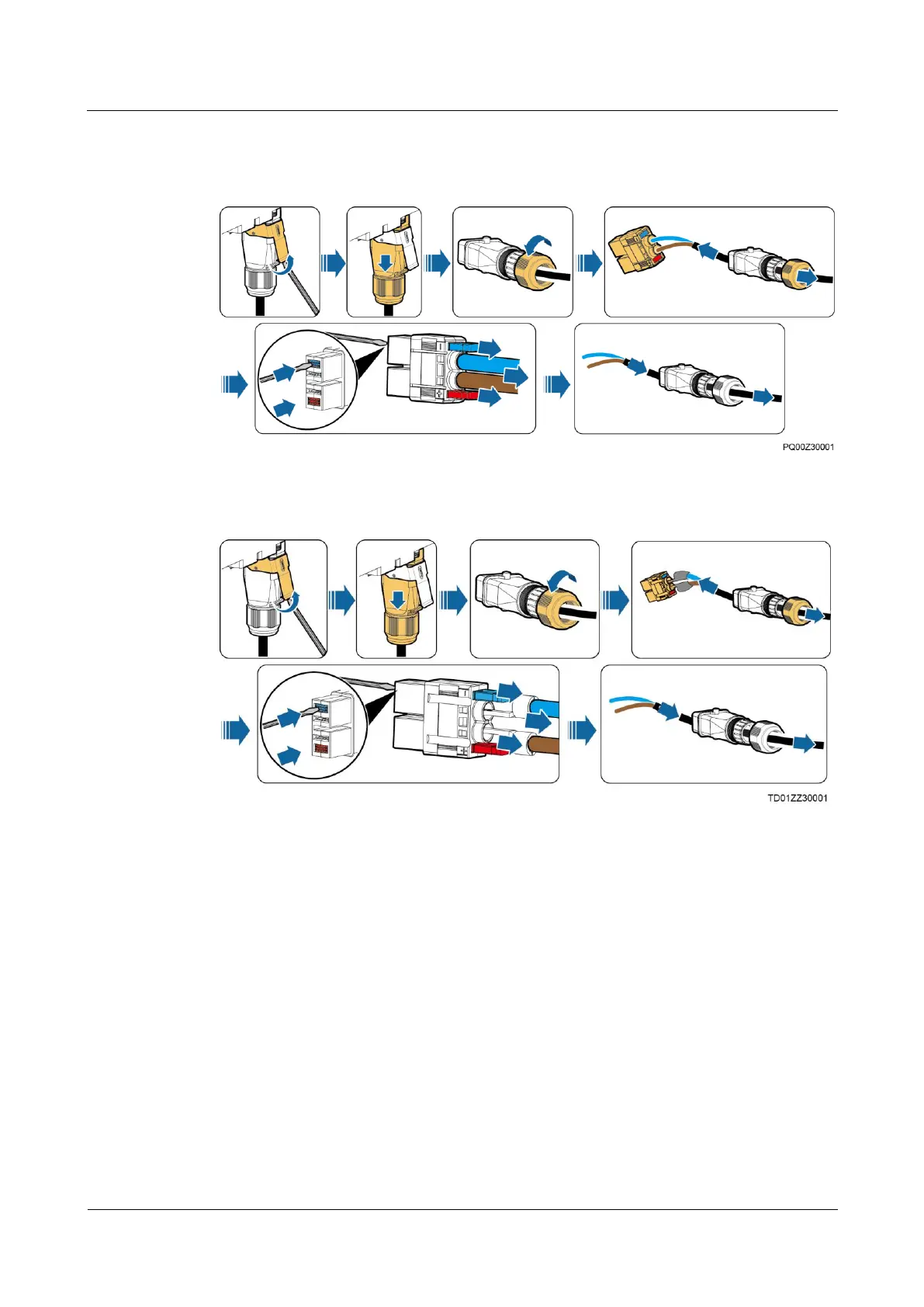
2. Remove the quick connector from the old PSU and remove the cable.
Figure 5-2 Removing the old quick connector (≤6 mm
2
core diameter)
Figure 5-3 Removing the old quick connector (>6 mm
2
core diameter)
Step 4 Install the new quick connector.
1. Remove the quick connector from the new PSU and assemble the cable with the
connector.
2. Install the assembled quick connector at the corresponding port of the new PSU based on
the cable connection position you have recorded.







 To Next Page