DPU40D-N06A3, DBU20B-N12A3, and
DBU50B-N12A1 Distributed Power System
User Manual
Copyright © Huawei Technologies Co., Ltd.
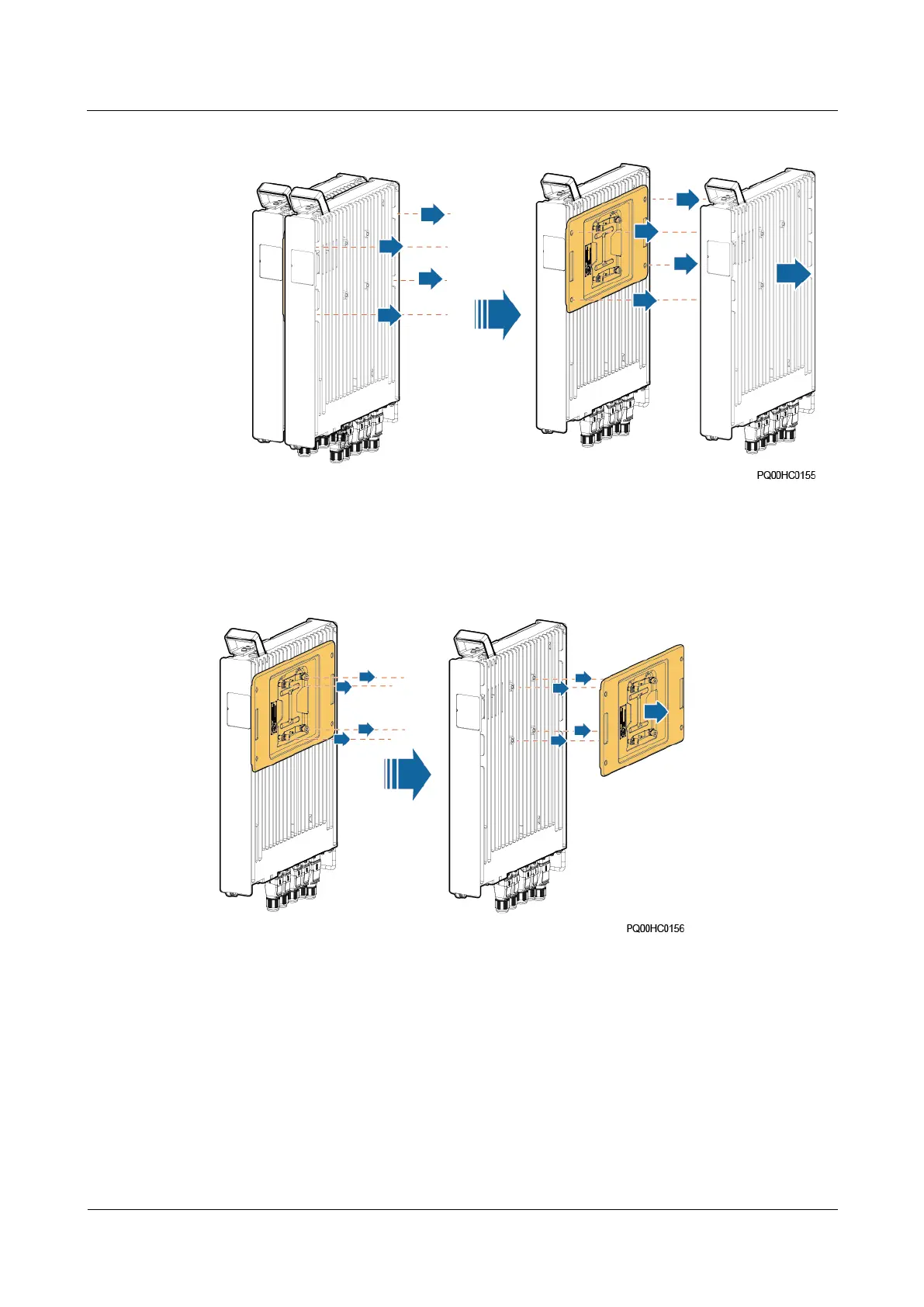
Figure 5-13 Removing the interconnected PSUs
8. Loosen the four screws that secure the connecting kit to the PSU and take off the
connecting kit.
Figure 5-14 Removing the connecting kit
Step 4 Install the new PSUs.
1. Secure the connecting kit to the right side of a new PSU and tighten the four screws.
2. Secure another new PSU to the right side of the connecting kit, and tighten the four
screws.
3. Secure the hanging kit to the right side of the interconnected PSUs, and tighten the four
screws.
4. Install the interconnected PSUs and tighten the screws on the hanging kit.
5. Install the connecting kit.







 To Next Page