DPU40D-N06A3, DBU20B-N12A3, and
DBU50B-N12A1 Distributed Power System
User Manual
Copyright © Huawei Technologies Co., Ltd.
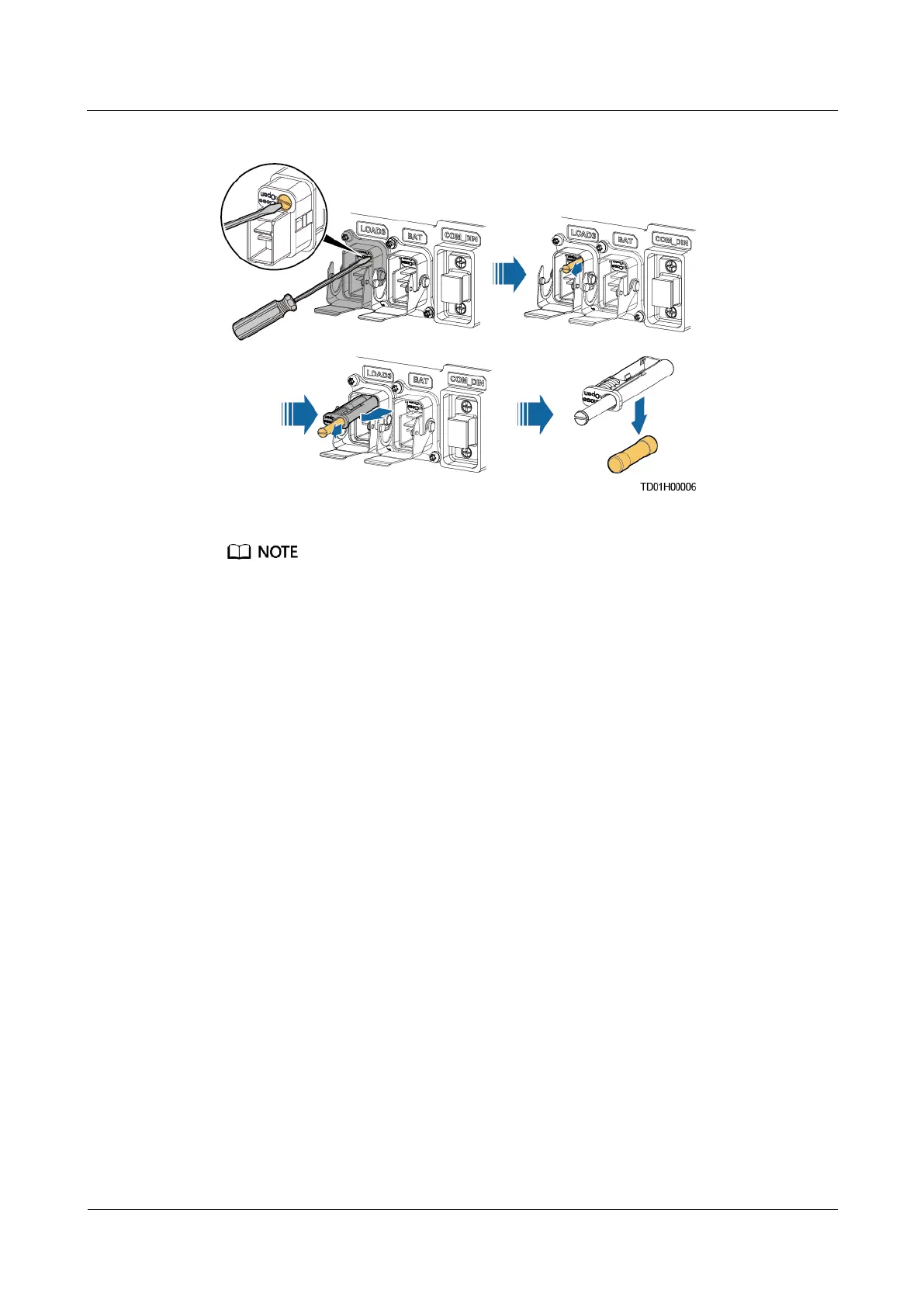
Figure 5-24 Removing the old fuse
As shown in the preceding figure, when the flat-head screwdriver is turned to Open, the flat-head bolt
ejects. Then remove the fuse.
Step 5 Install the new fuse in a reverse order of the removal procedure.
Step 6 Connect the quick connector to the BAT or LOAD port based on the recorded information.
Step 7 Use waterproof tape to seal the cable connections.
Step 8 Take off the protective gloves.
----End


 To Next Page
 Loading...




