Daily Use
Saving Power mode
If no operation is performed on the E5836 for a while, the screen turns off but the device will
still be active.
If the E5836 has not been accessed for 30 minutes by default, the E5836 changes to the
deep sleep state.
When the E5836 is in the deep sleep state, you can press any key to activate the Wi-Fi
function. If the E5836 is activated, the screen turns on.
Enabling/Disabling the Wi-Fi Function
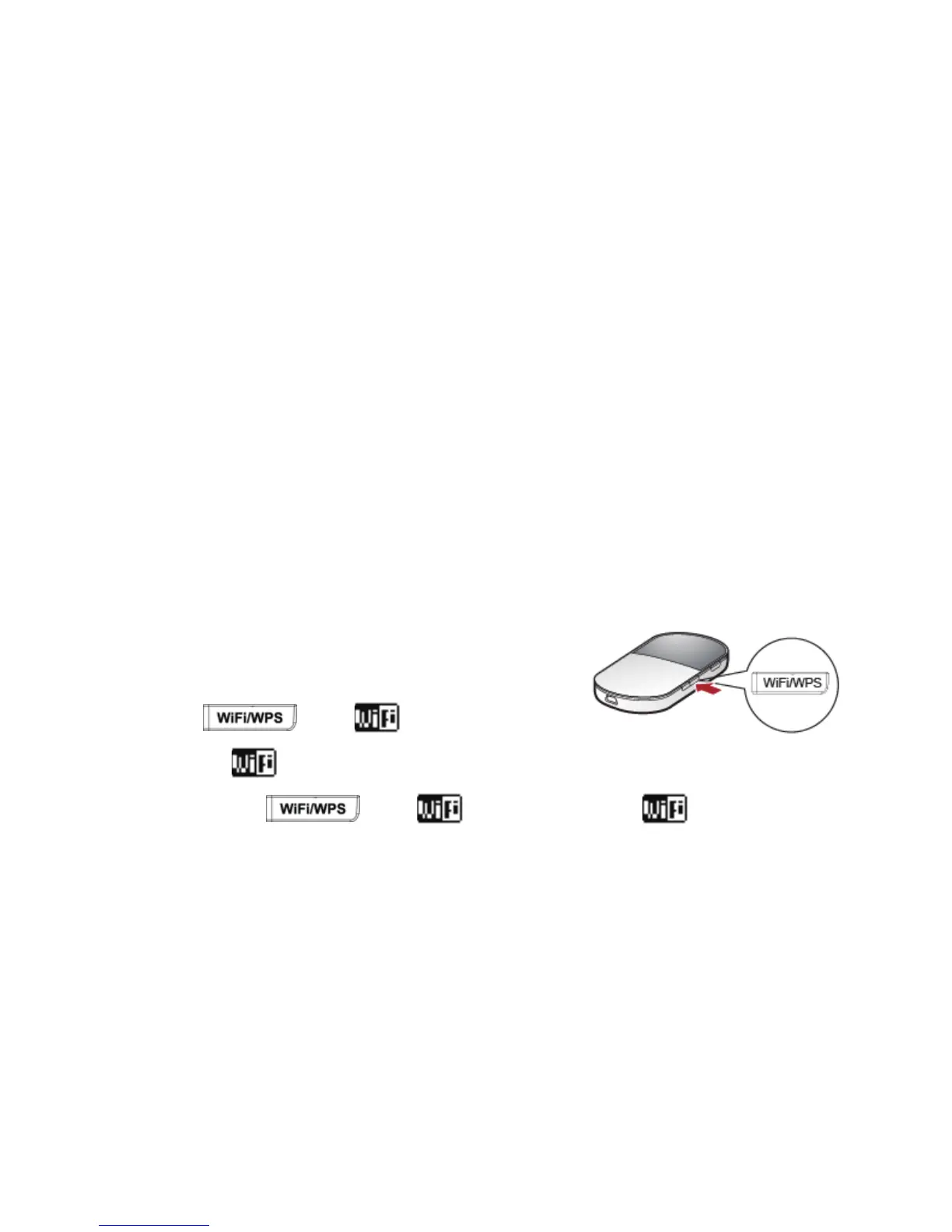
Press and hold until is displayed on
the screen. When
is displayed, it indicates that the Wi-Fi function is enabled.
Note: Press and hold
until disappears. When disappears, it
indicates that the Wi-Fi is disabled.
16



 To Next Page