Before You Start
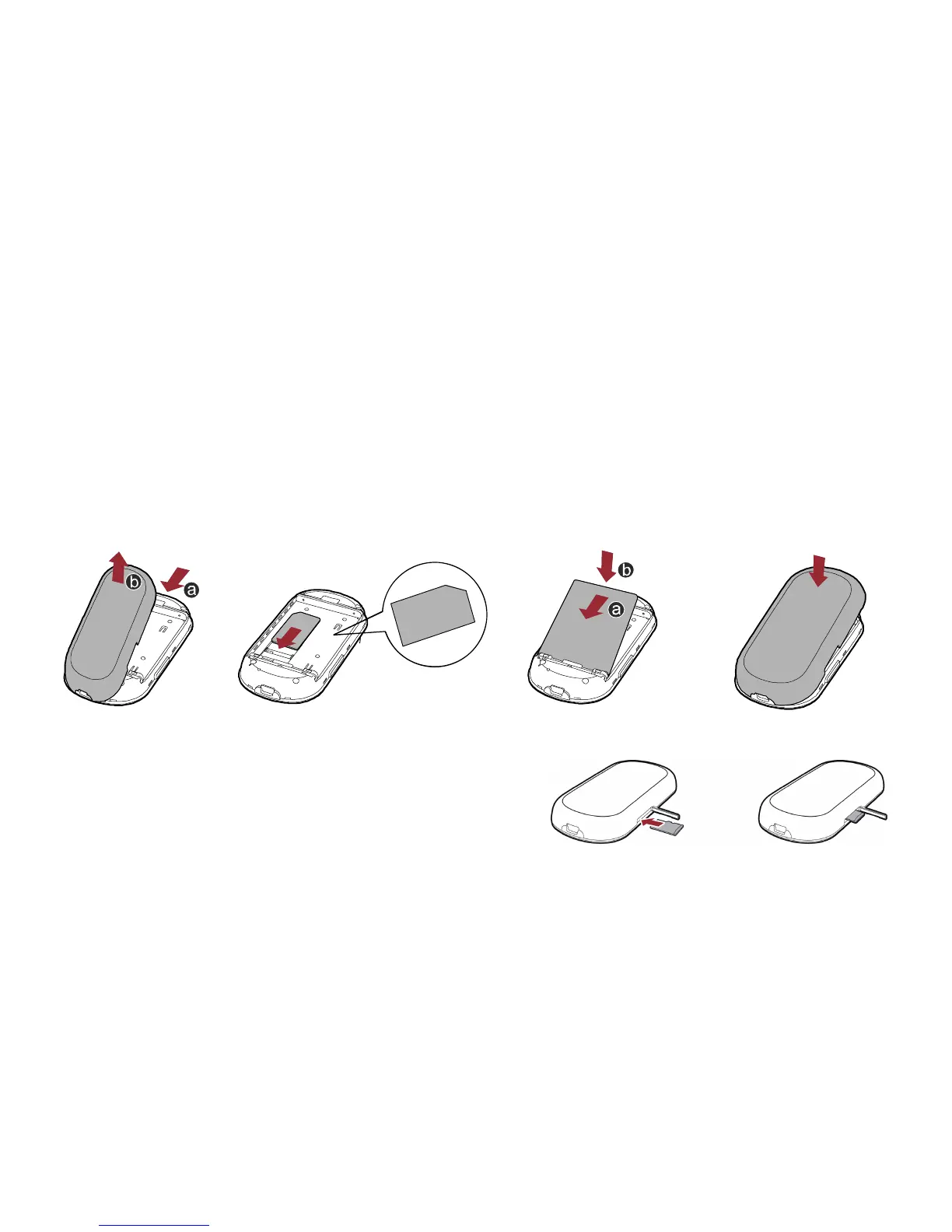
Installing the SIM Card and the Battery
Install the SIM card at the card slot entrance. Ensure that the SIM card faces the direction as
shown in the following figure. Then slide in the SIM card.
1
2
3
4
Installing the microSD card
1. Remove the rubber cap from the microSD ca
slot. Then insert the microSD card into the
slot.
rd
7


 To Next Page