EasyManua.ls Logo

Huawei eNodeB - Recommended Configuration; Minimum Configuration; Software Requirements

Huawei eNodeB
20 pages
Print Icon
To Next Page IconTo Next Page
To Previous Page IconTo Previous Page
Loading...
I
t
e
m
R
e
c
o
m
m
e
n
d
e
d
Configuration
Minimum
Configuratio
n
Display
resolution
1
0
2
4
x
7
6
8
o
r
h
i
g
h
e
r
8
0
0
x
6
0
0
CD-ROM
drive
-
-
Network
adapter
1
0
M
b
i
t
/
o
r
1
0
0
M
b
i
t
/
s
1
0
M
b
i
t
/
s
A
c
c
e
s
s
o
r
i
e
s
K
e
y
b
o
a
r
d
, m
o
u
s
e
, m
o
d
e
m
,
audio adapter, and speaker
Keyboard and mouse
Software Requirements
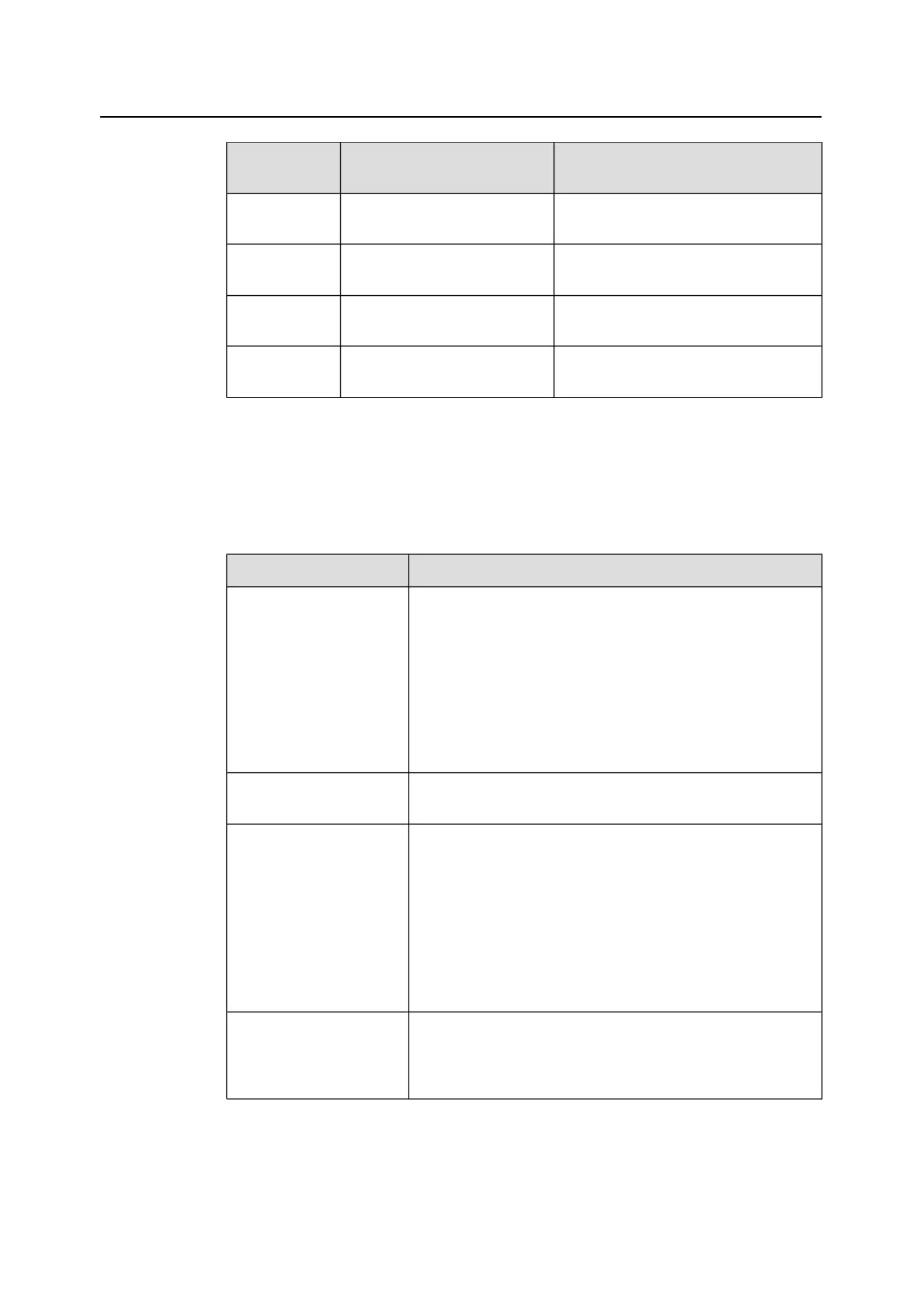
Table 2-2
lists the software requirements for the LMT installation.
Table 2-2
Software requirements
I
t
e
m
R
e
o
m
m
e
n
d
e
d
C
o
n
f
i
g
u
r
a
t
i
o
n
Operating system
l
Microsoft Windows XP
l
Microsoft Windows 2003
l
Microsoft Windows 2008
l
Microsoft Windows Vista
l
Microsoft Windows 7
NOTE
Currently, the LMT supports only web browsers and 32-bit operating
systems.
Default language of the
operating system
English (United States)
Web browser
l
Microsoft Internet Explorer 8
l
Firefox 3.X (X indicates any digit)
NOTE
l
You must set the security level of the web browser to medium or
low. Otherwise, the LMT menus cannot be viewed.
l
Internet Explorer 6 and Internet Explorer 7 are not recommended for
the LMT. If the LMT is terminated abnormally or has no responses
when using Internet Explor
er 6 or 7, a Firefox browser or an upgrade
from the Internet Explorer to Internet Explorer 8 is recommended.
JAVA Platform Standard
Edition Runtime
Environment (JRE)
jre-6u11-windows-
i586-p-s.exe
NOTE
This file can be downloaded from http://java.com/ or http://
support.huawei.com/.
eNodeB
L
M
T
U
s
e
r
G
u
i
d
e
2
I
n
t
r
o
d
u
c
t
i
o
n
t
o
t
h
e
e
N
o
d
e
B
L
M
T
I
s
s
u
e
0
1
(
2
0
1
1
-
0
9
-
1
5
)
H
u
a
w
e
i
P
r
o
p
r
i
e
t
a
r
y
a
n
d
o
n
f
i
d
e
n
t
i
a
l
Copyright © Huawei Technologies Co., Ltd.

5

Related product manuals