Connection Port Requirements
If the computer installed with the LMT cannot visit
NEs because of firewalls between them,
ports 20, 21, and 80 must be e
all. If the computer must v
Hypertext Transfer Protocol Secure (HTTPS), port 433 must be
Ports 20 and 21 are used for
the File Transfer Protocol (FTP). They need to be enabled in the
case of file transfer using FTP.
Port 80 is used for the Hypertext Transfer Protocol (HTTP) by default. That is, the port is
for a web server by default.
Communication Capability Requirements
The computer installed with the LMT must
support TCP/IP protocols.
The minimum effective network bandwidth for the LMT
The network bandwidth limits the web page opening speed. If the recommended effective bandwidth is
The effective bandwidth is the bandwidth occupied by the LMT. If multiple applications compete for the
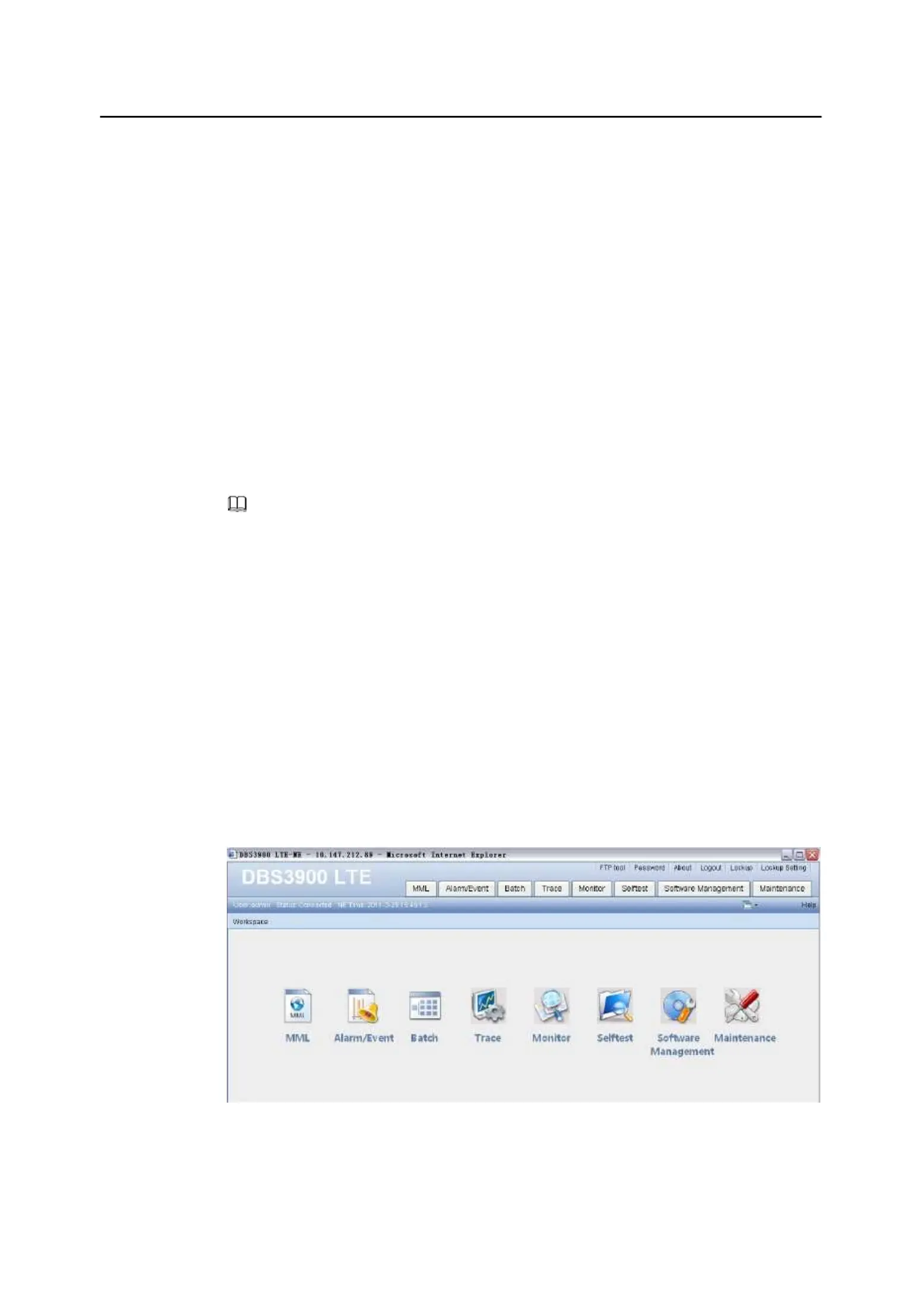
2.3 Components of the LMT Main Window
This section describes the components of the LMT main window
and the functions of each
shows the LMT main window of DBS3900 LTE.
Copyright © Huawei Technologies Co., Ltd.










 To Next Page