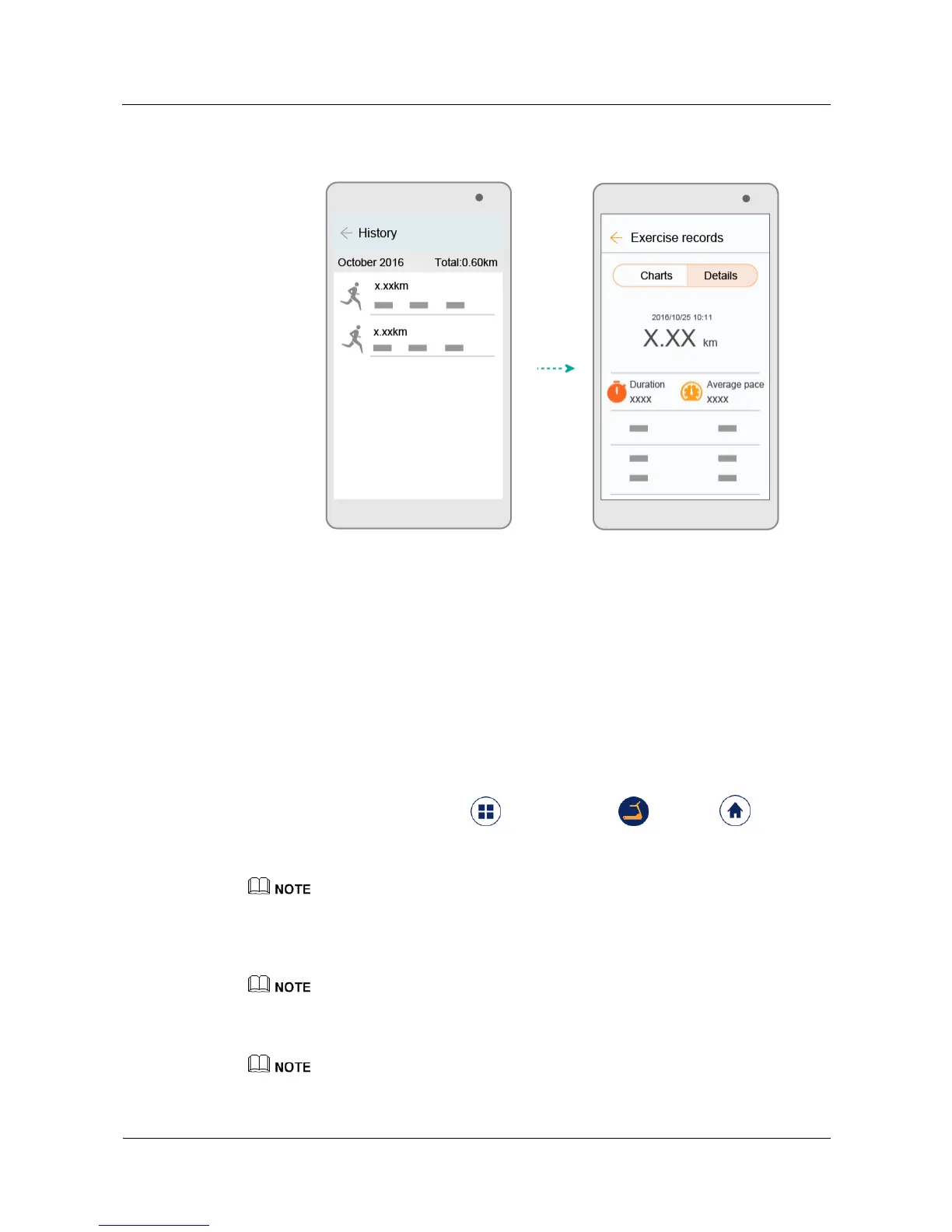
2. Touch an exercise record to view its
result.
2.4 Starting your running training
2.4.1 Creating a training plan
Your watch works as your fitness instructor, and can arrange your running plans based on
your personal conditions and the training goals you have set. Your watch can also analyze
your fitness data and provide you with scientific running suggestions to improve your running
capability and achieve your training goal.
Before you start running, perform the following steps to create a training plan in the app.
1. Open the app, touch Discover > Training plan or Home , swipe up
on the screen to enter the training section, and then touch ADD PLAN.
2. Set your running distance goal and touch NEXT.
If you are preparing for a running event, touch Training for an event?, turn on Training for an event,
and set the event date.
3. Set the best result within the target distance and the expected result after the training, and
touch NEXT.
You can also touch SK I P to skip the best result within the target distance and the expected result after
the training, and directly proceed to step 4.
4. Set the number of running times per week.
Touch Do you want to schedule a rest day? to set your rest days when you don't feel like running.


 To Next Page