Huawei Proprietary and Confidential
Copyright © Huawei Technologies Co., Ltd.
1.5 Pairing your watch with your phone
You can use your watch after pairing it with your phone. Perform the following steps to set it
up.
1. Download the Huawei Wear app using either of the following methods:
Method 1: When you pair your watch and phone for the first time, swipe left on the
watch's home screen to display the QR code. Use your phone to scan this QR code to
download and install the Huawei Wear app.
Method 2: Search for Huawei Wear in the Google Play Store or Apple App Store to
download and install the Huawei Wear app.
2. Turn on Bluetooth on your phone.
3. Open the app, touch Agree. Follow the onscreen instructions to log in with your Huawei
ID and set your personal information (such as height and weight), and then touch NEXT
to enter the home screen of the app.
Fill out your personal information to let your watch provide more accurate exercise suggestions.
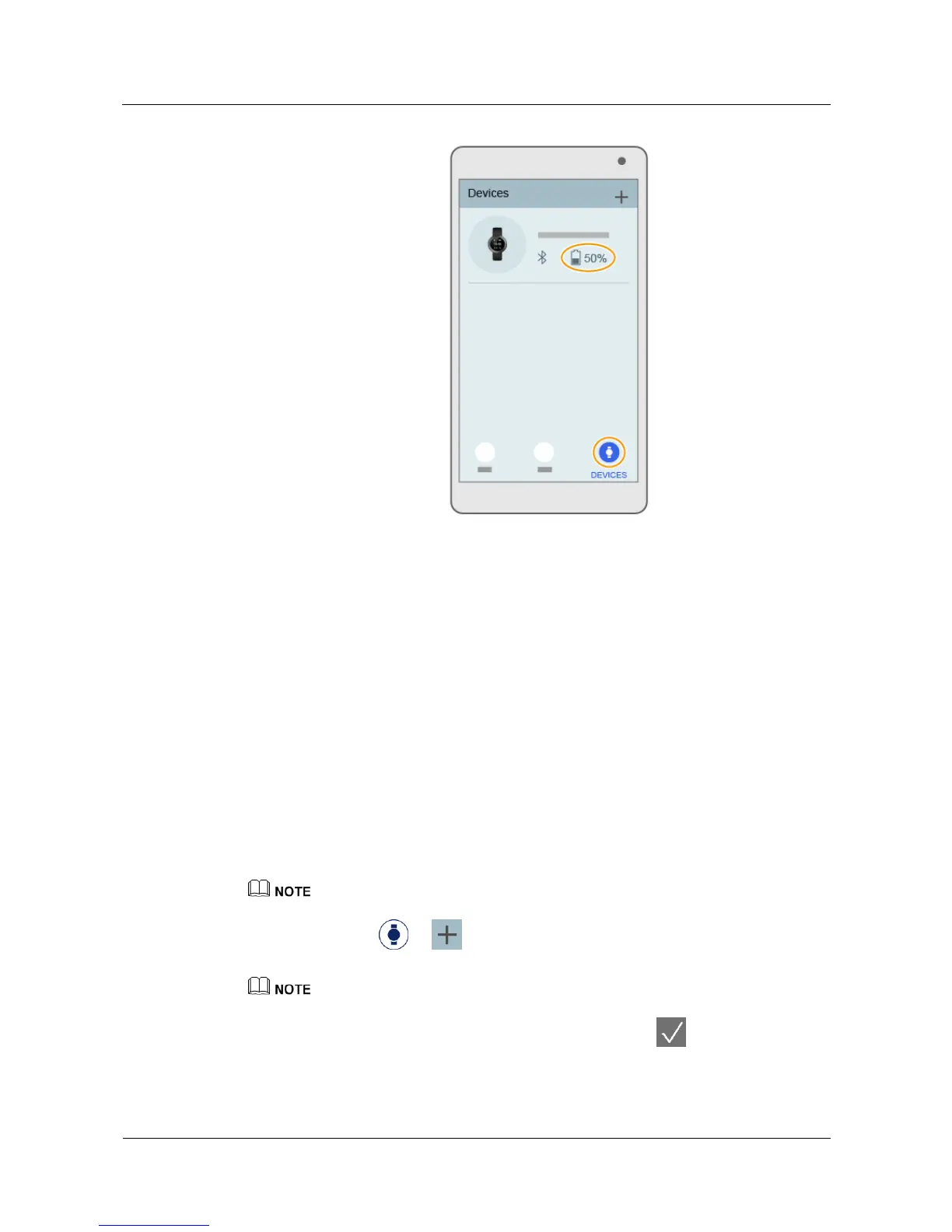
4. Touch Devices > to select your phone and then touch the Bluetooth name
of your phone.
,I\RXUSKRQHUXQV$QGURLGRUODWHUWXUQRQ*36RQ\RXUSKRQHZKHQSDLULQJ
5. When a pairing request appears on your watch screen, touch to pair your watch
and phone.


 To Next Page