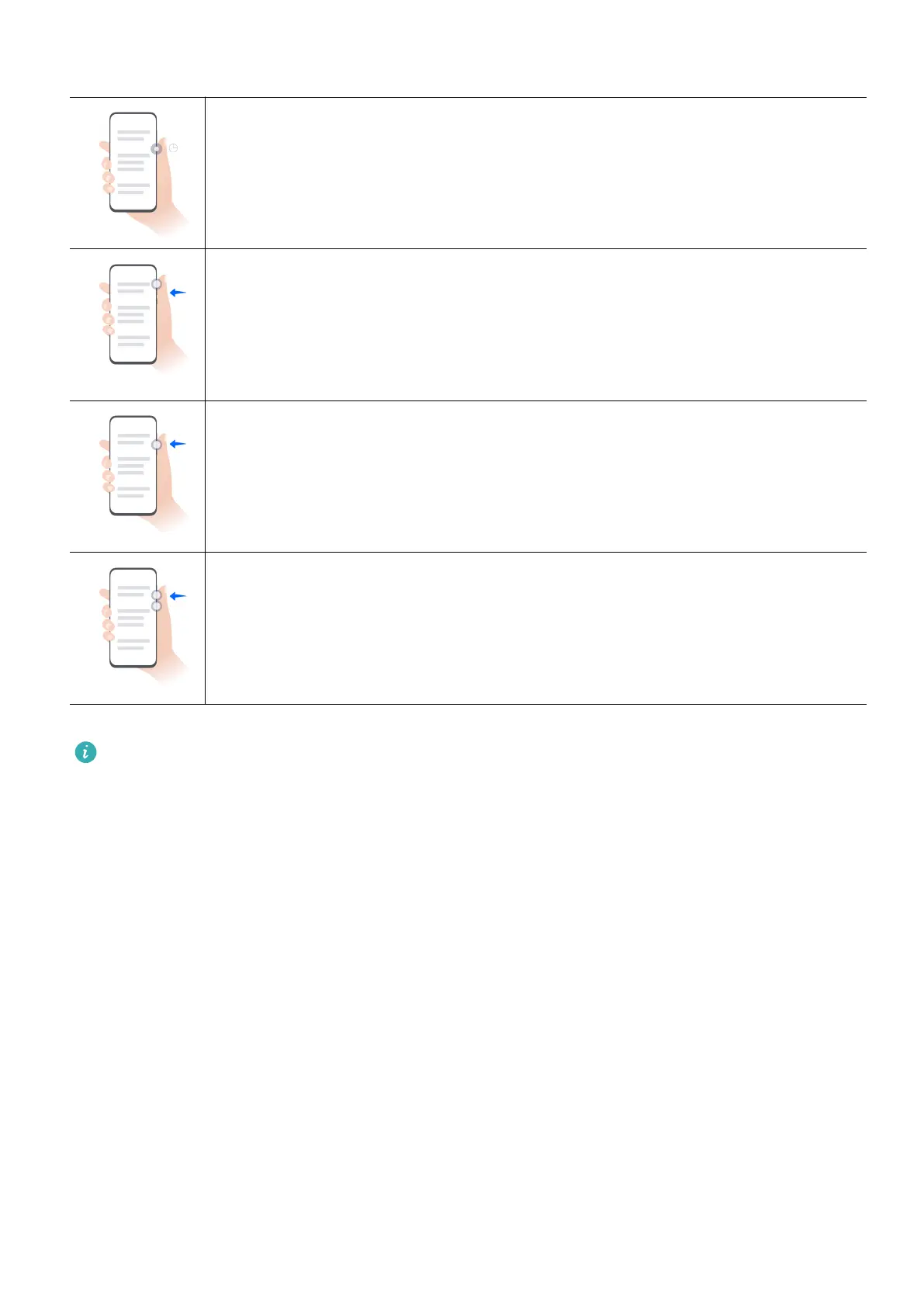
Button Shortcuts
Power o and restart
Press and hold the Power button until your phone displays the Power o
and Restart menus.
Turn up the volume
Press the Volume up button.
Turn down the volume
Press the Volume down button.
Take a screenshot
Press the Volume down and Power buttons simultaneously.
Some products do not have volume buttons.
Get Familiar with the Home Screen
Use Service Widgets
Service widgets allow you to:
• Preview or access apps, such as to view the weather forecast, or play music.
• Select from a range of service widget styles and layouts to customize your home screen.
• Stack and combine multiple service widgets to save home screen space, streamline your
home screen, and navigate with greater ease.
Essentials
4



 To Next Page