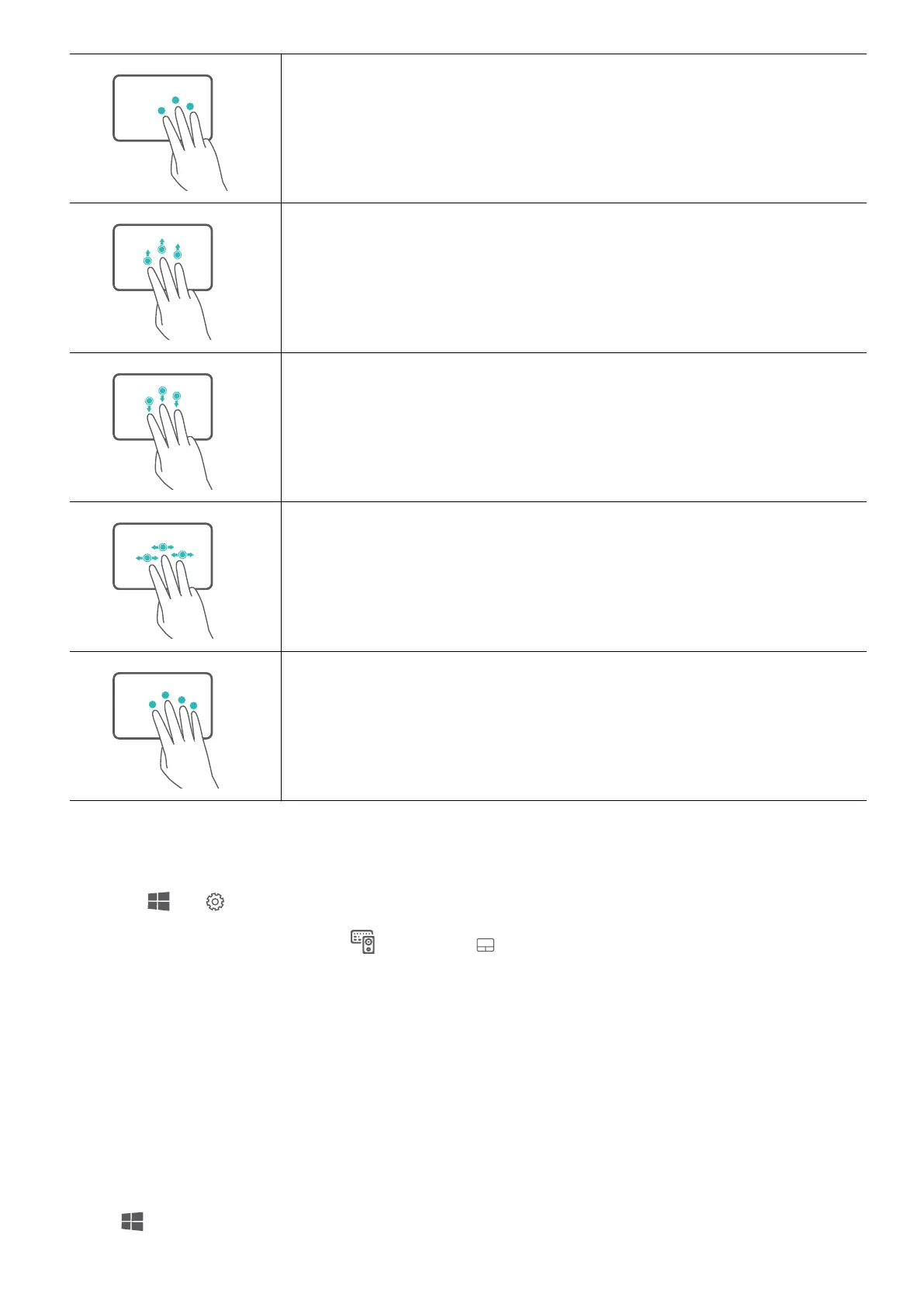
Tap with three ngers: Open search.
Slide up with three ngers: See all open windows.
Slide down with three ngers: Show the desktop.
Slide left or right with three ngers: Switch between open
windows.
Tap with four ngers: Open action centre.
Modify touchpad settings
You can modify touchpad settings to suit your own preferences.
1 Click > to open Settings.
2 On the Settings screen, click , then click to:
• Enable or disable the touchpad.
• Automatically enable or disable the touchpad when a mouse is connected.
• Change the touchpad scroll direction.
•
Congure touchpad gestures.
Set up HUAWEI Free Touch
The touchpads support HUAWEI Free Touch that is enabled by default. You can adjust the
touchpad sensitivity and vibration strength to suit your own preferences.
Click
to open the Start menu, then open HUAWEI Free Touch to modify the touchpad
settings.
Get to know your computer
6














 To Next Page