23
2
Installing the Cables on the Cable Module
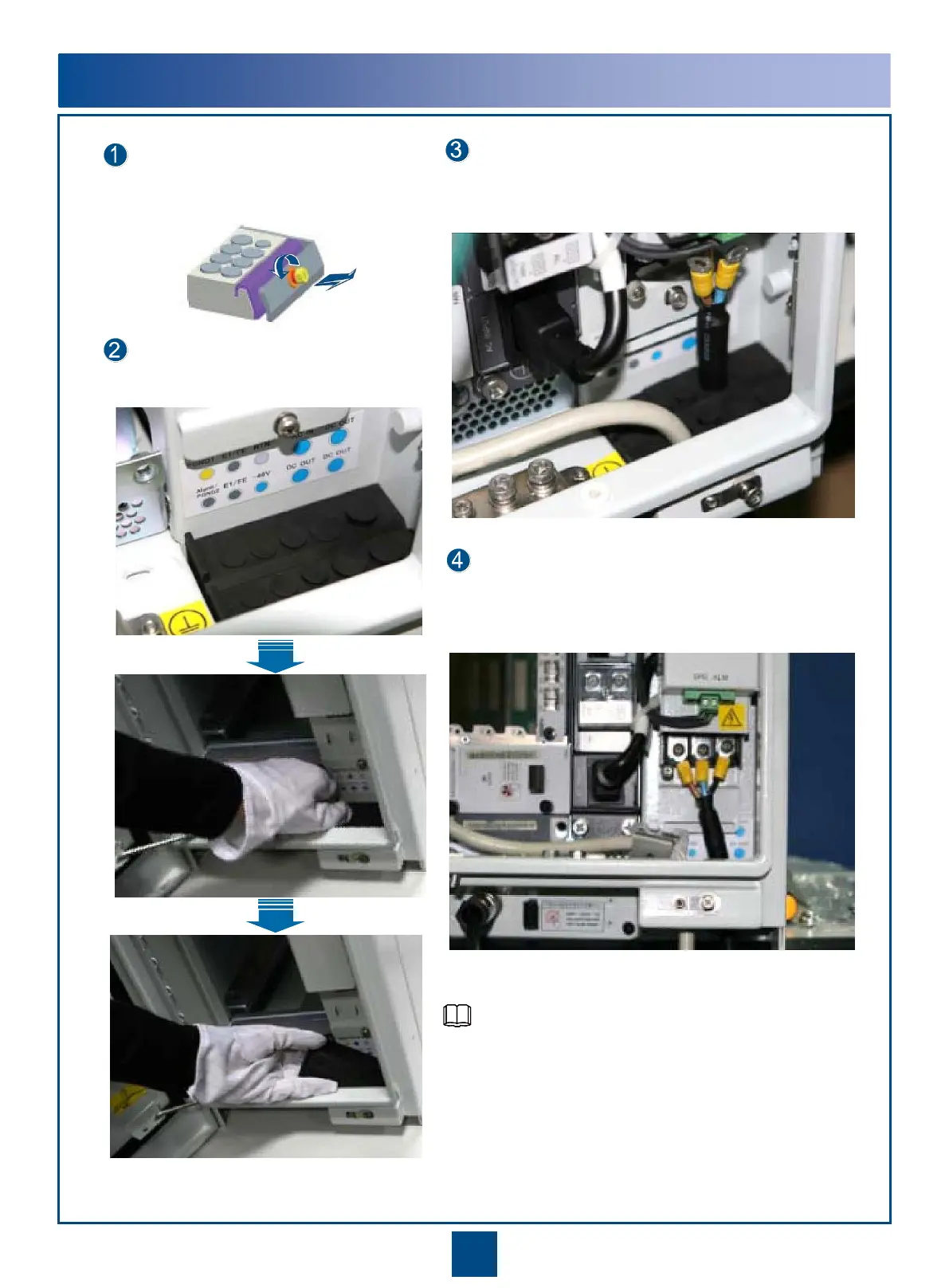
Remove the screws from the cable module.
Remove the cable module from the cable trough.
Route the cable from the bottom of the cable trough
upwards through the corresponding cable hole on the cable
module, and ensure that the cable connector is idle.
After routing all the cables through the cable hole on the
waterproof cable module, connect the cable connector to
the corresponding port on the equipment.
For information about the position of the cable holes,
cable routes, and installation methods, see the
description of the installation procedure.
NOTE


 To Next Page