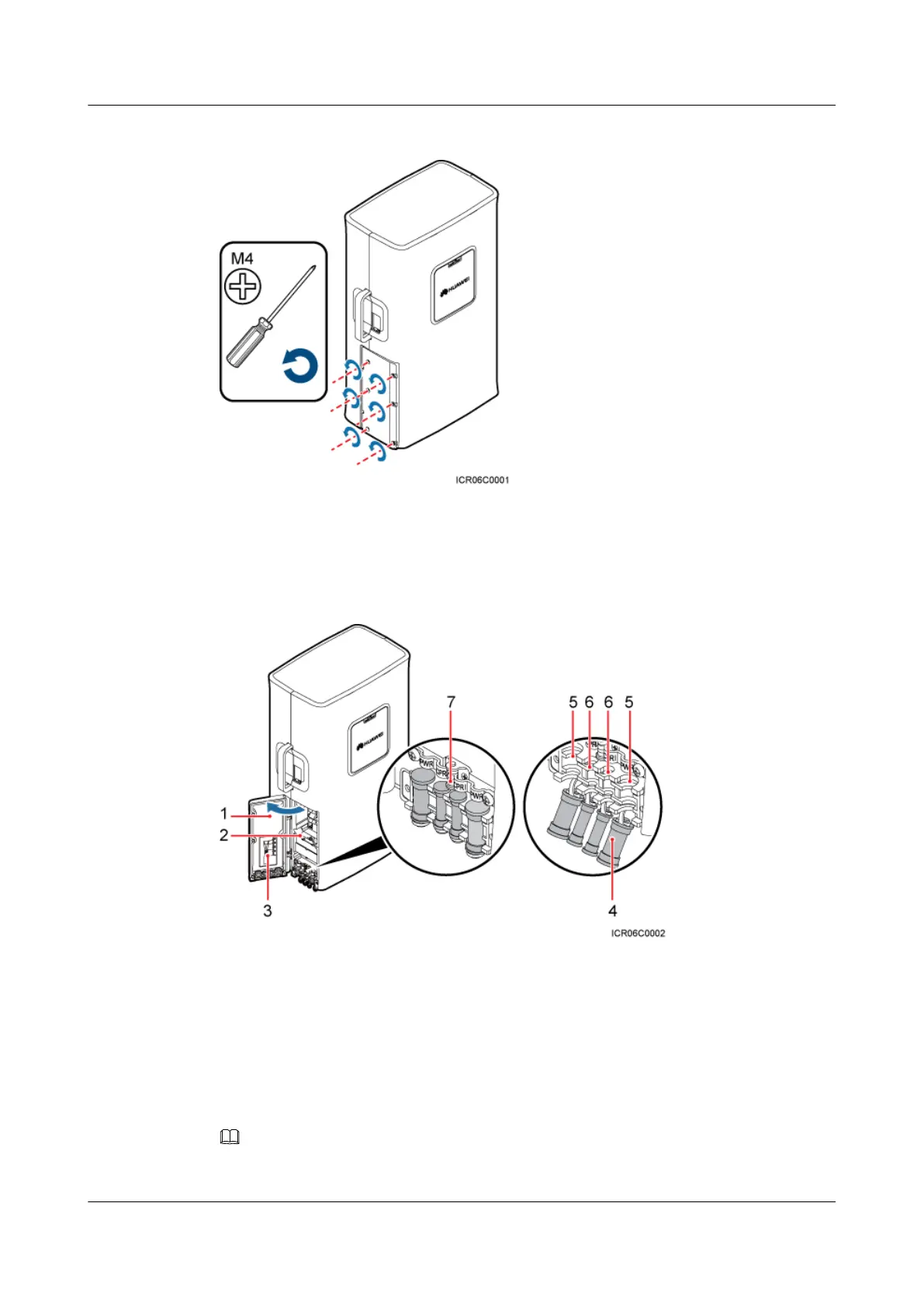
Figure 8-14 Opening the cover plate of the RRU cabling cavity
Figure 8-15 shows the RRU cabling cavity.
Figure 8-15 RRU cabling cavity
(1) Cover plate
(2) Cabling cavity (3) Cable diagram on labels
(4) Waterproof block (5) Cable trough for the power cable (6) Cable trough for the fiber optic cable
(7) Clip - -
Step 3 Loosen the screws on the clip, and open the clip, as shown Figure 8-16.
NOTE
Open the clip only for the associated cable.
RRU3201
Installation Guide 8 Installing RRU Cables
Issue 06 (2012-04-16) Huawei Proprietary and Confidential
Copyright © Huawei Technologies Co., Ltd.
77



 To Next Page