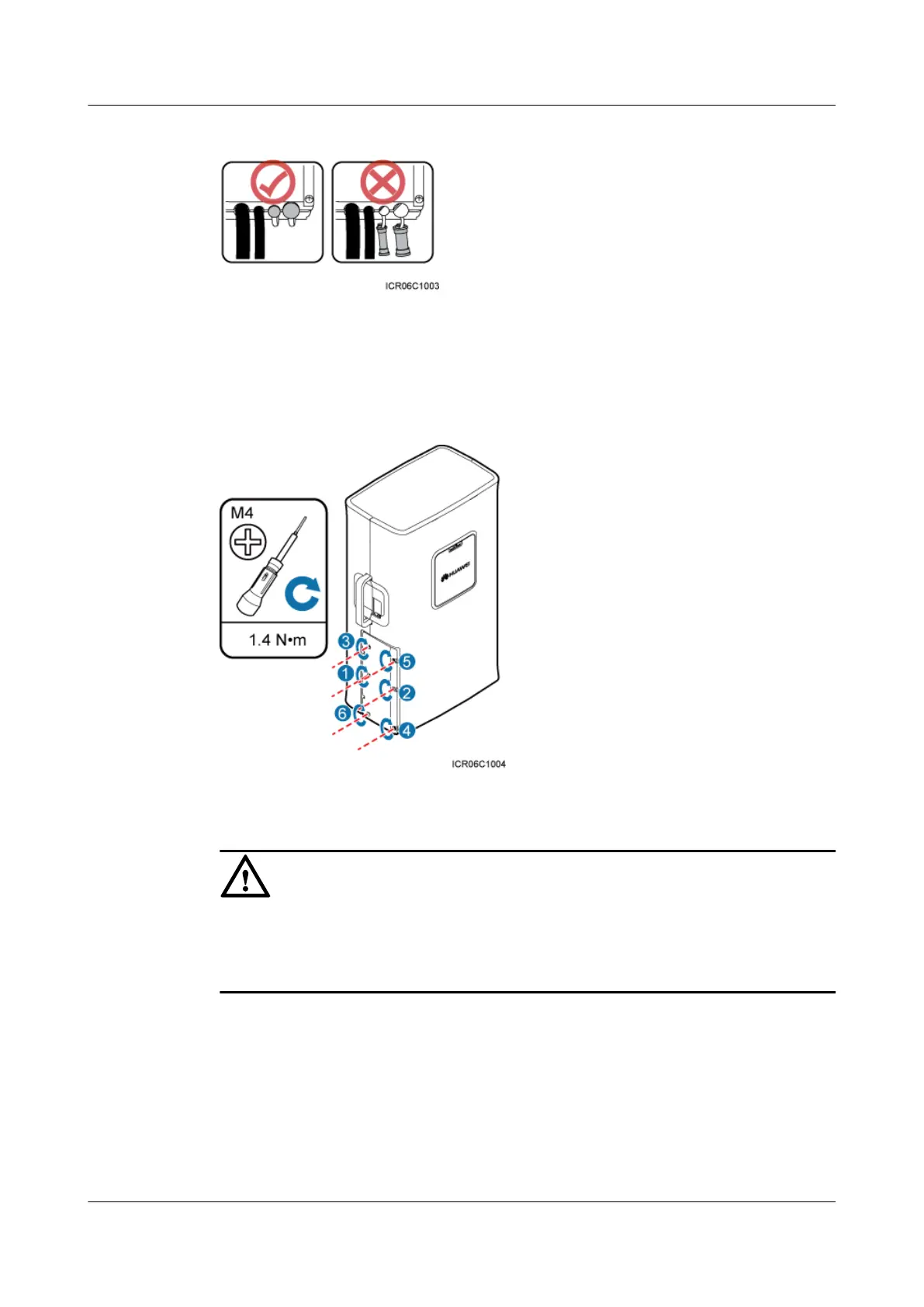
Figure 8-21 Correct placement of waterproof blocks
Step 3 Close the cover plate of the RRU cabling cavity and tighten the screws on the cover plate to 1.4
N·m (12.39 lbf·in.) using a torque screwdriver, as shown in Figure 8-22.
Figure 8-22 Closing the cover plate of the RRU cabling cavity
CAUTION
l Before tightening the screws on the cover plate, ensure that cables and waterproof blocks are
properly inserted into troughs.
l Tighten the screws on the cover plate in the sequence shown in the figure.
Step 4 Take off the ESD gloves, and pack up all the tools.
----End
RRU3201
Installation Guide 8 Installing RRU Cables
Issue 06 (2012-04-16) Huawei Proprietary and Confidential
Copyright © Huawei Technologies Co., Ltd.
83



 To Next Page