HUAWEI SCL Smartphone FAQs
16/82
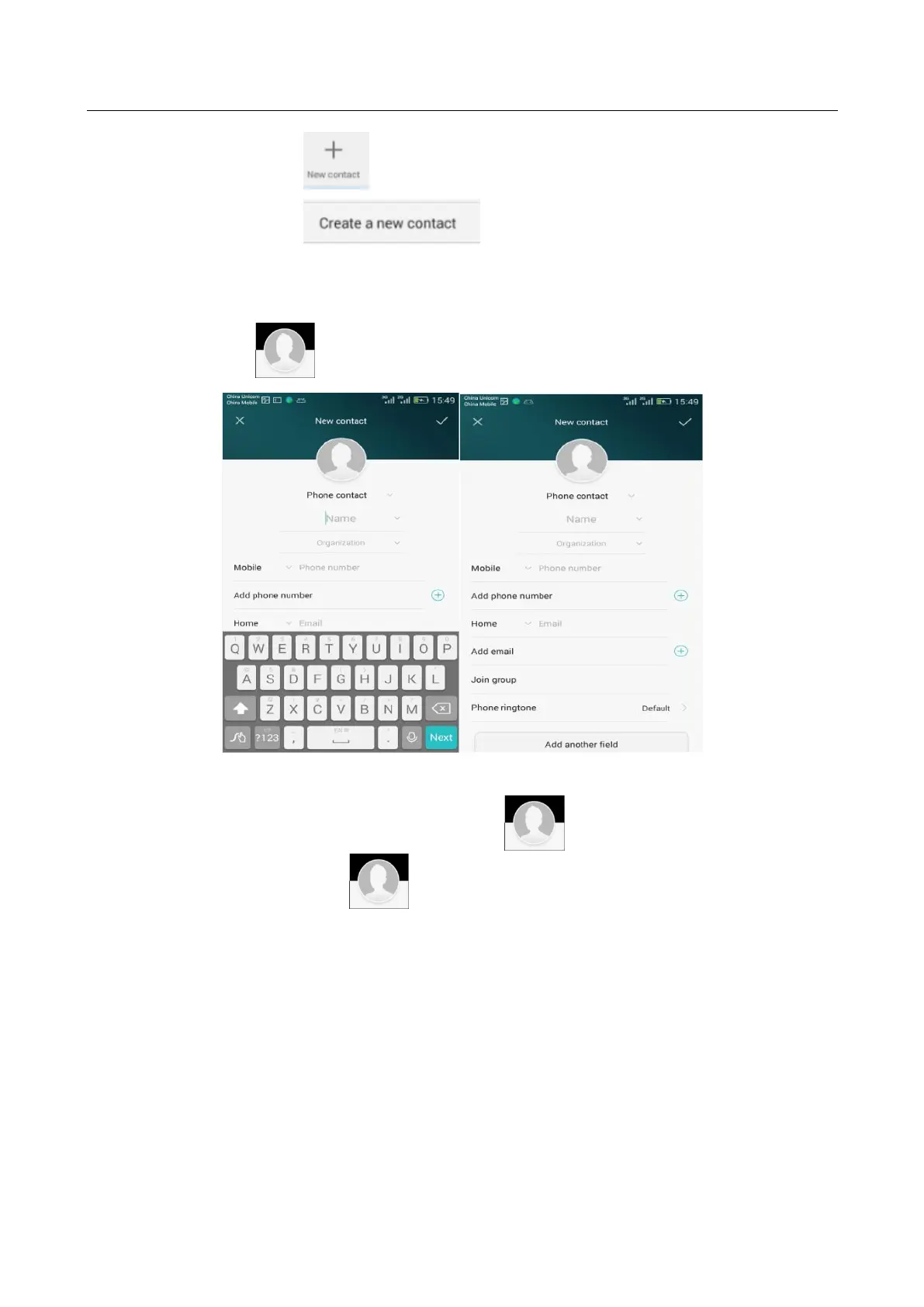
Touch when the contact is already in your contacts list.
Touch when the contact is not in your contacts list.
2. Assigning a photo to a contact
Note: You cannot assign photos to contacts saved to the SIM card.
Method 1: Go to Contacts and touch a contact. On the contact details screen, touch
to take a photo or choose a photo from the gallery.
Method 2: Go to Contacts and touch next to a contact. On the contact details
screen, touch to take a photo or choose a photo from the gallery.


 To Next Page