HUAWEI SCL Smartphone FAQs
65/82
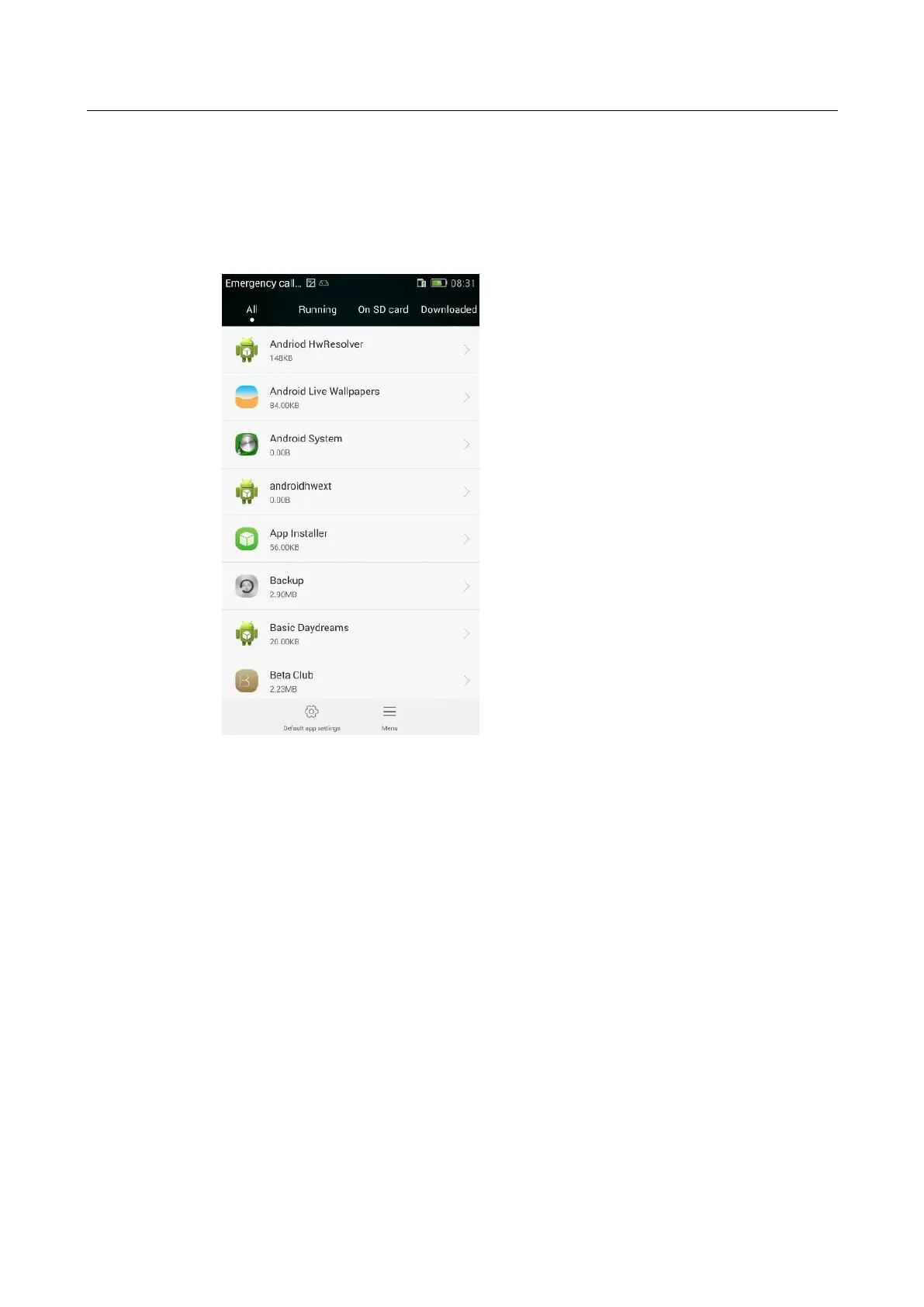
2.14.3 What does the Manage apps screen look like?
In the upper part, you can switch between the following four tabs: All, Running, On SD
card, and Downloaded.
In the middle part, you can see a list of applications.
In the lower part, you can see Default app settings and Menu.
2.14.4 How do I manage a specific application using Manage
apps?
In the upper part, you can switch to the desired tab (application list): All, Running, On
SD card, and Downloaded.


 To Next Page