HUAWEI SCL Smartphone FAQs
57/82
2.8.13 How do I configure the VPN parameters?
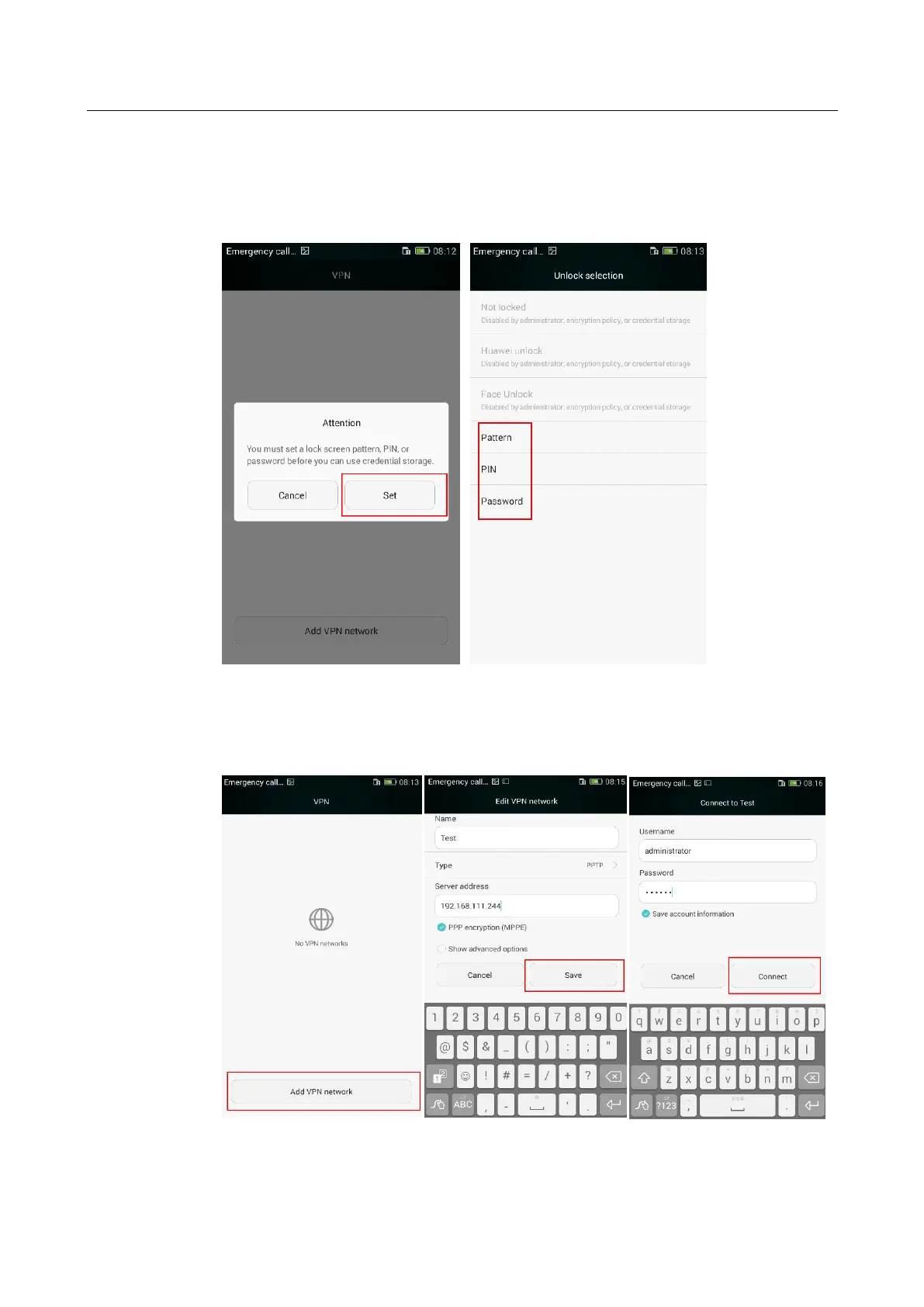
Go to Settings > Wireless & networks > More… > VPN. If the "You must set a lock screen,
PIN, or password before you can use credential storage." message is displayed, set a lock
screen pattern, PIN, or password before adding a VPN network.
Touch Add VPN network. On the displayed Edit VPN network screen, set the required
parameters and touch Save. On the displayed screen, enter your user name and password and
touch Connect.


 To Next Page