HUAWEI SCL Smartphone FAQs
46/82
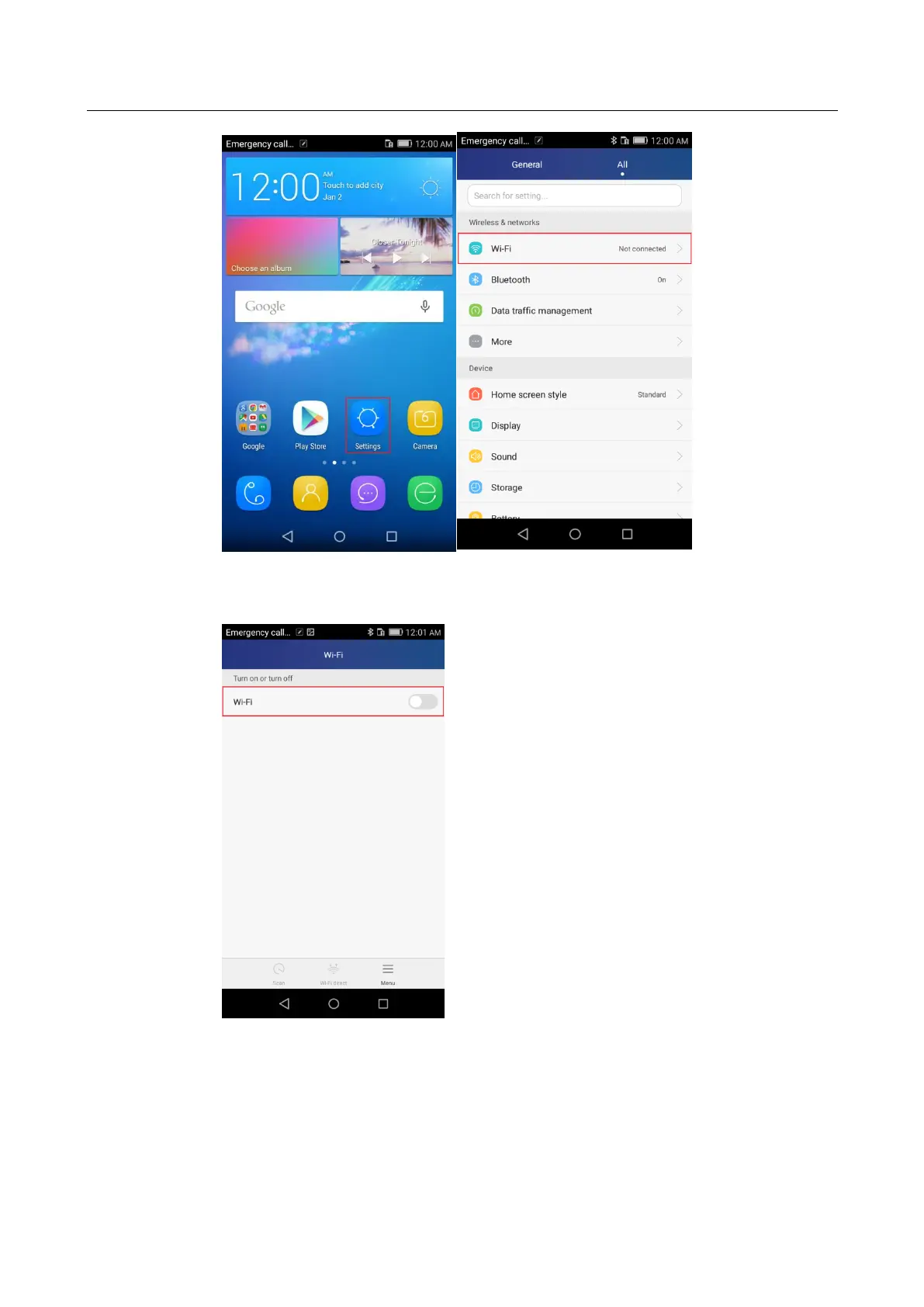
2. Turn on Wi-Fi to search for Wi-Fi networks in range.
3. If Wi-Fi is turned on, your phone automatically searches for available Wi-Fi networks.
Touch the desired network. In the displayed dialog box, enter the password for the Wi-Fi
network and touch Connect. After the connection is set up, you will be able to use the
Wi-Fi network to access the Internet.


 To Next Page