TP482000B V300R002C03 Telecom Power
(TP482000B-N20B1, TP482000B-N20B2,
TP481200B-N20B1, and TP481200B-N20B2)
User Manual
Copyright © Huawei Technologies Co., Ltd.
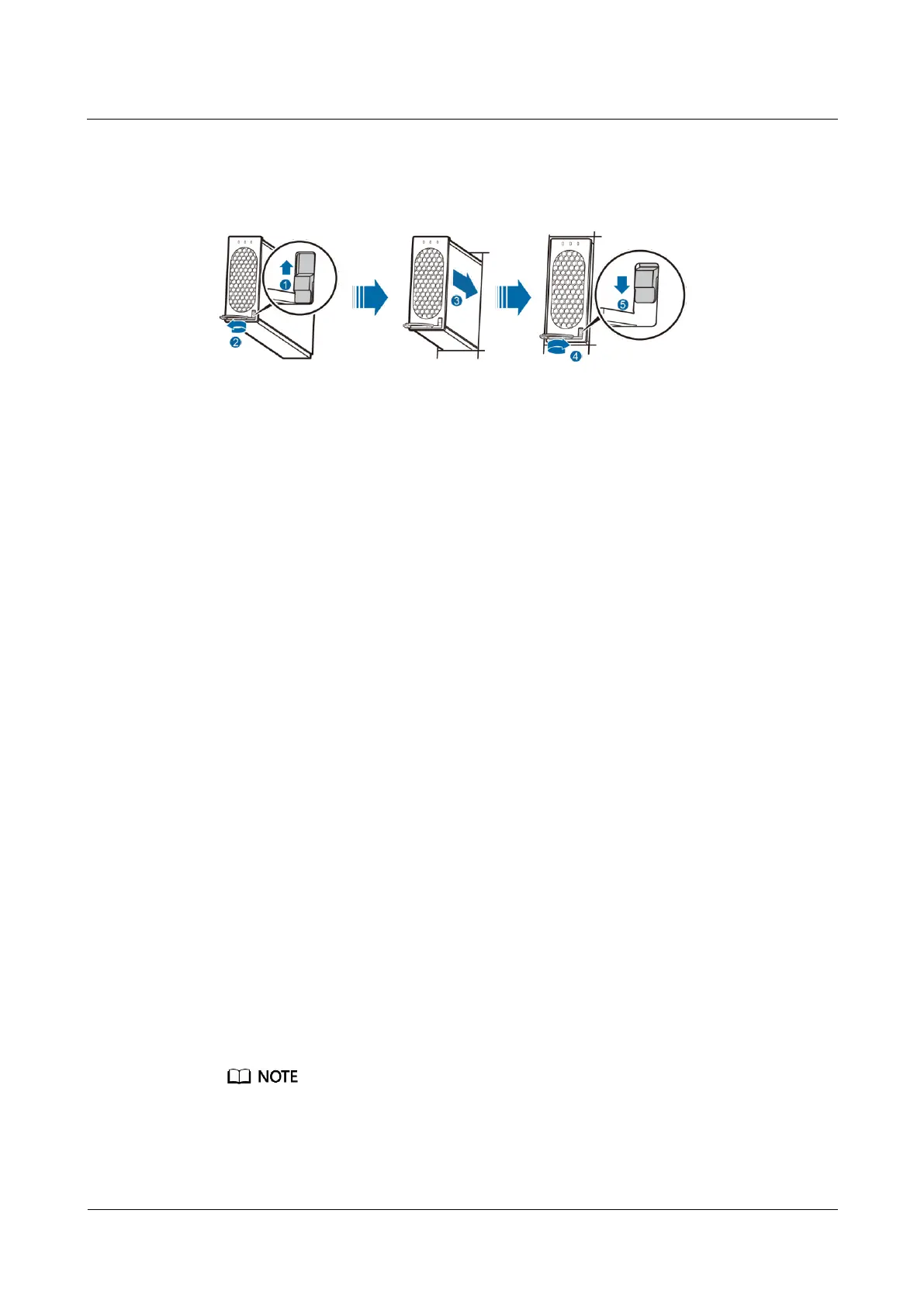
Step 6 Gently slide the new rectifier along the guide rail, and push the locking latch downwards, as
shown in Figure 7-2.
Figure 7-2 Installing a new rectifier
Step 7 Remove the protective gloves.
----End
Follow-up Procedure
Pack the removed component and have it sent to the local Huawei warehouse.
7.2 Replacing the SMU05A
7.2.1 Replacing the Main Control Board
Prerequisites
You have obtained an ESD wrist strap, a pair of ESD gloves, an ESD box or bag, a tool
kit, and the cabinet door key.
You have obtained a PC and network cable. The computer supports Windows XP or later
and Internet Explorer 7.0 or later.
The new SMU05A main control board is intact.
You have obtained the SMU05A IP address, subnet mask, gateway address, and web user
interface (WebUI) user name and password from the administrator.
Context
To replace the main control board, you do not need to disconnect the AC input to the power
system.
Procedure
Step 1 Back up SMU parameters.
Skip Step 1 if the main control board has been severely damaged and data backup cannot be completed.
1. Connect one end of the network cable to the fast Ethernet (FE) port on the SMU and the
other end to the network port on the PC.







 To Next Page