TP482000B V300R002C03 Telecom Power
(TP482000B-N20B1, TP482000B-N20B2,
TP481200B-N20B1, and TP481200B-N20B2)
User Manual
Copyright © Huawei Technologies Co., Ltd.
Do not replace an AC SPD during a thunderstorm.
Procedure
Step 1 Connect the ground cable for the ESD wrist strap, and put on the ESD wrist strap and ESD
gloves.
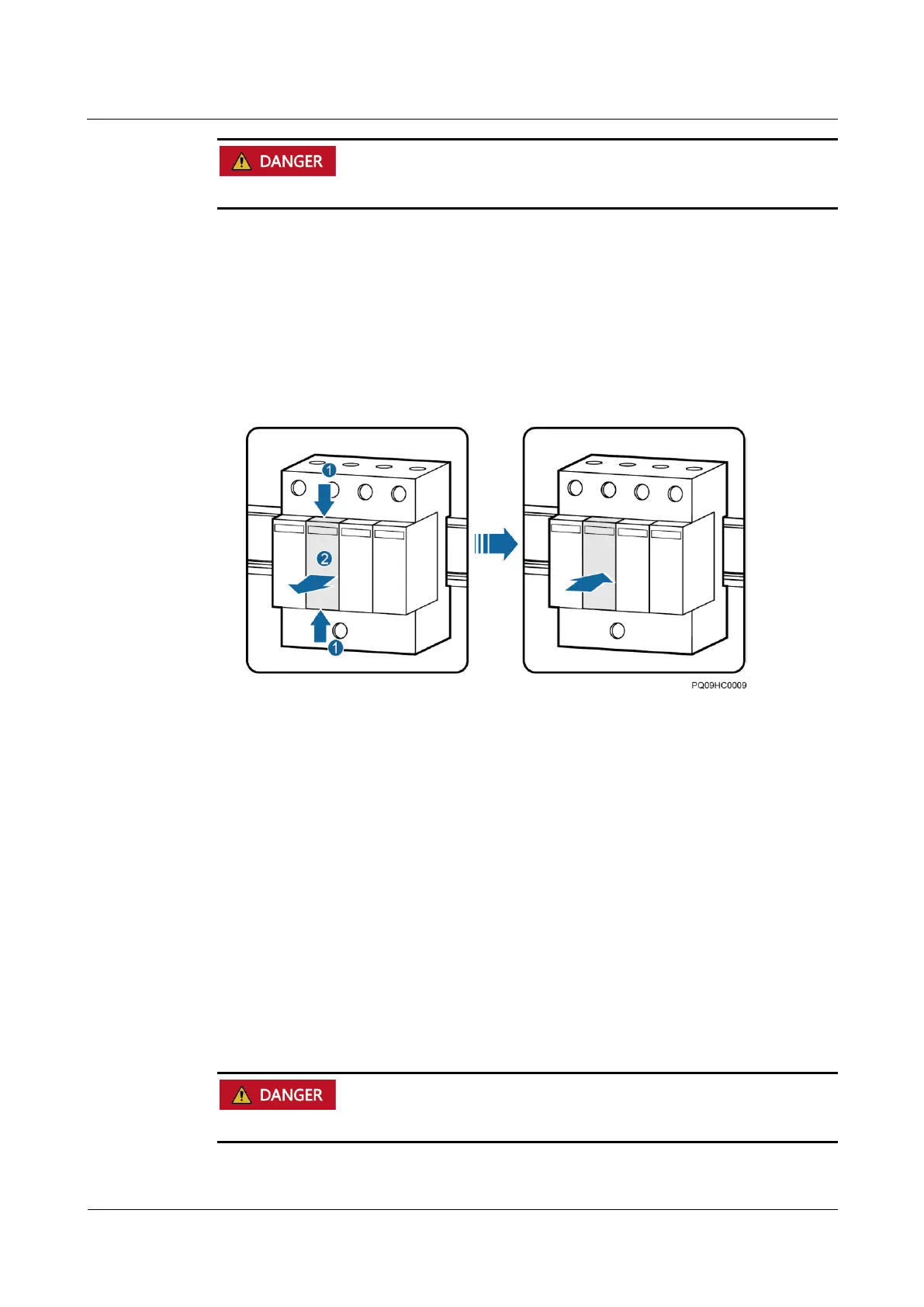
Step 2 Hold down the faulty AC SPD and pull it out, as shown in Figure 7-23.
Step 3 Install the new AC SPD, as shown in Figure 7-23.
Figure 7-23 Replacing an AC SPD
Step 4 Disconnect the ground cable for the ESD wrist strap, and take off the ESD wrist strap and
ESD gloves.
----End
Follow-up Procedure
Check that the alarm for the AC SPD is cleared.
7.5 Replacing a Circuit Breaker
Prerequisites
Before replacing an AC circuit breaker, switch off the upstream input circuit breaker.
The cabinet door key, insulation tape, and required tools are available.



 To Next Page