TP482000B V300R002C03 Telecom Power
(TP482000B-N20B1, TP482000B-N20B2,
TP481200B-N20B1, and TP481200B-N20B2)
User Manual
Copyright © Huawei Technologies Co., Ltd.
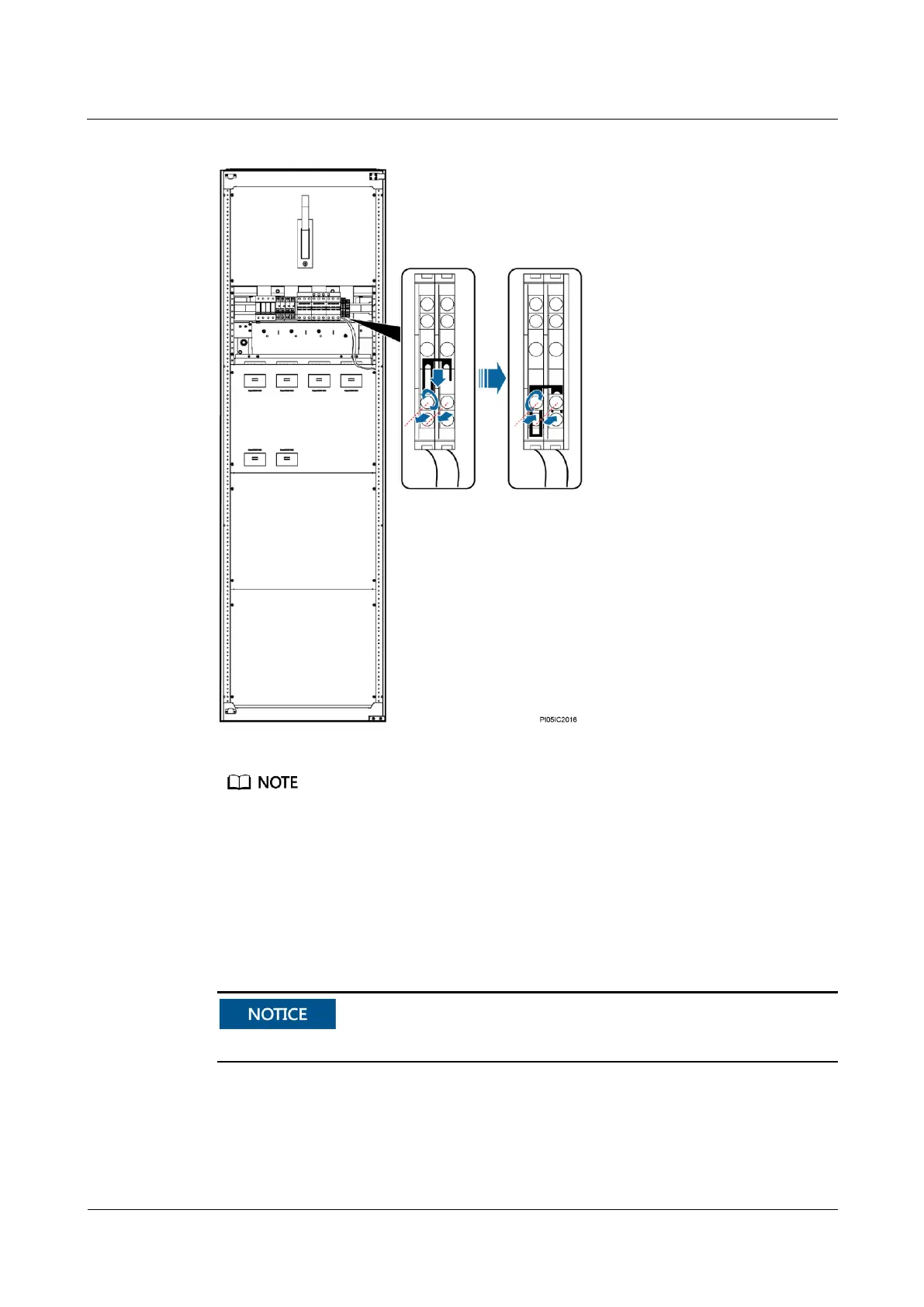
Figure 7-20 Short-circuiting a maintenance terminal
If the power distribution monitoring unit is not connected to the AC cabinet, skip Step 2 and Step 12.
Step 3 Record the positions of cables connected to RJ45 ports on the power distribution monitoring
unit, and disconnect the cables from the ports.
Step 4 Unscrew and remove the cover from the power distribution monitoring unit, as shown in
Figure 1.
Step 5 Unscrew and remove the cover from the signal transfer board, as shown in Figure 7-21.
Use an M4 hex key to unscrew the cover of the signal transfer board.


 To Next Page
 Loading...