UPS2000-G1-(1 kVA–3 kVA)
User Manual
Huawei Proprietary and Confidential
Copyright © Huawei Technologies Co., Ltd.
Tower-mounting the UPS
To tower-mount the UPS, perform the following steps:
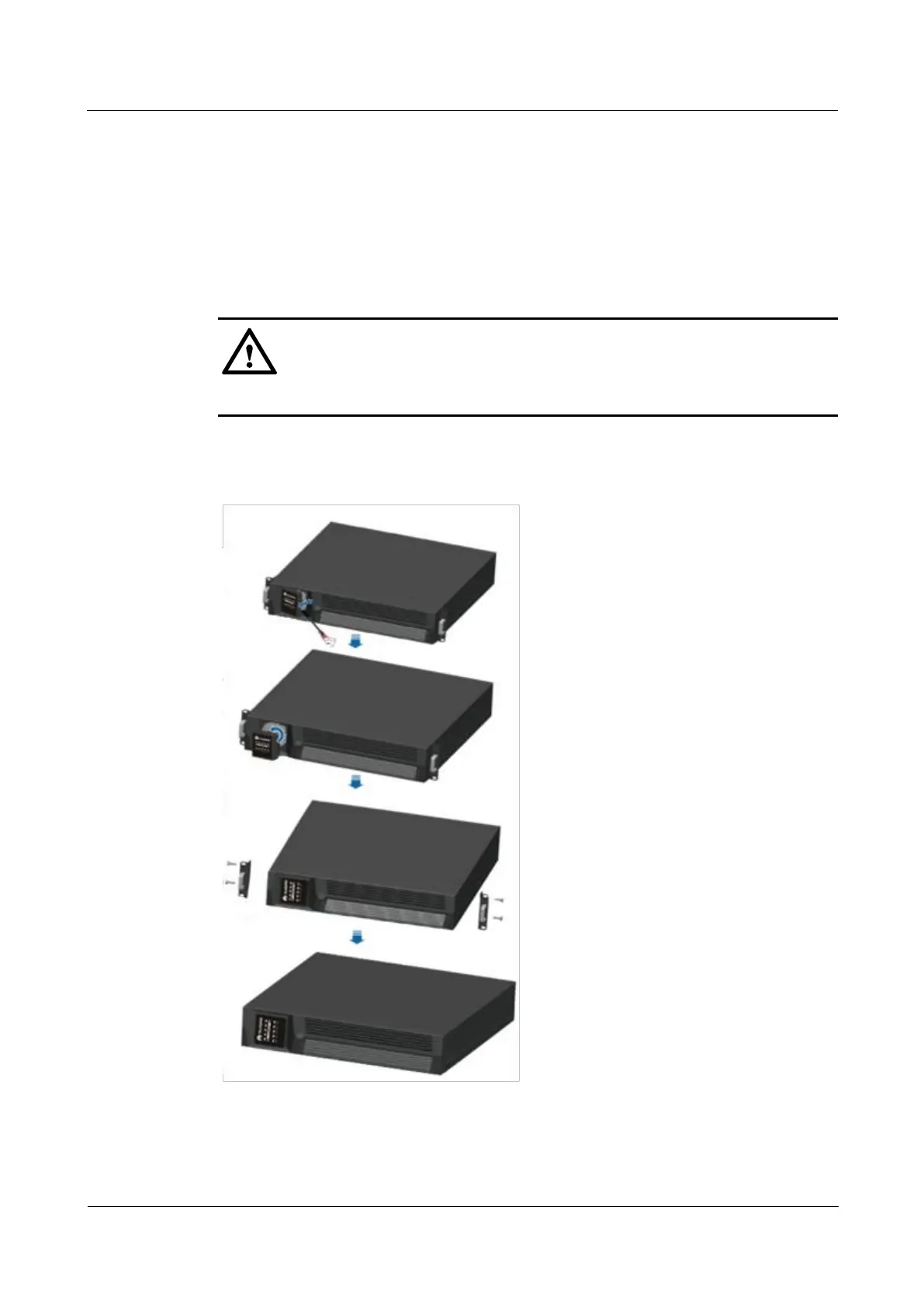
Step 1 Determine the position for installing the UPS. Gently remove the plastic front panel of the
UPS and pull out the display panel. Rotate the display panel anticlockwise by 90 degrees and
push it back. Then remove the mounting ears and reinstall the screws used to secure the
mounting ears.
Disconnect the power before operating on the panel.
Figure 3-3 shows the dimensions of the UPS used for tower-mounting.
Figure 3-3 Dimensions of the UPS used for tower-mounting
Step 2 Place the UPS on two supports.



 To Next Page