UPS2000-G1-(1 kVA–3 kVA)
User Manual
Huawei Proprietary and Confidential
Copyright © Huawei Technologies Co., Ltd.
3.3 Installation Procedure
The UPS supports rack-mounting and tower-mounting.
Rack-mounting the UPS
To rack-mount the UPS, perform the following steps:
Step 1 Determine the position for installing the UPS.
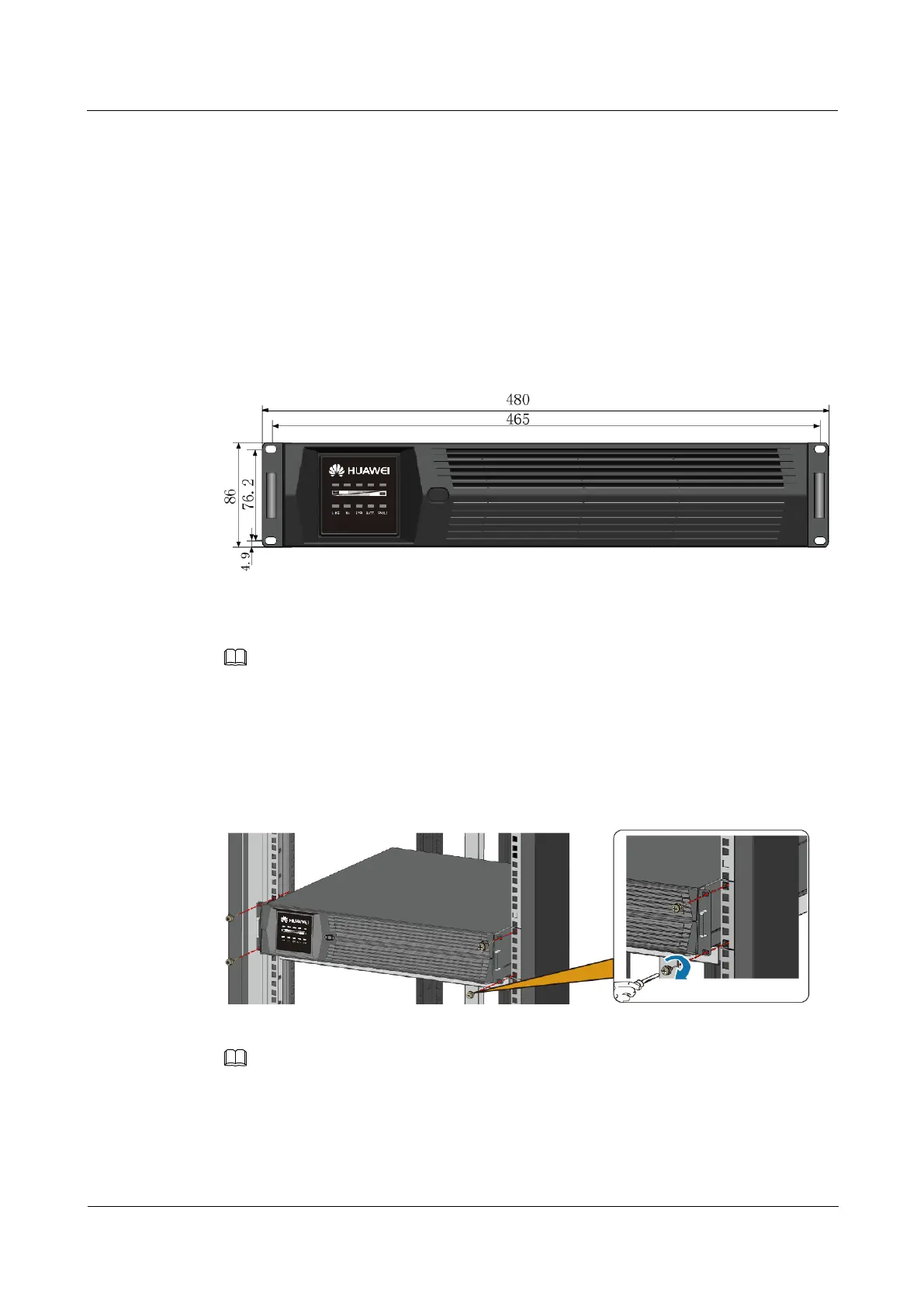
Figure 3-1 shows the dimensions of the UPS used for rack-mounting.
Figure 3-1 Dimensions of the UPS used for rack-mounting (unit: mm)
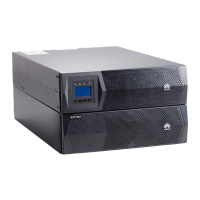
Step 2 Slide the UPS along the guide rails in a rack.
Do not move the UPS by holding its mounting ears.
Step 3 Secure the UPS to the rack by installing screws in the mounting ears on the left and right sides
of the UPS.
Figure 3-2 shows how to rack-mount the UPS.
Figure 3-2 Rack-mounting the UPS
Four M6x16 screws and four floating nuts are required.
----End




 To Next Page