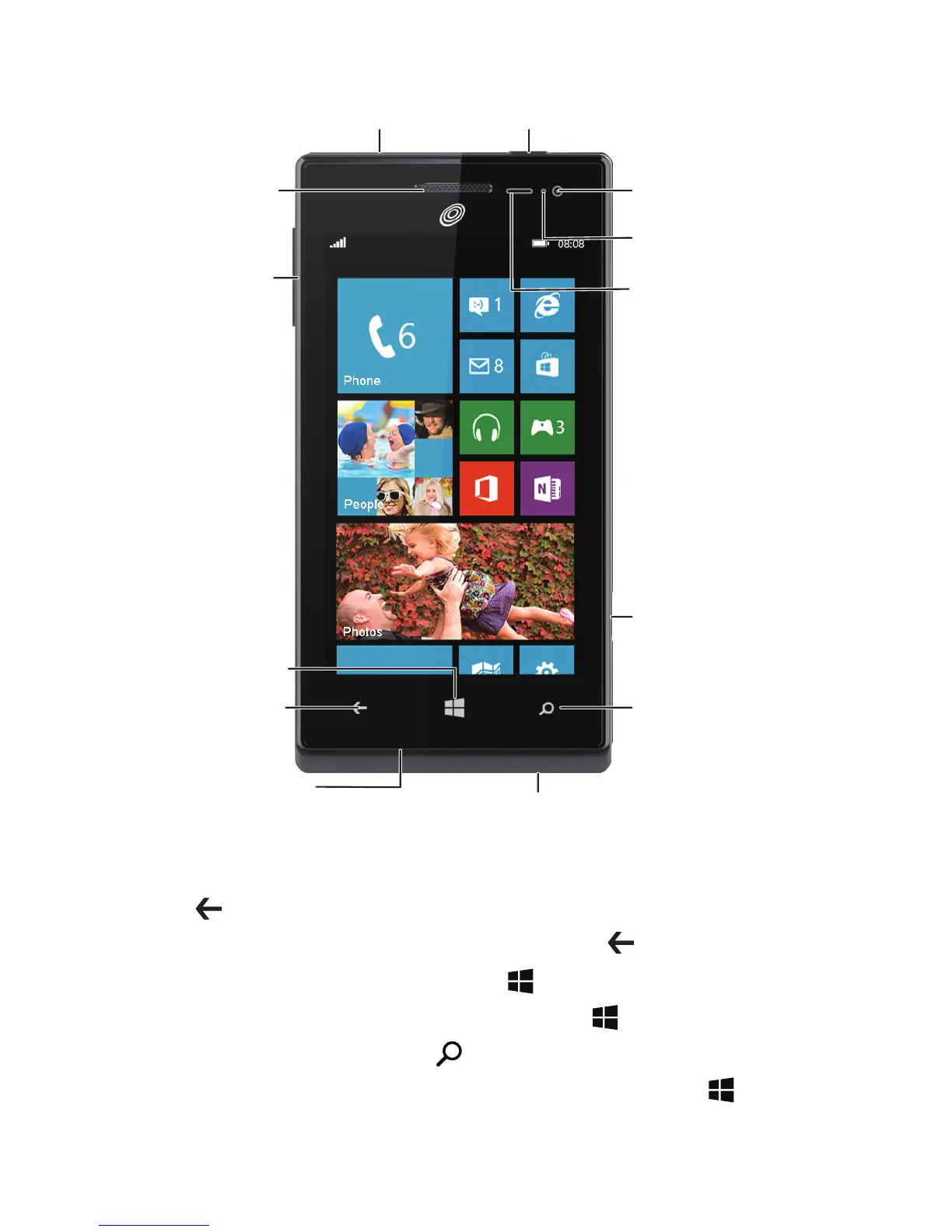
Earpiece
Volume
button
Start button
Back button
Microphone
Micro USB port
Search button
Camera button
Proximity sensor
Status indicator
Front camera
Power buttonHeadset jack
1
Getting to know your phone
From any screen, you can:
> To return to the previous screen or exit the current application, tap
.
> To view running applications, tap and hold .
> To return to the Start screen, tap
.
> To open the voice controller, tap and hold
.
> To open Bing search, tap
.
> To take a screenshot, press the power button and tap
simultaneously.


 To Next Page