1
People
a
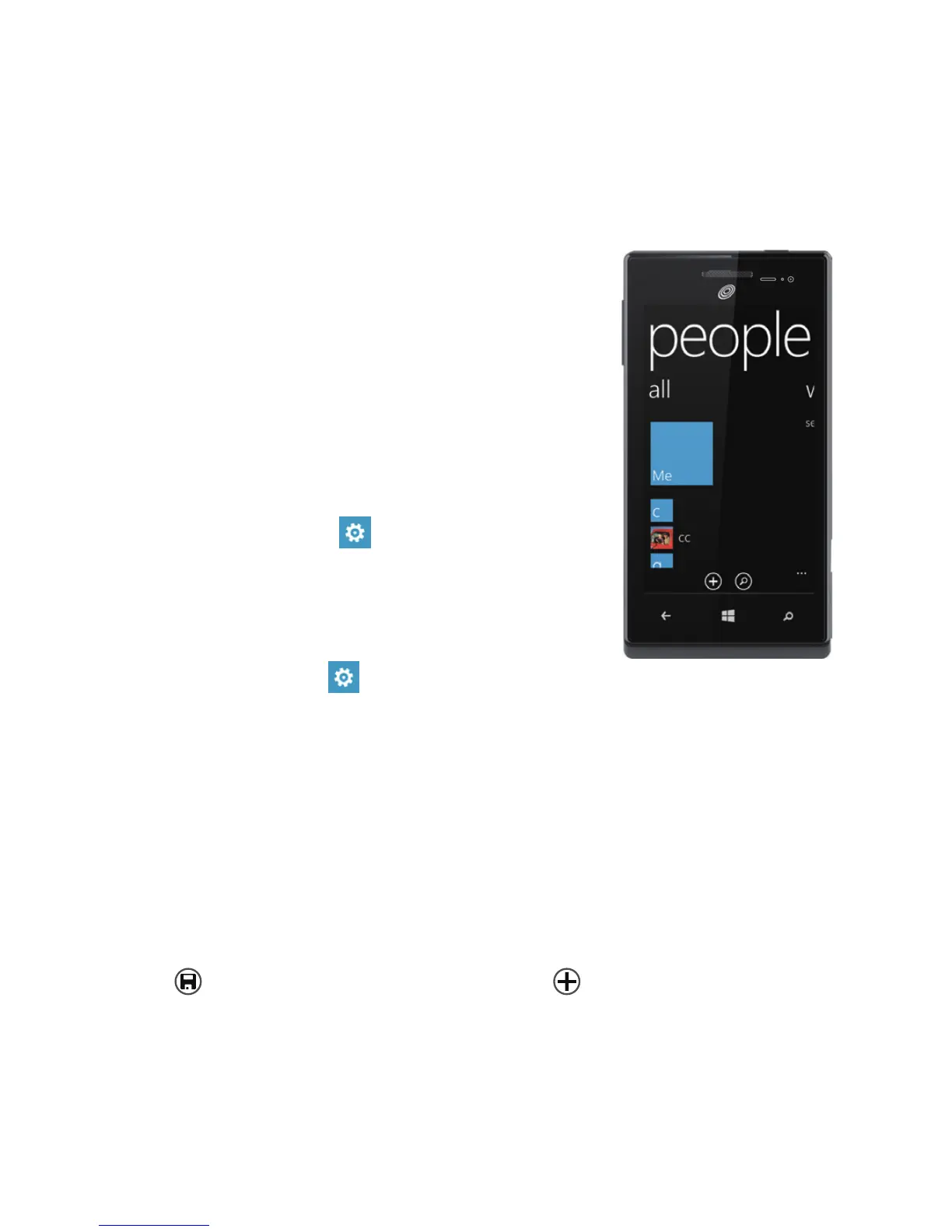
Get your contacts on your phone
Adding your email accounts and social networks—Facebook, Twitter, and
LinkedIn—is the easiest way to get your contacts set up on your phone.
You'll see your friends' updates in the People
Hub, you can browse their albums in the Photos
Hub, and your friends' Tiles will show what
they're up to. Plus, you'll see when anyone
replies to something you've posted on your Me
Tile.
To set up an account:
1.
On
Start, ick left to the
App list, then
tap
Settings
.
2.
Tap
email + accounts.
Getting your contacts from your old phone is
also easy. With your old SIM card in your new
phone, go to
Settings
, ick left to
applications, tap people, then tap
import SIM contacts.
If you need help getting other sorts of contacts on your phone, go to
windowsphone.com.
a
Create new contacts
It's easy to quickly create a contact from a phone number. Just tap the
number in your call history, then tap
save
. Or, to start from scratch, tap
new
in the People Hub
contact list.
If you save a contact to your Microsoft account, it'll be synced to the cloud
automatically. That way, your contacts are backed up if you lose your
phone, and you can see them from anywhere you sign in to Hotmail or
Outlook.com.


 To Next Page