1
Make it yours
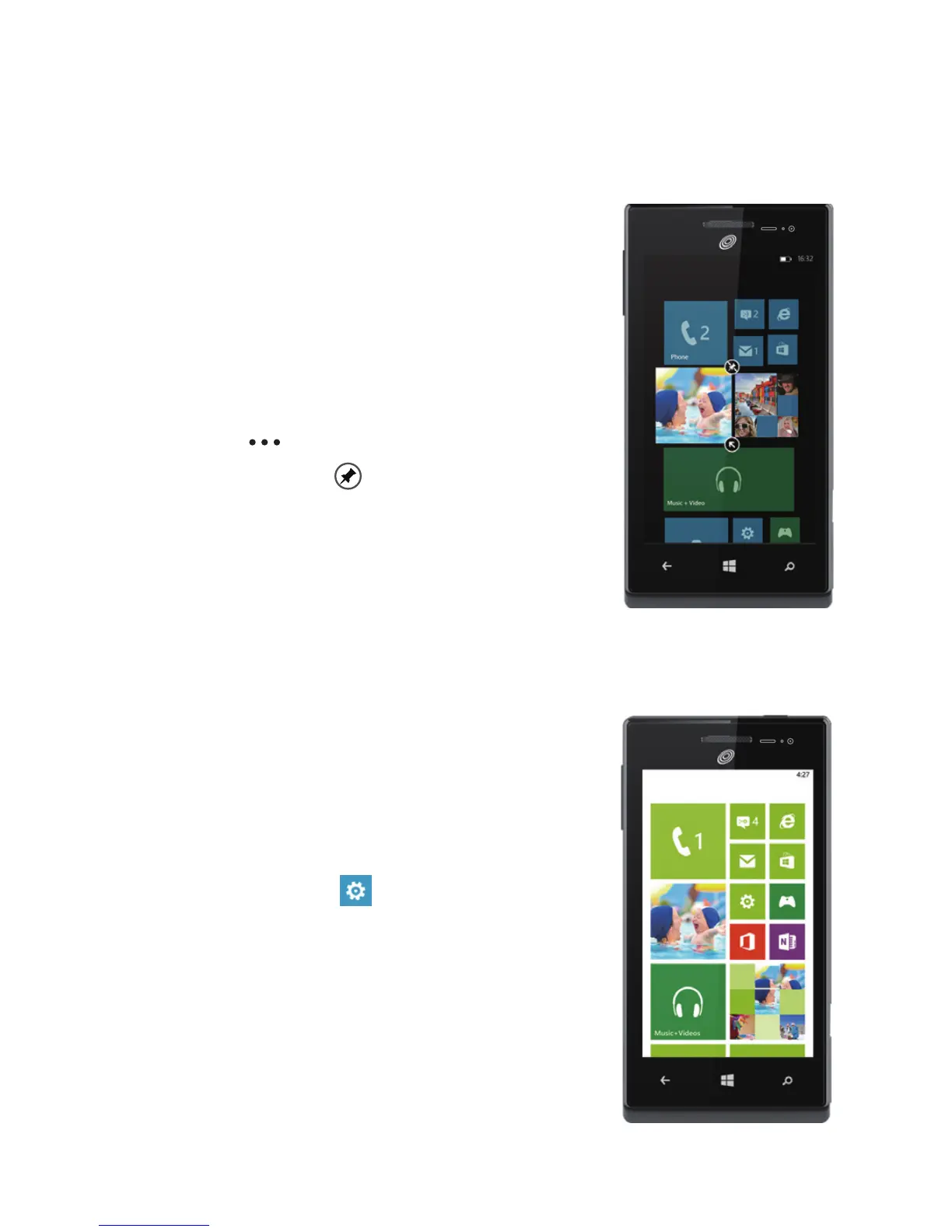
Pin just about anything you want to your Start screen: apps, songs, map
locations, favorite websites, OneNote notes, photo albums, and a lot more.
When you pin a contact to Start, you'll get their Facebook, Twitter, and
LinkedIn updates right from that Tile, plus see
when they've called or sent you any messages.
And it's like speed dial: calling them—or texting
them or emailing them—is just a tap away.
> To pin most things to Start, tap and
hold the item until the menu appears,
or tap
> pin to start. For others, you
can just tap pin
.
> To move, remove, or resize a Tile, just
tap and hold it, then arrange it however
you'd like.
a
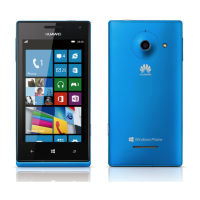
Choose your color
Choose a theme color and it'll show up all
around your phone: on Start, in your App list, in
Messaging, and more. You can also make your
background either white or black.
1.
On
Start
,
ick left to the
App list, then
tap
Settings
.
2.
Tap
theme, then tap
Accent color
or
Background to choose your look.


 To Next Page