Huawei Proprietary and Confidential
Copyright © Huawei Technologies Co., Ltd.
Say what you need and get help from Google Assistant.
Heart rate monitoring
Automatically monitor your heart rate at all times.
(/0'!?,-+*#+'E"D-'F,$2?'
!?,-+*#+'
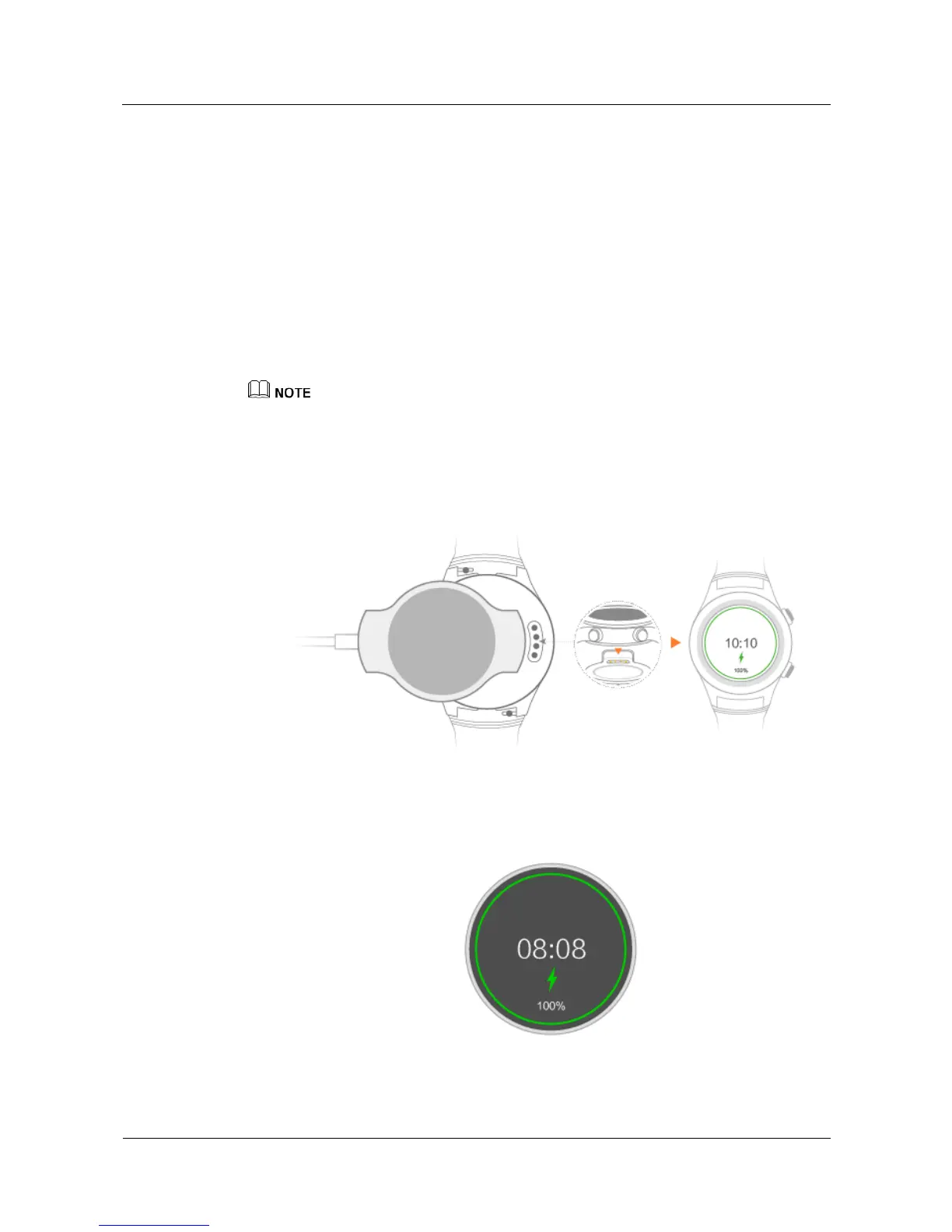
Your watch comes with a magnetic charging cradle and a USB cable, which can be used with
a standard charger (5 V/1 A) to charge your watch.
'
z
Charge your watch in a cool and dry place.
z
Keep the charging port dry and clean before charging.
1. Connect the charging cradle to the charger using the USB cable. Place your watch onto
the charging cradle. Align and attach the charging port to the magnets of the charging
cradle. You should see the battery level on the watch face.
2. When your watch is fully charged, 100% will be displayed on the watch screen. Remove
your watch from the charging cradle.















 To Next Page