17
Connect Smart Camera to your Android™ / iPhone®
English
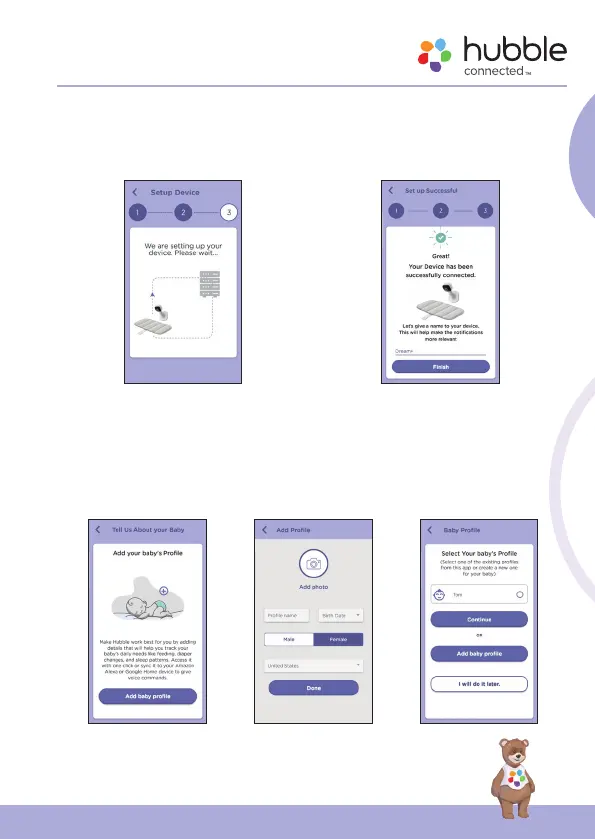
• Tap Continue, it will take a few minutes for the Camera to connect to the
Wi-Fi® network before showing the connection status (fig.18).
• The Camera has been successfully connected, name your Camera, tap
Finish to complete the camera setup with Hubble (fig.19).
g.18 g.19
Note: If connection fails, please tap Retry and repeat the steps starting from
5.4.4.
• Add your baby’s profile to track your baby growth by tapping Create
New Profile (fig.20).
• Enter your baby information and tap Done to create profile (fig.21).
• Select one of the profiles for your baby when using the Camera (fig.22).
g.20 g.21 g.22



 To Next Page