Ver. 1.4 – 6-21
25
o Alternatively, you may want to enable/disable Blocking Zones while the subject is
outside of the Preset Zones. To do so, use the commands below.
▪ 81 0b 0d 00 05 01 ff – Turn ON Blocking Zone 5
▪ 81 0b 0d 00 05 00 ff – Turn OFF Blocking Zone 5
▪ 81 0b 0d 00 06 01 ff – Turn ON Blocking Zone 6
▪ 81 0b 0d 00 06 00 ff – Turn OFF Blocking Zone 6
▪ 81 0b 0d 00 07 01 ff – Turn ON Blocking Zone 7
▪ 81 0b 0d 00 07 00 ff – Turn OFF Blocking Zone 7
▪ 81 0b 0d 00 08 01 ff – Turn ON Blocking Zone 8
▪ 81 0b 0d 00 08 00 ff – Turn OFF Blocking Zone 8
These commands do not affect the association of Preset Zones and Blocking Zones
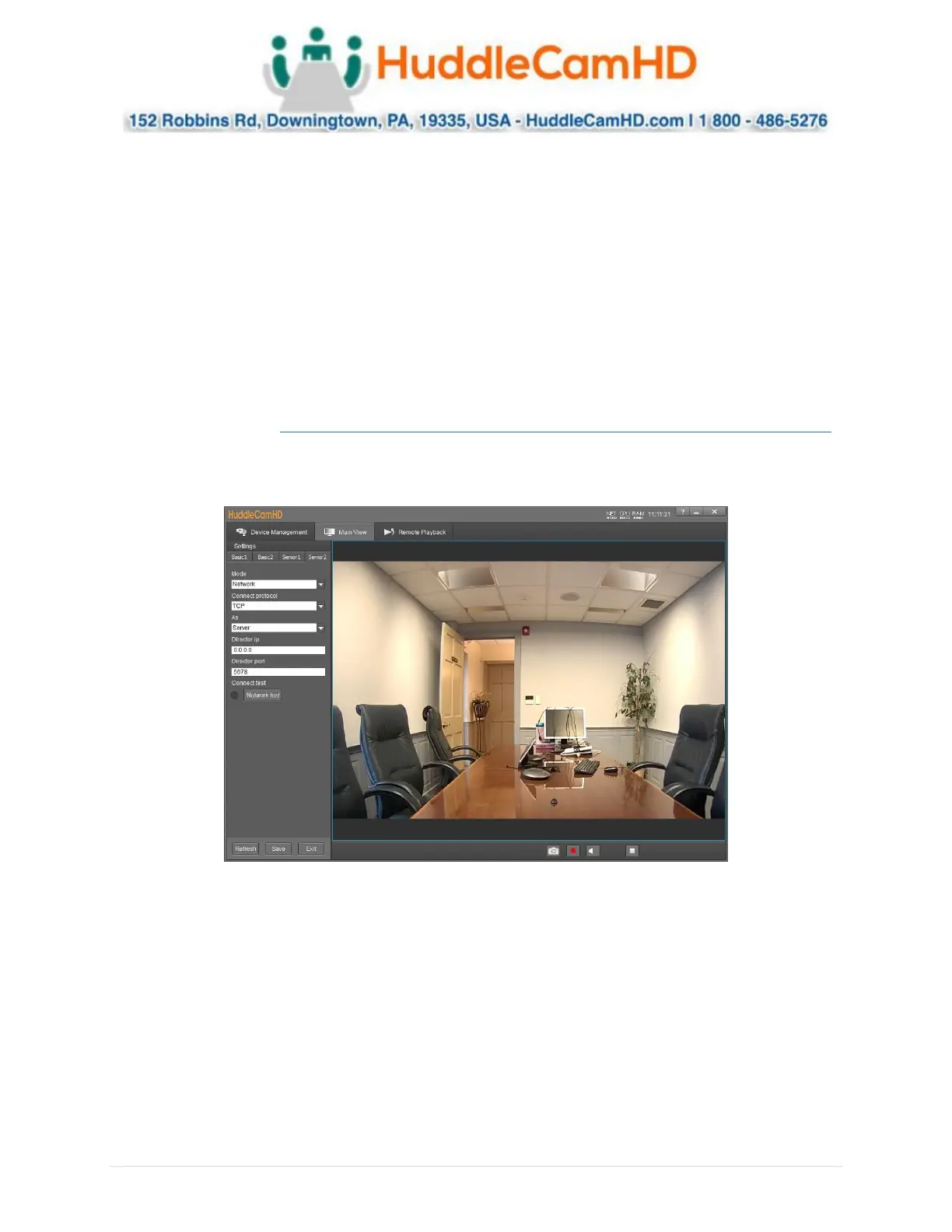
Senior 2 _______________ _
Senior 2 allows for adjustment of camera control parameters. In this field, you have control over Control
Mode, Connection Protocol, Controlled As, Director IP, Director Port, & Connection Test.
• Mode: Adjust the control method of the camera.
o Options include: Network & Serial Port.
• Connect Protocol: Protocol connection type.
o Options include: TCP & UDP
• As: Designate whether the camera is a server or client
o Options include: Server & Client
• Director IP: Designate the IP address of the device you wish to control while in Server mode.
• Director Port: Designate the Port of the device you wish to control while in Server mode.
• Connect Test: Performs a connection test with the device and displays a status light
o Green: Connection is successful, and commands can be sent
o Red: Connection has failed and needs to be adjusted


 To Next Page
 Loading...