70
CHAPTER 8: BLUETOOTH EXTERNAL
KEYBOARD
The Connect 12 allows you to type and navigate using your own Bluetooth
keyboard.
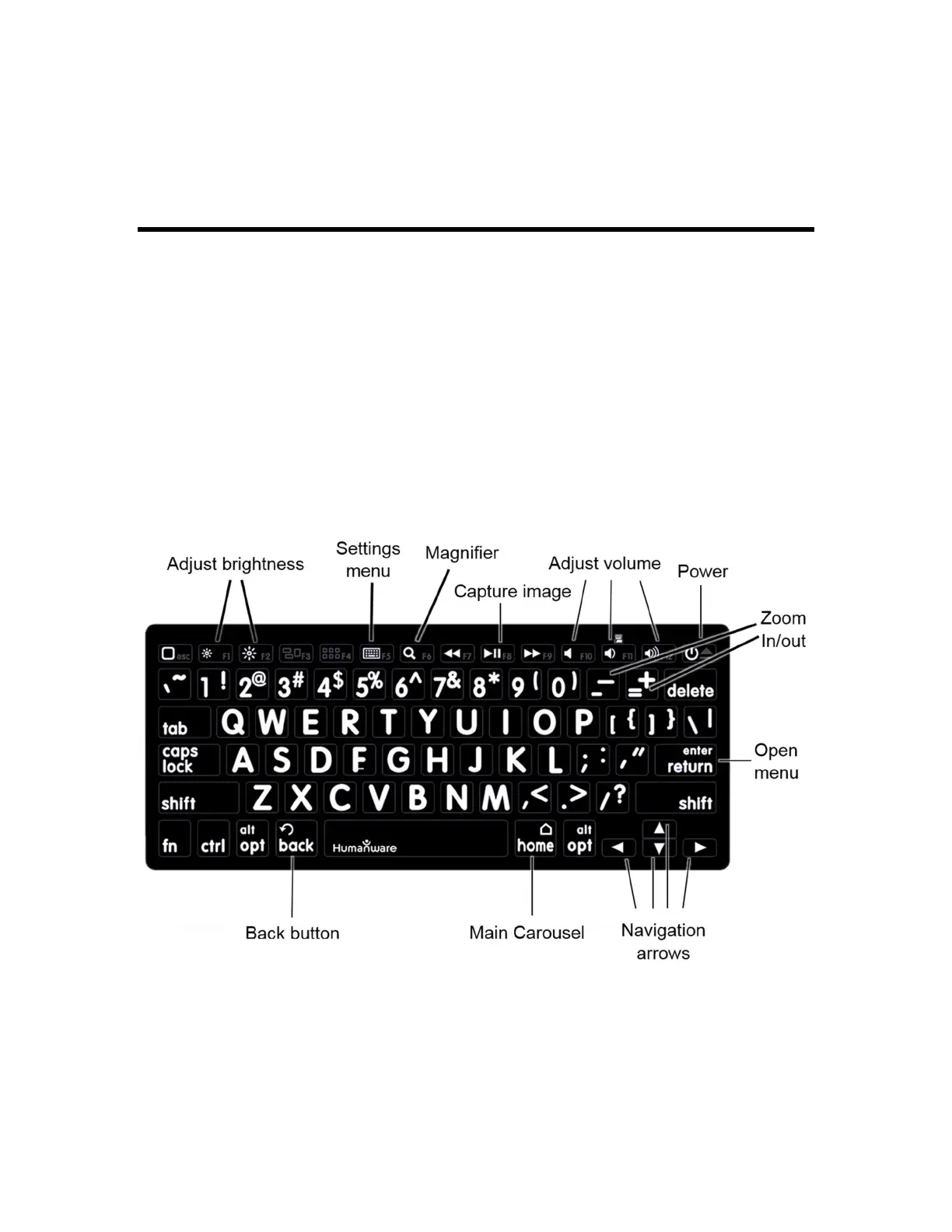
THE HUMANWARE KEYBOARD
Though any Bluetooth keyboard will work, we recommend the HumanWare
keyboard shown below. One of the advantages of using the Humanware
keyboard is that all keys are printed in large, easy-to-read characters. In addition,
icons of frequently used Prodigi software commands are printed on the keyboard
as a quick reminder of the key’s function.
HumanWare Keyboard (image 26)
CONNECTING A BLUETOOTH KEYBOARD
Be sure the Bluetooth keyboard is turned On.



 To Next Page