EasyManua.ls Logo

Humminbird Helix Series - User Manual

Humminbird Helix Series
330 pages
Print Icon
To Next Page IconTo Next Page
Loading...
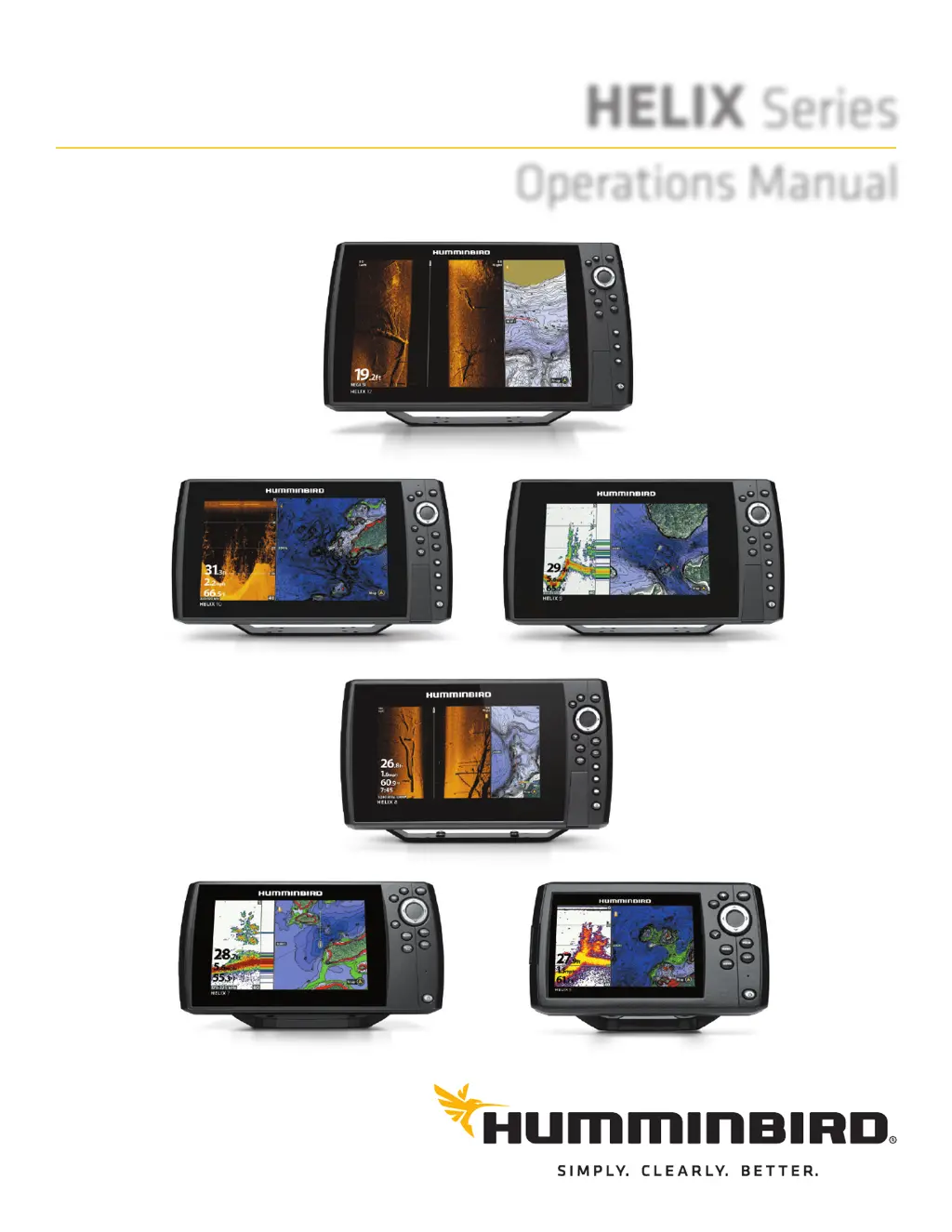
HELIX Series
Operations Manual
532509-5EN_A

Table of Contents

Other manuals for Humminbird Helix Series

Questions and Answers

  • R
    Richard EdwardsJul 27, 2025
    Why does my Humminbird GPS control head lose power at high speeds?
    • M
      Matthew GarciaJul 27, 2025
      The control head might be losing power at high speeds because the power output of your boat’s engine is unregulated. Ensure that the input voltage does not exceed 20 Volts.
  • S
    Shari PorterJul 31, 2025
    What to do if Humminbird GPS control head doesn’t power up?
    • P
      Peter VangJul 31, 2025
      If the control head doesn’t power up, use the installation guide to confirm the following: the power cable is properly connected to the control head, the power cable is wired correctly (red to positive and black to negative or ground), the fuse is operational, and the battery voltage is at least 12.2 Volts. Correct any problems, including removing corrosion or replacing the battery if needed.
  • A
    Allen LaneAug 6, 2025
    What to do if my Humminbird GPS has no sonar readings?
    • M
      melissa20Aug 6, 2025
      If there are no sonar readings detected, even when you know they are in the water under the boat, or sonar readings seem weak or faulty, it may be caused by the transducer not being positioned correctly or some kind of mechanical interference. See the transducer installation guide to adjust the transducer position, and make sure the transducer is clean. Also, electrical noise from the boat’s engine may be interfering with sonar reception, consult the manual section about finding the cause of noise for more information. Low battery voltage may be affecting the power of signal transmission.
  • W
    wdavisAug 10, 2025
    What to do if Humminbird GPS control head doesn’t detect the connected transducer?
    • C
      Curtis MannAug 10, 2025
      If the control head doesn’t detect the connected transducer, check that the transducer cable is securely connected to the control head. Reconnect if necessary. If available, replace the non-functioning transducer with a known good transducer and power up the control head again. Check the transducer cable and replace the transducer if the cable is damaged or corroded.
  • L
    Laura BergerAug 16, 2025
    What to do if Humminbird GPS control head doesn’t detect a connected accessory?
    • E
      Eric RichardsonAug 16, 2025
      If the control head doesn’t detect a connected accessory, check to make sure that the accessory cable is securely connected to the control head, reconnecting it if necessary. Also, confirm the accessory is connected to a stable and reliable power source. You can also try an entire system restart: Power off all control heads and connected equipment, wait 10 seconds, and then power everything back on.
  • J
    janetthomasAug 20, 2025
    Why does the bottom disappear on my Humminbird GPS at higher speeds?
    • J
      Jessica ClarkAug 20, 2025
      When the boat moves at higher speeds, the bottom disappears or suddenly weakens, or the display contains gaps because the transducer position may need to be adjusted, or electrical noise from the boat’s engine may be interfering with sonar reception. See the transducer installation guide for instructions to adjust the transducer position.

Summary

Introduction

Accessories

Information on features requiring separate purchase like Radar, AIS, etc.

Getting Started

Power On

Instructions to power on the Humminbird control head.

Quick Setup

Initial configuration of the control head upon first power-up.

Set up Sonar

Configure sonar settings, including transducers and noise filters.

Display a Sonar View On-Screen

Learn to display various sonar views like Sonar View and Split Sonar View.

HELIX Control Head

Control Head Keys

Description of the functions of various keys on the control head.

SD Card or microSD Card Slot

Instructions for installing and using SD/microSD cards for software and data.

Menu System Overview

Open an X-Press Menu

How to access the context-sensitive X-Press menu for current view operations.

Open the Main Menu

How to access the main menu with tabbed categories.

Views

Display a View

Methods to display data views on the screen, including from the Views X-Press Menu.

Display Digital Readouts

How to display data in boxes or as overlays on the views.

Set up Sonar

Understand Transducer Frequencies

Explains different transducer frequencies and their uses.

Adjust Sonar Display Settings

Fine-tune sonar views by adjusting surface clutter, SwitchFire mode, and Fish ID+.

AutoChart Live Overview

Plan Your Map

Tips for planning areas and routes for creating custom depth maps.

Prepare the Control Head for Mapping

Steps to configure the control head and transducers for mapping.

MANAGE YOUR CONTROL HEAD

Check System Status

Review control head information like software version and serial number.

Set the GPS Output Frequency

Control the frequency at which GPS data is sent to the control head.

SPECIFICATIONS

HELIX 5 SONAR G2 Specifications

Technical specifications for the HELIX 5 SONAR G2 model, including control head and transducer.

HELIX 7 SONAR G2 Specifications

Technical specifications for the HELIX 7 SONAR G2 model, including control head and transducer.

Humminbird Helix Series Specifications

General IconGeneral
BrandHumminbird
ModelHelix Series
CategoryFish Finder
LanguageEnglish

Related product manuals