36Customize the View
Adjust 360 Enhance Settings on HELIX Series
360 Enhance allows you to adjust the 360 View in four categories: Sensitivity, Contrast, Sharpness, and Contour Mode. The display
will update as you adjust each category.
NOTE: The User Mode must be set to Custom to see the 360 Enhance menu. In Angler Mode, you will only be able to adjust the
sensitivity and contrast.
1. X-Press Menu: With the 360 View or Combo View displayed on the screen, press the MENU key once.
2. Select 360 Enhance.
3. Use the Cursor Control key to select and adjust the following settings:
Sensitivity
Controls how much detail is shown on the display. When operating in very clear water or
greater depths, increase the sensitivity to show weaker returns that may be of interest.
Decrease the sensitivity to eliminate the clutter from the display that is sometimes
present in murky or muddy water.
Contrast
Accents the light and dark parts of the MEGA 360 Imaging data to provide greater
definition.
When MEGA 360 Dynamic Contrast is turned on, the contrast will be automatically
adjusted.
Sharpness Filters the view and sharpens the edges of the MEGA 360 Imaging data.
Contour Mode
Controls how the water column is displayed in the view.
When Contour Mode is turned off, the water column is displayed on the view. The location
of a target on the display is based on the slant range to the target.
When Contour Mode is turned on, the water column is removed from the view, which
allows the display to show targets at their linear horizontal distance. The location of a
target may be easier to interpret when the water column is removed.
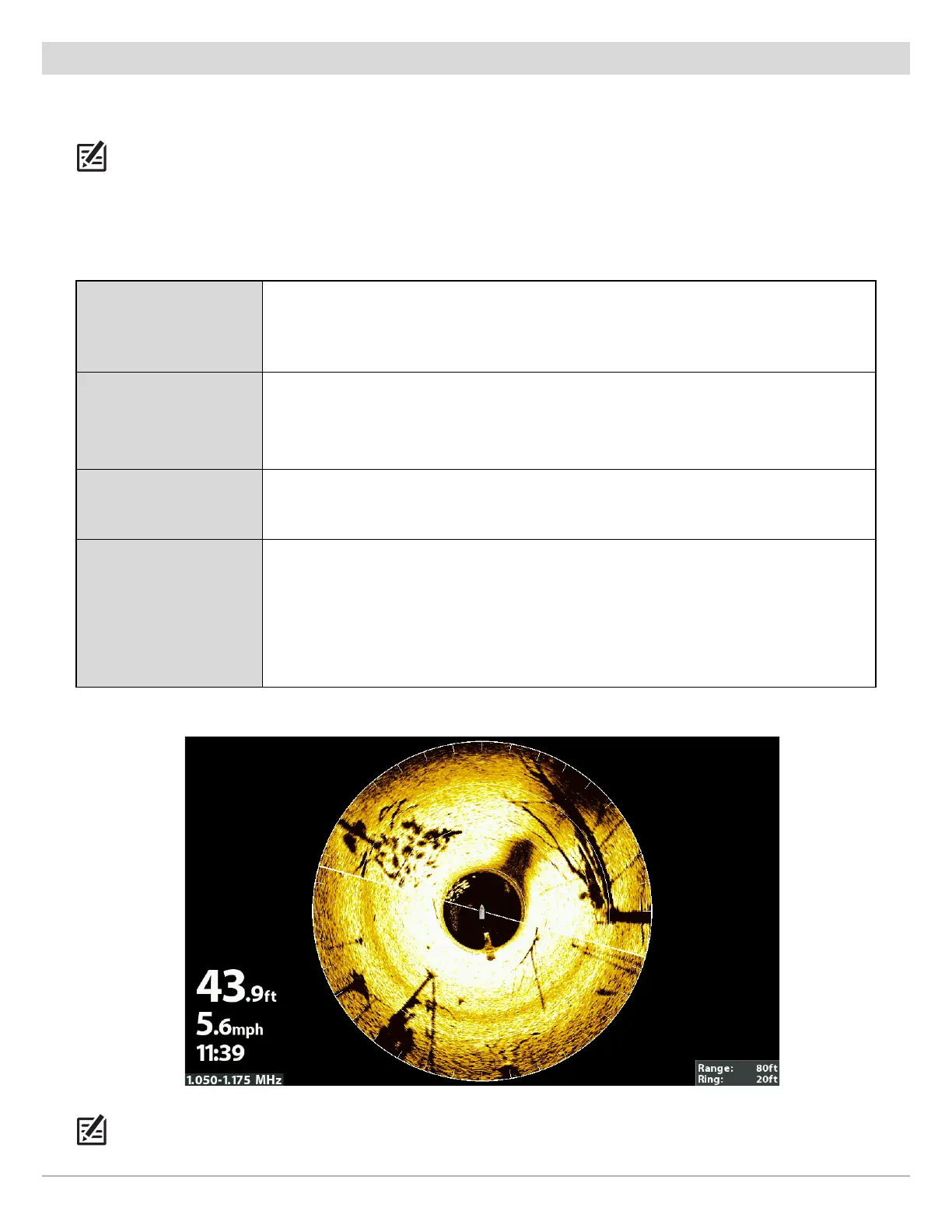
MEGA 360 Enhance Settings (HELIX)
NOTE: The Sensitivity and Contrast are set high in the above illustration. The high Sensitivity setting displays more weak returns on
the display, and the high Contrast setting shows more definition between the light and dark returns.






 To Next Page