6MEGA 360 Imaging Sonar
MEGA 360
Imaging Sonar
The MEGA 360 Imaging transducer pod deploys into the water with the your Minn Kota® Ultrex™, Fortrex®, or Maxxum® trolling
motor. It is independently mounted, so your sonar picture remains unchanged as the trolling motor turns. See the MEGA 360
Imaging Installation Guide for more information.
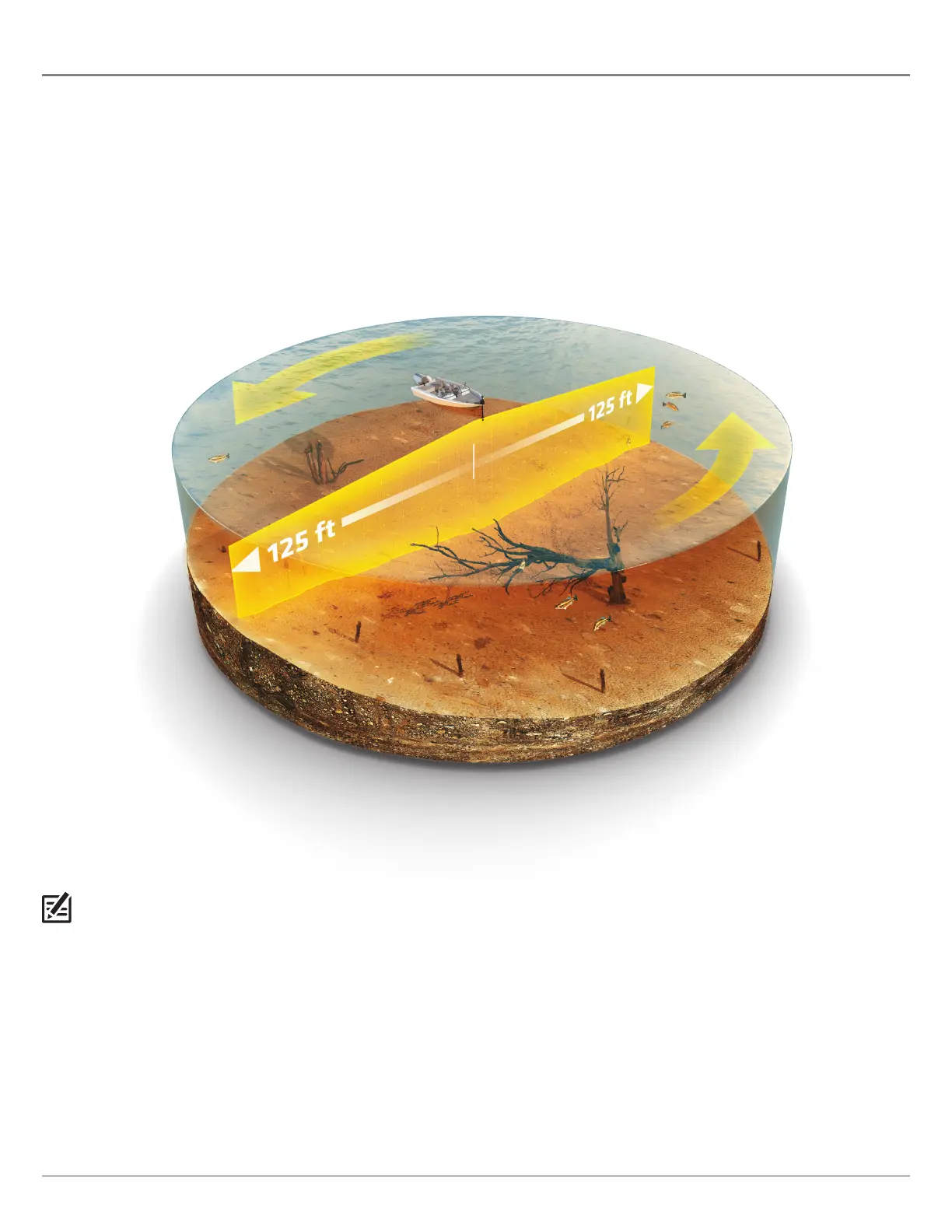
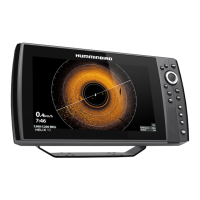
The beams sweep to provide an unobstructed, 360° view of the area around and below your boat. As it sweeps, the MEGA 360
Imaging transducer scans the water with its razor-thin, high-definition beams. Visualize the MEGA 360 Imaging beams as a thin
sonar wall extending 125 feet in every direction around your boat. This wall rotates to create a 250-foot circle. The beams are wide
from side to side but very thin from front to back.
The MEGA 360 Imaging rotating beams can also be set to provide Side Imaging® views on the screen. See Set Up MEGA 360 on the
Network and MEGA 360 Imaging Views for more information.
NOTE: The transducer’s performance is affected by such factors as boat speed, wave action, bottom hardness, water conditions, and
installation.






 To Next Page