EasyManua.ls Logo

Hunter Douglas Designer Roller Series - User Manual

Hunter Douglas Designer Roller Series
36 pages
Print Icon
To Next Page IconTo Next Page
Loading...
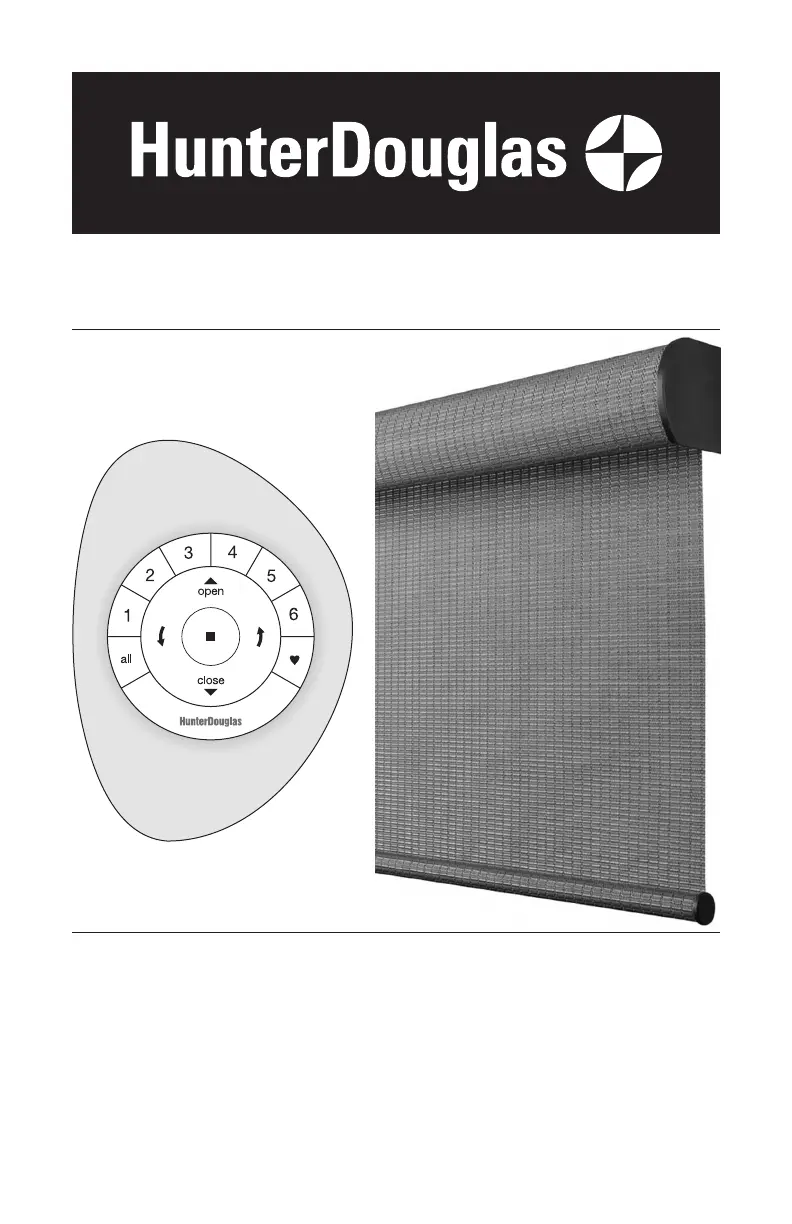
Designer Roller & Designer Screen
Shades, and Alustra
®
Woven
Textures
®
Roller Shades
with PowerView
®
Motorization for
Standard, Cassette, Fascia, and Dual Roller
Installation
Operation
Care

Questions and Answers

  • M
    mellisonJul 28, 2025
    What to do if my Hunter Douglas Designer Roller Indoor Furnishing shade is not responding to the remote?
    • C
      Christopher WestJul 28, 2025
      If your Hunter Douglas Indoor Furnishing shade isn't responding to the PowerView remote, make sure the shade is joined to a group. Also, verify that you've selected the correct group number. Ensure the batteries in the remote are fresh and correctly inserted. When you press the STOP button, the LEDs on the remote should light up.
  • A
    Angel CollinsAug 2, 2025
    What to do if my Hunter Douglas Indoor Furnishing shade doesn't work with the manual control button?
    • I
      imatthewsAug 2, 2025
      If your Hunter Douglas Indoor Furnishing shade isn't operating using the manual control button, first ensure that the batteries in both the shade and the remote are new and correctly installed. Next, check that the battery wand or battery pack is securely connected to the motor assembly. Finally, confirm that the DC power supply is plugged in and the outlet has power.
  • M
    Miguel AlvarezAug 7, 2025
    How to install Hunter Douglas Indoor Furnishing shade if it doesn't fit into the brackets?
    • S
      Susan SmithAug 7, 2025
      If the Hunter Douglas Indoor Furnishing shade won't fit into the installation brackets, check that the brackets are aligned and level. Ensure the roller tube or cassette is completely inserted into the installation brackets. For bracket shades, make sure the bracket distance is correct. If the brackets are mounted too closely, the shade won't operate correctly. For fascia shades, if the tab on the fascia bracket interferes with installation, remove the paper band and gently move the bottom rail away from the tab.
  • L
    Linda MartinAug 11, 2025
    Why is my Hunter Douglas Designer Roller Indoor Furnishing shade operating so slow?
    • J
      Jennifer RussellAug 12, 2025
      If your Hunter Douglas Indoor Furnishing shade operation is slow, the batteries in the battery wand, satellite battery pack, or C-size battery wand may be low. Check the battery orientation or replace the batteries. Also, ensure that the battery wand, satellite battery pack, C-size satellite battery wand, or DC power supply is securely connected to the power cable and that the cables are not pinched or caught.
  • C
    Crystal FarleyAug 16, 2025
    What to do if my Hunter Douglas Designer Roller Indoor Furnishing shade hangs too low when fully lowered?
    • Z
      Zachary WhitakerAug 16, 2025
      If your Hunter Douglas Indoor Furnishing shade hangs too high or too low when fully lowered, try performing a basic reset. If the issue persists, reset the bottom limit.
  • S
    Sherri JonesAug 21, 2025
    What to do if my Hunter Douglas Designer Roller Indoor Furnishing shade hangs too high when fully raised?
    • K
      Kathy EdwardsAug 21, 2025
      If your Hunter Douglas Indoor Furnishing shade hangs too high or too low when fully raised, perform a basic reset. If that doesn’t solve the problem, reset the top limit.

Summary

PRODUCT VIEW

Product View - Standard Shade

Detailed view of components for the standard roller shade.

Product View - Cassette Shade

Detailed view of components for the cassette roller shade.

Product View - Fascia Shade

Detailed view of components for the fascia roller shade.

Product View - Dual Roller Shade

Detailed view of components for the dual roller shade.

GETTING STARTED

Tools and Fasteners Needed

Lists necessary tools and hardware for shade installation.

INSTALLATION

STEP 1 Install the Brackets

Instructions for installing mounting brackets for various shade types.

Mounting Types and Window Terminology

Explains inside vs. outside mounting and window components.

STEP 2 Install the Shade

Procedures for physically mounting the shade into installed brackets.

STEP 3 Connect the Power Source

Instructions for connecting power sources like battery wands or DC supplies.

Shade Operation Testing and Remote Setup

Verifying shade function and setting up the PowerView remote.

OPERATION

Basic Operation

How to wake the remote and control shade movement.

Joining a Shade to a Group

Steps to program and group shades with a remote control.

Adjust Shade Limits

Setting the fully open and closed positions for the shade.

Install the Fascia Panel

Steps for attaching the fascia panel to the shade assembly.

Troubleshooting

Solutions for common shade operation problems.

CARE

Cleaning Procedures

Methods for dusting, vacuuming, or spot-cleaning the shades.

DECLARATIONS

U.S. Radio Frequency FCC Compliance

Regulatory compliance information for FCC and Industry Canada.

LIFETIME GUARANTEE

To Obtain Warranty Service

Steps to follow for obtaining warranty assistance and service.

Hunter Douglas Designer Roller Series Specifications

General IconGeneral
OperationManual or Motorized
Product TypeRoller Shades
OpacityLight Filtering, Room Darkening
StyleModern
Lift SystemsCordless, Continuous Loop, Motorized
MaterialPolyester
Light FilteringYes
UV ProtectionYes
PrivacyVaries by fabric opacity
Custom SizesYes
ColorsWide range available
Fabric OptionsExtensive selection of fabrics, including solids, textures, and patterns
PatternsWide variety of patterns available, depending on fabric selection

Related product manuals