EasyManua.ls Logo

Hunter Douglas Silhouette DuoLite - User Manual

Hunter Douglas Silhouette DuoLite
44 pages
Print Icon
To Next Page IconTo Next Page
Loading...
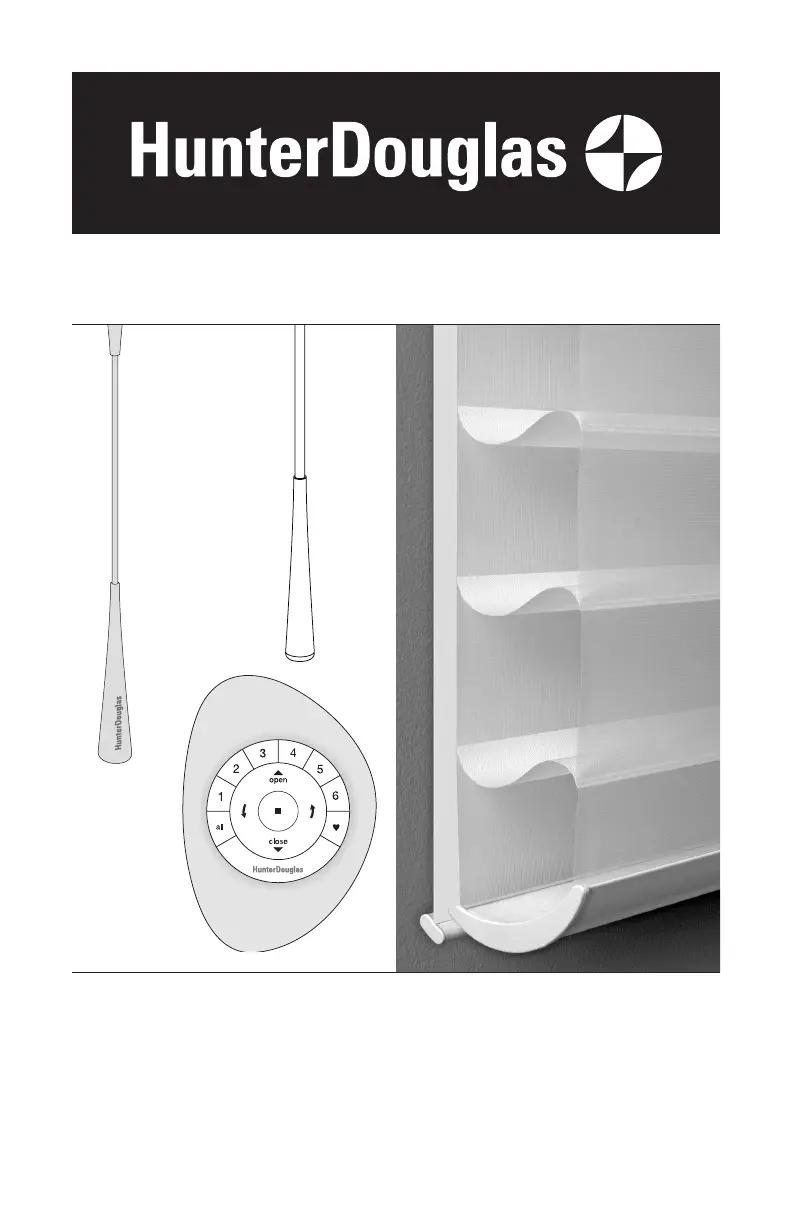
UltraGlide
®
PowerView
®
Automation
SoftTouch
Motorization
Silhouette
®
Duolite
®
Window Shadings
UltraGlide, SoftTouch, and PowerView
Automation Operating Systems
Installation
Operation
Care

Questions and Answers

  • A
    Amber RobinsonAug 20, 2025
    What to do if Hunter Douglas PowerView Indoor Furnishing bottom rail does not raise or lower completely?
    • M
      matthewhallAug 20, 2025
      If the bottom rail of your Hunter Douglas PowerView Indoor Furnishing doesn't raise or lower completely, or its fully lowered position has changed, the batteries in the battery wand or satellite battery pack may be low, so replace them. Also, ensure the power source is securely connected to the power cable and that the cables aren't pinched in the headrail or installation brackets. For inside mounts, verify there's enough clearance between the shading ends and the window casement.
  • D
    David BartonAug 22, 2025
    What to do if Hunter Douglas PowerView Indoor Furnishing shading does not respond to the remote?
    • S
      santosheidiAug 22, 2025
      If your Hunter Douglas PowerView Indoor Furnishing shading isn't responding to the remote, unplug the power cable from the motor and then plug it back in. A green LED inside the programming button housing should flash, indicating the motor has power.
  • H
    Heather RaymondAug 23, 2025
    What to do if Hunter Douglas SoftTouch Indoor Furnishing shading does not operate when pushing up or pulling down the wand?
    • U
      ubakerAug 25, 2025
      If your Hunter Douglas SoftTouch Indoor Furnishing shading isn't working when you push or pull the wand, unplug the power cable from the motor and lift the wand to discharge any residual power. Then, plug the power cable back in. A green LED should flash to indicate the motor has power. If the LED flashes red, the batteries are drained and need replacement.
  • E
    Emily MosleyAug 26, 2025
    What to do if Hunter Douglas PowerView Indoor Furnishing shading does not operate when the programming button is pressed?
    • C
      Cynthia SmithAug 26, 2025
      If your Hunter Douglas PowerView Indoor Furnishing shading isn't working when you press the programming button, check that the batteries in the wand or satellite battery pack are correctly inserted and haven't lost power. Also, ensure the power source is securely connected to the power cable, and that the cables aren't pinched or caught in the headrail or installation brackets.
  • M
    Monica CohenAug 27, 2025
    How to fix Hunter Douglas PowerView and SoftTouch Indoor Furnishing when rechargeable battery is charged but the shade does not operate?
    • J
      Jose WalkerAug 27, 2025
      If your Hunter Douglas PowerView and SoftTouch Indoor Furnishing rechargeable battery wand is charged but the shade isn't working, it might be due to the temperature. The rechargeable battery wand can operate in temperatures up to 176°F (80°C). If the temperature in your window exceeds this, a safety feature will temporarily shut off the battery. It will turn back on once the temperature lowers into the operable range. If you expect the battery wand to consistently exceed this temperature limit, reinstall it in a location that avoids direct sunlight.
  • E
    emullinsAug 30, 2025
    How to fix Hunter Douglas shading or shade hard to raise or lower?
    • E
      edward70Aug 30, 2025
      If your Hunter Douglas Indoor Furnishing shading is hard to raise or lower, or won't move at all, and it's an inside mount, check that the headrail is installed correctly. Ensure there's enough clearance between the ends of the shading and the window casement. Also, check that the installation brackets are level and aligned; adjust or shim them as needed to level.
  • J
    joshuahendricksAug 31, 2025
    What to do if Hunter Douglas headrail will not fit into the installation brackets?
    • J
      Justin PetersonSep 1, 2025
      If the headrail of your Hunter Douglas Indoor Furnishing does not fit into the installation brackets, ensure the brackets are level and aligned. Adjust or shim them to level if necessary. Make sure the mounting screw heads are flush against the brackets. Confirm the headrail is fully inserted into the brackets, allowing the locking lever to slide over it. If it's a PowerView shading with a battery wand, check that the wand isn't interfering with the brackets.
  • K
    kevin91Sep 2, 2025
    How to fix Hunter Douglas shading raises or lowers unevenly?
    • S
      Sandra LindseySep 2, 2025
      If your Hunter Douglas Indoor Furnishing shading raises or lowers unevenly, the fabric rubs, or the bottom rail is uneven when fully raised, check that the window is square by measuring the diagonals. Also, ensure the installation brackets are level, shimming if necessary. Finally, verify that the limit stops are adjusted the same and aren't too tight.
  • D
    Donald SuarezSep 5, 2025
    What to do if Hunter Douglas front shading is hard to raise or lower?
    • A
      Anthony MooreSep 5, 2025
      If the front shading of your Hunter Douglas Indoor Furnishing is hard to raise or lower, or the bottom rail doesn't stop at the top limit, check the adjustment position of both limit stops.
  • C
    carrie56Sep 6, 2025
    How to fix Hunter Douglas front sheer fabric of the front shading clings to the rear sheer fabric?
    • N
      nicholas59Sep 6, 2025
      To address the issue of the front sheer fabric clinging to the rear sheer fabric on your Hunter Douglas Indoor Furnishing, lightly apply a static spray designed for home furnishings. Be sure to follow the manufacturer's directions when applying the spray.

Summary

Getting Started

Product Views

Overview of shading components and systems.

Tools and Fasteners Needed

Lists necessary tools and fasteners for installation.

Installation

Installation Overview

Outlines the four main steps for installing the shading.

Mount Installation Brackets

Detailed steps for mounting brackets for inside/outside mounts.

Mounting Types and Terminology

Explains mounting options and window terms.

Mount Battery Wand

Instructions for installing the battery wand for specific systems.

Install the Shading

Procedure for physically installing the shading into brackets.

Connect Power Source

Steps for connecting power to motorized systems.

Attach Operating Wand

Specific instructions for attaching the wand for UltraGlide and SoftTouch.

Operation

Operate the Shading

General sequential operation of shading components.

UltraGlide Operation

Specific operational steps for the UltraGlide system.

SoftTouch Operation

Specific operational steps for the SoftTouch system.

PowerView Operation

Specific operational steps for the PowerView system.

Troubleshooting

General Troubleshooting

Addresses common operational issues and solutions.

Battery and Power Issues

Solutions for battery recharging and power problems.

Shading Limit Adjustments

How to adjust upper and lower limits for SoftTouch.

Care and Maintenance

Removing the Shading

Steps to detach the shading from its brackets.

Cleaning Procedures

Guidelines for cleaning the shading and its components.

Safety Information

Child Safety Warnings

Important safety information regarding cords and children.

Regulatory Compliance

FCC Compliance

Regulatory compliance information for the device.

Warranty Information

Lifetime Limited Warranty

Details of the product's limited lifetime warranty.

Hunter Douglas Silhouette DuoLite Specifications

General IconGeneral
UV ProtectionYes
Light FilteringYes
OperationManual
Light ControlAdjustable
Fabric OptionsMultiple colors and textures
MaterialFabric
PrivacyAdjustable

Related product manuals