17
INSTALLING THE THERMOSTAT, CONT.
CONNECTING THE WIRES
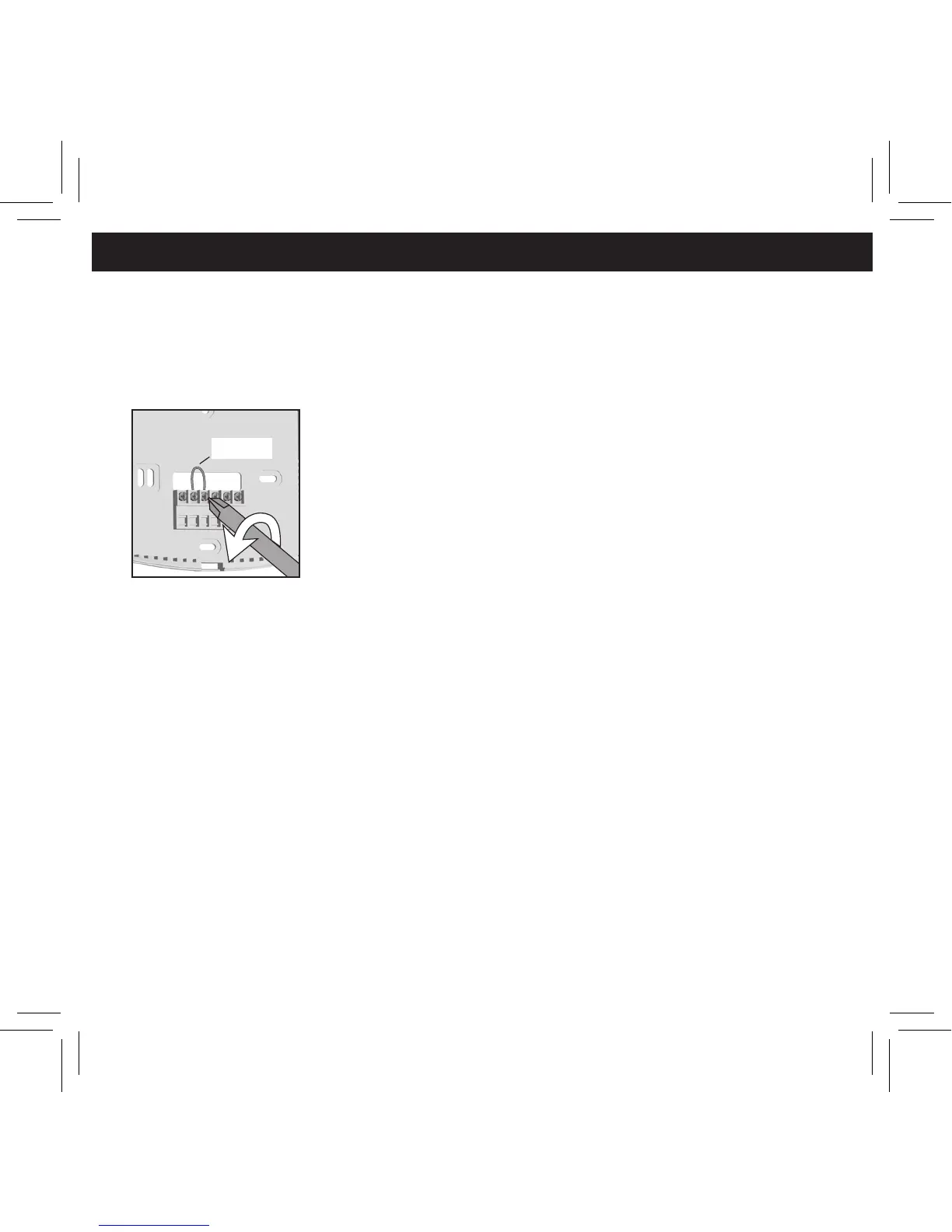
1. Loosen, but do not remove, the terminal screws.
Note: A jumper wire has been provided, connecting the RC and
RH terminals for systems that do not provide both
an RH and RC wire. If you have both an RH and RC
wire, remove this jumper. If you do not have both an
RH and RC wire, leave the jumper in place.
2. Match and connect the wires from
the wall to the terminals as shown.
Wires should be inserted behind the black
terminal shields. Tighten each screw after the
connection has been made.
(The ends of any extra wires should be wrapped in
electrical tape and carefully pushed back into the wall.)
3. Push any excess wire length back into the wall
to prevent interference.
G RC RH Y W
Jumper


 To Next Page