EasyManua.ls Logo

Hunter SVC - User Manual

Hunter SVC
15 pages
Print Icon
To Next Page IconTo Next Page
Loading...
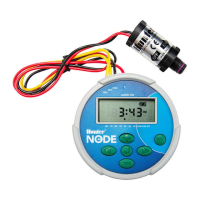
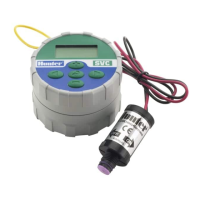
SVC
Smart Valve Controller
Owner’s manual and programming instructions
ENG
ESP
Programador Autónomo de Pila
Instrucciones de instalacion y manual del usuario
FR
Programmateur Autonome
Guide de lutilisateur et Instructions dinstallation
IT
Programmatore per Valvole Intelligente
Guida per lutente ed istruzioni per linstallazione
DE
Das Intelligente Magnetventil-Steuergerät
Hinweise zur installation und bedienungsanleitung
PRT
Programador de Válvulas Inteligente
Guia do utilizador e instruções de instalação

Questions and Answers

  • C
    Casey RushJul 27, 2025
    What to do if Hunter SVC display indicates watering but none is occurring?
    • J
      Jamie WattsJul 27, 2025
      If the Hunter Controller display shows watering but no actual watering happens, there could be a few reasons. First, check if the main system supply is turned on to ensure there's water pressure. If the pressure is fine, the issue might be a faulty solenoid, which would need replacement. Also, verify that you are using a compatible solenoid, such as the Hunter DC Latching Solenoid (P/N 458200) or another compatible DC latching solenoid.
  • J
    John WrightAug 2, 2025
    Why does my Hunter SVC Controller automatic irrigation not start at the start time?
    • A
      Aaron MurphyAug 2, 2025
      If your Hunter Controller's automatic irrigation doesn't start at the set time, there might be a few reasons. Ensure the controller is not in System Off mode and is programmed for automatic watering. Also, verify that the AM/PM settings for both the current time and the start time are correctly configured.
  • C
    Christopher GlassAug 11, 2025
    How to fix a Hunter SVC that waters more than one time?
    • M
      Mr. William LoveAug 11, 2025
      If your Hunter Controller is watering more than once a day, it might be due to having multiple start times programmed. To resolve this, set only one start time for once-per-day watering, as the controller allows up to 9 start times which may cause confusion.
  • W
    William DanielsAug 18, 2025
    How to fix no display on Hunter Controller?
    • D
      Drew SullivanAug 19, 2025
      If there is no display on your Hunter Controller, first, press any button for 1 second to see if the display turns on. If that doesn't work, the battery might be dead and needs to be replaced.

Summary

SVC Features

SVC Components

Connecting the Battery

Attaching Solenoids

Mounting the SVC

To Mount the SVC to a Valve

Instructions for attaching the SVC directly to a valve using a mounting clip.

Valve Box Mounting Method

Method for mounting the SVC using an adapter inside a valve box.

Stake Mounting Method

Method for mounting the SVC using an adapter on a stake.

Connecting a Weather Sensor

Programming

Setting the Date and Time

Procedure for setting the current date and time on the controller.

Setting Watering Start Times

Guide for programming multiple watering start times for each station.

Setting the Run Time (Length of Watering)

Instructions on how to set the duration of watering for each station.

Setting Days to Water

Process for selecting which days of the week watering will occur.

Selecting Specific Days of the Week to Water

Detailed steps for choosing individual days for watering schedules.

Selecting Interval Watering

How to set watering to occur at a specified number of days between cycles.

Programming Stations to Operate Together

Information on how to program multiple stations to run simultaneously.

System Off

Instructions for temporarily shutting down the controller.

To Activate the Controller from the System Off Mode

Steps to wake up the controller from the System Off state.

Programmable Rain Off

Feature to suspend automatic watering for a set number of days.

Manual Watering

Guide for activating watering for specific stations manually.

Troubleshooting Guide

Hunter SVC Specifications

General IconGeneral
ConnectivityWi-Fi
Voltage24 VAC
Number of Stations6
Battery BackupNo
Power SourceAC Power
Valve CompatibilityStandard 24 VAC irrigation valves
Mobile AppHunter Hydrawise
Watering Duration1 minute to 4 hours
Rain DelayYes

Related product manuals