EasyManua.ls Logo

Hunter Pro-C - User Manual

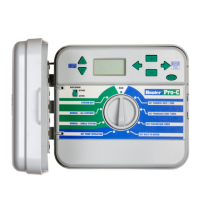
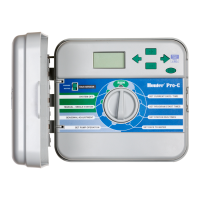
Hunter Pro-C
40 pages
Print Icon
To Next Page IconTo Next Page
Loading...
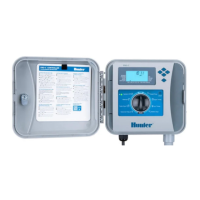
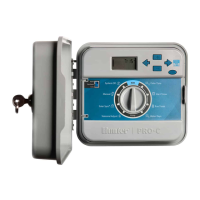
PCC Series Controller
- and - Station
Indoor/Outdoor Models
Owner’s Manual and
Installation Instructions
PROC
®
Residential and Light Commercial
Irrigation Controller

Other manuals for Hunter Pro-C

Questions and Answers

  • J
    Joseph SimmonsSep 3, 2025
    Why doesn't my Hunter Pro-C Controller have a start time for each station?
    • J
      Julie CarterSep 4, 2025
      If the Hunter Controller doesn't have a start time for each station, it's likely due to a programming error or the dial being in the incorrect position. Ensure the dial is in the correct position. You can easily check the total number of stations by placing the dial in the SET STATION RUN TIMES position and pressing the back arrow.
  • J
    jacquelinesmithSep 18, 2025
    Why doesn't my Hunter Pro-C rain sensor shut off the system?
    • K
      Kevin MosleySep 18, 2025
      If your rain sensor will not shut off the system, it may be due to an incompatible rain sensor or the jumper was not removed when the sensor was installed. Ensure the sensor is a micro-switch type such as Mini-Clik[®]. Check that the jumper has been removed from the SEN terminals. Confirm proper operation (see “Testing the Weather Sensor” on page 15).
  • L
    Lisa HoffmanSep 16, 2025
    Why won't my valve turn on with my Hunter Pro-C Controller?
    • J
      Jacob ManningSep 16, 2025
      If your valve will not turn on with Hunter Controller, it may be due to a short in the wiring connections or a bad solenoid. * Check the field wiring. * Replace the solenoid.
  • E
    Elizabeth CooperSep 14, 2025
    What does “SENSOR OFF” mean on my Hunter Pro-C Controller display and how to fix it?
    • K
      Kristin HoSep 14, 2025
      If your Hunter Controller display reads “SENSOR OFF,” it means the rain sensor is interrupting irrigation or the sensor jumper is not installed. To resolve this, slide the Rain Sensor switch on the front panel to the BYPASS position to bypass the rain sensor circuit, or install the sensor jumper.
  • C
    Cody BuchananSep 12, 2025
    What does “SP ERR” mean on my Hunter Controller display?
    • B
      Brian JamesSep 12, 2025
      If your Hunter Controller display reads “SP ERR,” it indicates that electrical noise is entering the system. Check the SmartPort[®] wiring harness, ensuring the red wire is attached to the AC1 terminal, the white wire to the AC2 terminal, and the blue wire to the REM terminal. If the wires were extended, they will need to be replaced with shielded cable. Contact your local distributor for information on shielded cable.
  • A
    Alex MaysSep 12, 2025
    Why does my Hunter Pro-C Controller keep repeating or continuously watering?
    • J
      John GibsonSep 12, 2025
      If your Hunter Controller is repeating itself or continuously watering, even when it should not be on, it's likely due to too many start times being programmed. Only one start time per active program is required.
  • S
    Sheila RossSep 9, 2025
    Why does my Hunter Pro-C Controller display read “NO AC”?
    • S
      Sydney WoodSep 9, 2025
      If your Hunter Controller display reads “NO AC,” it indicates that there is no AC power present, meaning the controller is not receiving power. Check to see if the transformer is properly installed.
  • L
    Leonard KaufmanSep 7, 2025
    What to do if my Hunter Controller display reads a station number and ERR?
    • M
      Michael CampbellSep 7, 2025
      If your Hunter Controller display shows a station number followed by “ERR” (e.g., “2 ERR”), there is a fault in the station solenoid or the station wiring. Check the station wire for continuity, replace or repair any shorted wire, and ensure all wire connections are good and watertight.
  • P
    Paul BrowningSep 5, 2025
    What to do if the display reads “P ERR” on my Hunter Controller?
    • D
      Dr. Alexandra West MDSep 5, 2025
      If the display on your Hunter Controller reads “P ERR,” it means there's a fault in the pump start, master valve, or the wiring for the pump start/master valve. Check the master valve or pump start wire for continuity. Replace or repair the shorted wire and ensure all wire connections are good and watertight.
  • S
    Samantha GreeneAug 20, 2025
    What to do if my Hunter Pro-C display reads “P ERR”?
    • S
      Sarah GutierrezAug 20, 2025
      If your Hunter Controller display shows “P ERR”, it indicates a fault in the wire to the pump start or master valve. Check the master valve or pump start wire for continuity and replace or repair any shorted wires. Also, ensure that all wire connections are secure and watertight.

Summary

Specifications

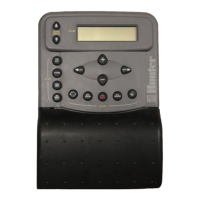
Pro-C Controller Components

LCD Display Elements

Detailed explanation of the controller's LCD screen indicators and values.

Control Buttons and Switches

Functions of the controller's buttons for navigation and operation.

Pro-C Controller Interface Details

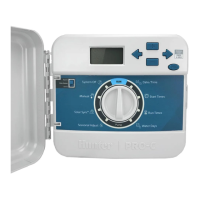
Control Dial Functions

Explains the purpose of each position on the control dial for operation.

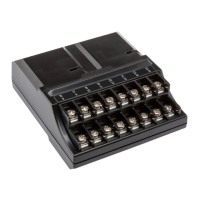
Wiring Compartment Overview

Identifies terminals and connections within the wiring compartment.

Connecting AC Power

Indoor Cabinet Power Connection

Steps for wiring AC power to the indoor controller model.

Outdoor Cabinet Power Connection

Steps for wiring AC power to the outdoor controller model.

Connecting Station Wires

Connecting Weather Sensors

Hunter Clik Sensor Installation

Steps to wire a "Clik" type weather sensor to the controller.

Connecting a Hunter Remote

SmartPort Connector Installation

Guide to installing the SmartPort for remote control connectivity.

Connecting to the Hunter Solar Sync

Setting Current Date and Time

Setting Station Run Times

Operating the Irrigation System

System Operation Modes

How to use the RUN, SYSTEM OFF, and MANUAL modes.

Diagnostic and System Maintenance

Troubleshooting Common Problems

Controller Operation Issues

Solutions for issues like repeated watering or no display.

Display Error Messages

Interpreting and resolving error messages like "SP ERR", "P ERR", "NO AC".

Sensor and Valve Malfunctions

Troubleshooting sensor errors and valves not turning on.

Hunter Pro-C Specifications

General IconGeneral
Start Times Per Program4
Warranty2 years
Cycle + SoakYes
DisplayLCD
Housing MaterialPlastic
Zones6, 8, 12, 16 (depending on model)
Indoor/OutdoorIndoor
MountingWall-mount
Electrical Input120V AC, 60Hz
Transformer Output24V AC
Number of Stations6, 8, 12, 16 (depending on model)
Wireless CapabilityNo

Related product manuals