Need help?
Do you have a question about the HunterDouglas Platinum and is the answer not in the manual?
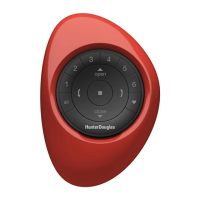
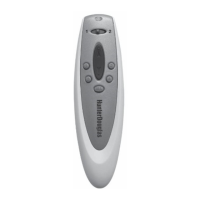
Identifies key components of the Hunter Douglas remote control and its indicator light functions.
Instructions for inserting AAA alkaline batteries into the remote control for operation.
Procedure to perform a master reset on the remote control using the reset button.
How to operate window coverings using the point-and-press method for specific systems.
Instructions for tilting and traversing window coverings with PowerGlide systems.
Using the PROGRAM button to activate the remote's programming mode.
Selecting the specific group number to which a window covering will be added.
Using the UP button to confirm window covering programming with a visual jog.
Pressing the desired group number to control associated window coverings.
Operating selected window coverings by pressing the UP or DOWN buttons.
Using the ALL GROUPS button to operate all programmed window coverings at once.
Using the PROGRAM button to begin the process of removing a window covering from a group.
Pressing the group number from which the window covering is to be removed.
Using the DOWN button to confirm removal, indicated by a unit jog.
Erasing all programmed groups by performing a master reset on the remote.
Activating the remote's programming mode via the PROGRAM button.
Restrictions on operating window coverings while the remote is in programming mode.
Procedure to exit the programming mode before the automatic timeout occurs.
The Hunter Douglas Platinum™ Technology Remote Control is a versatile device designed to operate various Hunter Douglas window covering systems, including PowerRise®, PowerGlide®, PowerTilt™, and hard-wired systems. This remote control utilizes both infrared (IR) and radio frequency (RF) signals, offering flexible and optimal performance for controlling your window coverings.
The primary function of the remote control is to provide convenient operation of Hunter Douglas motorized window coverings. It allows users to raise, lower, tilt, or traverse their window coverings individually or in groups. The remote features a channel selector, group buttons, and an up/down button to facilitate these operations.
To begin using the remote, you first need to power it up. This involves removing the battery compartment cover on the back of the remote and inserting two AAA alkaline batteries as diagrammed inside the compartment. After inserting the batteries, a crucial step is to perform a master reset. Use a paper clip to press and quickly release the MASTER RESET button, which is located next to the batteries. Once this is done, replace the battery compartment cover, and the remote is ready for use.
For PowerRise® and PowerTilt™ operating systems, the remote functions in a "point-and-press" manner. To operate these window coverings, you must point the remote directly at the receiver eye. This receiver eye can be either built into the headrail of the window covering or located on a separate satellite eye. Once pointed, simply press the UP or DOWN button on the remote to operate the window covering.
For PowerGlide® operating systems, the point-and-press method also applies. Point the remote at the satellite eye. PowerGlide® systems offer both tilt and traverse functions. To tilt the vanes, move the channel switch to the left position (channel 1) and then use the UP/DOWN buttons. To traverse the window covering, move the channel switch to the right position (channel 2) and then use the UP/DOWN buttons.
The remote allows you to program window coverings into specific groups, enabling simultaneous control of multiple units. Before programming, it's recommended to partially lower or tilt the window covering you intend to program.
Once window coverings are programmed into groups, you can operate them using the group buttons.
If you need to remove a window covering from a programmed group:
To erase all programmed groups from the remote control, use a paper clip to press and quickly release the MASTER RESET button located next to the batteries. This will clear all group programming. Remember to replace the battery compartment cover afterward.
The primary maintenance feature involves battery replacement. The remote uses two AAA alkaline batteries. When the batteries are low, the remote's performance may be affected. Regular replacement of batteries ensures consistent and reliable operation. The master reset function, while primarily for programming, can also be considered a maintenance feature as it allows for a clean slate if programming issues arise.
 General
| Operating Frequency | 433.92 MHz |
|---|---|
| Power Source | Battery |
| Battery Type | CR2032 |
| Frequency | 433.92 MHz |
| Technology | RF (Radio Frequency) |
| Compatibility | Hunter Douglas motorized shades and blinds |
| Buttons | Up, Down |

 To Next Page