
 Need help?
Do you have a question about the HunterDouglas PowerView and is the answer not in the manual?
Lists necessary tools and fasteners for shade installation.
Outlines the three main steps for installing the shade.
Details the process of installing mounting brackets for various shade types.
Explains different window mounting types and terminology for installation.
Instructions for installing brackets for standard shades in an inside mount.
Instructions for installing brackets for standard shades in an outside mount.
Instructions for installing brackets for coupled shades in an inside mount.
Explains how to install optional bracket covers.
Instructions for installing brackets for coupled shades in an outside mount.
Instructions for assembling and mounting fascia panels and brackets.
Instructions for inside/end mount installation of brackets for Fascia Shades.
Instructions for installing pockets for pocket shades.
Details the process of physically installing the shade into the brackets.
Specific steps for installing multiple coupled shades together.
Instructions for connecting power and testing shade operation.
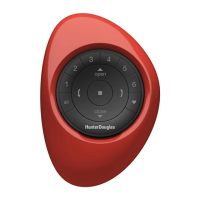
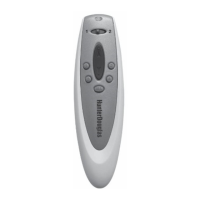
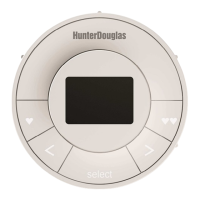
Guide to operating the shade using the PowerView remote control.
Steps to pair shades and basic remote control functions.
Instructions for adjusting shade travel limits (top and bottom).
Instructions for installing the fascia panel.
Steps for attaching the bottom panel to the pocket shade.
Troubleshooting shade fitment and programming button problems.
Resolving remote response and shade height adjustment issues.
Procedure to reset shade programming and group assignments.
Step-by-step guide on how to safely remove the shade.
Methods for cleaning the shade fabric and components.
Information regarding FCC, Canadian, and European regulatory compliance.
Details on European conformity and directives.
Details what is covered and not covered under the lifetime warranty.
Instructions on how to obtain warranty service.
 General
| Power Source | Battery |
|---|---|
| Type | Remote Control |
| Technology | Radio Frequency (RF) |
| Battery Type | CR2032 |
| Compatibility | Hunter Douglas motorized shades and blinds |
| Connectivity | RF |
| Buttons | Multiple |
| Dimensions | Varies by model |
| Weight | Varies by model |



 To Next Page


