EasyManua.ls Logo

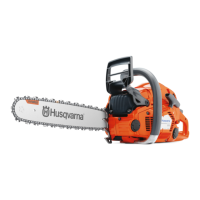
Husqvarna 535i XP - User Manual

Husqvarna 535i XP
40 pages
Print Icon
To Next Page IconTo Next Page
Loading...
330i, 535i XP
EN Operator's manual 2-36

Other manuals for Husqvarna 535i XP

Questions and Answers

  • N
    Nicholas CampbellSep 23, 2025
    Why Husqvarna 535i XP product starts immediately when battery is added?
    • J
      Joshua MartinezSep 23, 2025
      If your Husqvarna Chainsaw starts immediately when the battery is added without pressing the keypad, it is likely due to a short circuit in the keypad. The solution is to replace the keypad.
  • J
    Joann JonesAug 25, 2025
    Why is the warning indicator flashing on my Husqvarna Chainsaw?
    • J
      Jacob SantiagoAug 25, 2025
      The warning indicator flashes because of a temperature deviation. To resolve this, ensure the battery is used in surroundings where temperatures are between 5°C/41°F and 40°C/104°F.
  • J
    John WilliamsAug 25, 2025
    What to do if the red error LED comes on on my Husqvarna 535i XP Chainsaw?
    • A
      Alexandria BrooksAug 26, 2025
      The red error LED indicates that the cell difference is too much (1V). Speak to your servicing dealer.
  • C
    Colleen MooreAug 27, 2025
    Why Husqvarna 535i XP won't start and no LEDs are on?
    • J
      Johnny WilliamsAug 27, 2025
      If your Husqvarna Chainsaw doesn't start and no LEDs light up when you press the power button, there could be several reasons. First, the battery might be defective; press the on/off button to check the battery – at least one green LED should illuminate. Other potential causes include a defective connection between the battery and the product (ensure the connectors are clean and undamaged), a faulty connection in the keypad connector (make sure it's correctly assembled, dry, undamaged, and free from corrosion), a broken keypad (replace it), damaged cables between the control unit and keypad/main switch (repair or replace them if damaged), or a short circuit in the control unit (replace it).
  • D
    Dawn WeberSep 23, 2025
    What does it mean if a warning sign flashes after start and product hangs up with green led on Husqvarna Chainsaw?
    • L
      levi51Sep 23, 2025
      If a warning sign on the keypad flashes after starting your Husqvarna Chainsaw, and the product freezes with the green LED on, it could indicate a defective signal between the battery and the product. Ensure that the power connectors between the battery and the product are clean and undamaged. Also, check that the small cables between the connector and the control unit are not loose or damaged.
  • V
    vcooleySep 13, 2025
    Why is the red error LED flashing on my Husqvarna Chainsaw?
    • B
      Brandy PorterSep 13, 2025
      The red error LED on your Husqvarna Chainsaw flashes because: * The battery is empty, so you should charge the battery. * There is a temperature deviation. Use the battery in temperatures between -10°C (14°F) and 40°C (104°F). * There is an overvoltage. Remove the battery from the battery charger.
  • G
    Gabriella KelleySep 12, 2025
    What to do if a red warning sign flashes on the charger of Husqvarna Chainsaw?
    • J
      Jeffrey PadillaSep 12, 2025
      If a red warning sign flashes on the charger of your Husqvarna Chainsaw when the battery is attached, it could be due to several reasons: a defective connection between the charger and battery (ensure the power plugs are clean and undamaged), the battery temperature being too high (let the battery cool in the charger for 1-5 minutes), the ambient temperature being too low (ensure it's above 5°C), the battery temperature being too low (ensure it's above 5°C), a defective battery (check by pressing the battery start button; at least one green LED should light up, if not, replace the battery), or a defective charger (disconnect the charger from the mains for 1 minute, then reconnect; the fan should start and a green LED should light up for 3 seconds, if not, replace the charger).
  • J
    josephlauraSep 12, 2025
    What to do if the warning indicator is flashing on my Husqvarna 535i XP Chainsaw?
    • M
      Misty CollinsSep 12, 2025
      The warning indicator might flash on your Husqvarna Chainsaw due to several reasons: * The chain brake may be engaged. To solve this, pull back the front hand guard to release the chain brake. * There could be a temperature deviation. In this case, allow the product to cool down. * The cutting attachment might be jammed due to overload. If so, release the cutting attachment. * The power trigger and the activate button may have been pressed simultaneously. Release the power trigger to activate the product.
  • J
    James MartinSep 4, 2025
    What does it mean if a warning sign on the keypad flashes after start on Husqvarna 535i XP Chainsaw?
    • N
      Nicole TaylorSep 4, 2025
      If a warning sign on the keypad of your Husqvarna Chainsaw flashes after you start it and then the product stops, it could be due to several reasons: the power trigger might have been pushed during start (avoid pushing the power trigger when starting the product), there might be water in the main switch signal connector (disassemble and dry the stop signal connector, then reassemble it), there could be a short circuit in the keypad (replace the keypad), or there might be a short circuit in the main switch (replace the main switch).
  • B
    brandon43Sep 1, 2025
    What does it mean if a warning sign shows a red light on Husqvarna 535i XP keypad?
    • K
      Kelly NelsonSep 2, 2025
      If a warning sign shows a red light on the keypad of your Husqvarna Chainsaw, it indicates that permanent error codes are preventing the product from running. Erase the error codes using a diagnostic tool. Alternatively, the control unit might be broken and need replacement.

Summary

Product Introduction

Intended Use

Defines the product's purpose in forest service for felling, limbing, and cutting.

Product Overview

Illustrates and labels the components of the chainsaw model.

Product Description

Introduces the 330i and 535i XP chainsaw models with an electrical motor.

Product Symbols and Markings

Symbols on the Product

Explains safety warnings and operational symbols found on the product itself.

Symbols on Battery;Charger

Details symbols related to battery and charger safety and disposal, especially for Europe.

Comprehensive Safety Guidelines

Safety Definitions and Warnings

Provides definitions for warning levels and general safety precautions for power tool operation.

Work Area and Electrical Safety

Covers maintaining a safe work environment and essential electrical safety measures.

Personal Safety and Protective Equipment

Emphasizes personal alertness, protective gear, and proper attire for safe operation.

Chain Saw Specific Safety

Details critical safety warnings and techniques specific to operating a chain saw, including kickback prevention.

Battery and Charger Safety

Outlines crucial safety instructions for handling and using batteries and battery chargers.

Maintenance Safety

Highlights safety precautions and requirements before performing any maintenance on the product.

Product Assembly Procedures

Assemble Guide Bar and Chain (330 i)

Step-by-step guide for attaching the guide bar and saw chain to the 330i model.

Assemble Guide Bar and Chain (535 i XP)

Step-by-step guide for attaching the guide bar and saw chain to the 535i XP model.

Spiked Bumper Installation

Instructions for installing a spiked bumper, referring to a servicing dealer.

Operating the Chainsaw

Pre-Operation Checks

Essential functional checks to perform before using the chainsaw for safety and proper operation.

Battery and Charger Connection

Procedures for connecting the battery charger and charging the battery.

Starting and Stopping the Product

Step-by-step instructions on how to safely start and stop the chainsaw.

Understanding Kickback

Explains the causes of kickback and how to prevent it through correct working technique.

Cutting Techniques

Details various cutting techniques, including basic cuts, limbing, and felling.

Felling Techniques

Covers safe tree felling, including distance, direction, preparation, and specific cuts.

Handling Tensioned Wood

Guidance on safely cutting trees and branches that are under tension.

Product Maintenance and Care

Safety Device Checks

Procedures for regularly checking the functionality and condition of safety devices.

Component Checks and Cleaning

Instructions for checking key components like the trigger, brake, catcher, keypad, battery, and cooling system.

Saw Chain Sharpening and Adjustment

Detailed steps for sharpening the saw chain and adjusting the depth gauge for optimal performance.

Tensioning and Lubrication Checks

Guidance on proper chain tensioning and checking saw chain lubrication.

Wear Inspection

How to inspect the guide bar, chain, and drive sprocket for wear and perform necessary maintenance.

Troubleshooting and Fault Finding

Keypad Fault Indicators

Explains possible fault codes displayed on the keypad and their corresponding actions.

Battery and Charger Issues

Lists common problems with the battery and charger, along with solutions.

Technical Specifications and Accessories

Technical Data

Provides key technical specifications for the 330i and 535i XP models.

Approved Cutting Attachments

Lists recommended guide bar and saw chain combinations approved for the product.

Approved Batteries and Chargers

Specifies approved battery models and compatible battery chargers.

Regulatory Compliance

EC Declaration of Conformity

Official declaration of the product's conformity with relevant EU directives and standards.

Husqvarna 535i XP Specifications

General IconGeneral
Battery Voltage36 V
Weight (excluding battery and cutting equipment)2.6 kg
Chain Speed at Max Power20 m/s
Sound Pressure Level at Operator's Ear94 dB(A)
Recommended Bar Length12-16 inches
Oil Tank Volume0.2 liters
Chain Pitch3/8 inch
Chain Gauge0.043 in

Related product manuals