Installation and Maintenance Manual
43
Troubleshooting
The Smart Touch Controller system includes many self diagnostic capabilities. The LCD will display
specific messages and the Audio Alert buzzer will sound distinctive chirps. Any Alerts, Faults or Errors
are also logged into a memory and stamped with a time and date. For diagnostic purposes, these
messages can be retrieved with optional WinLogger¥ software available from Hy-Security Gate.
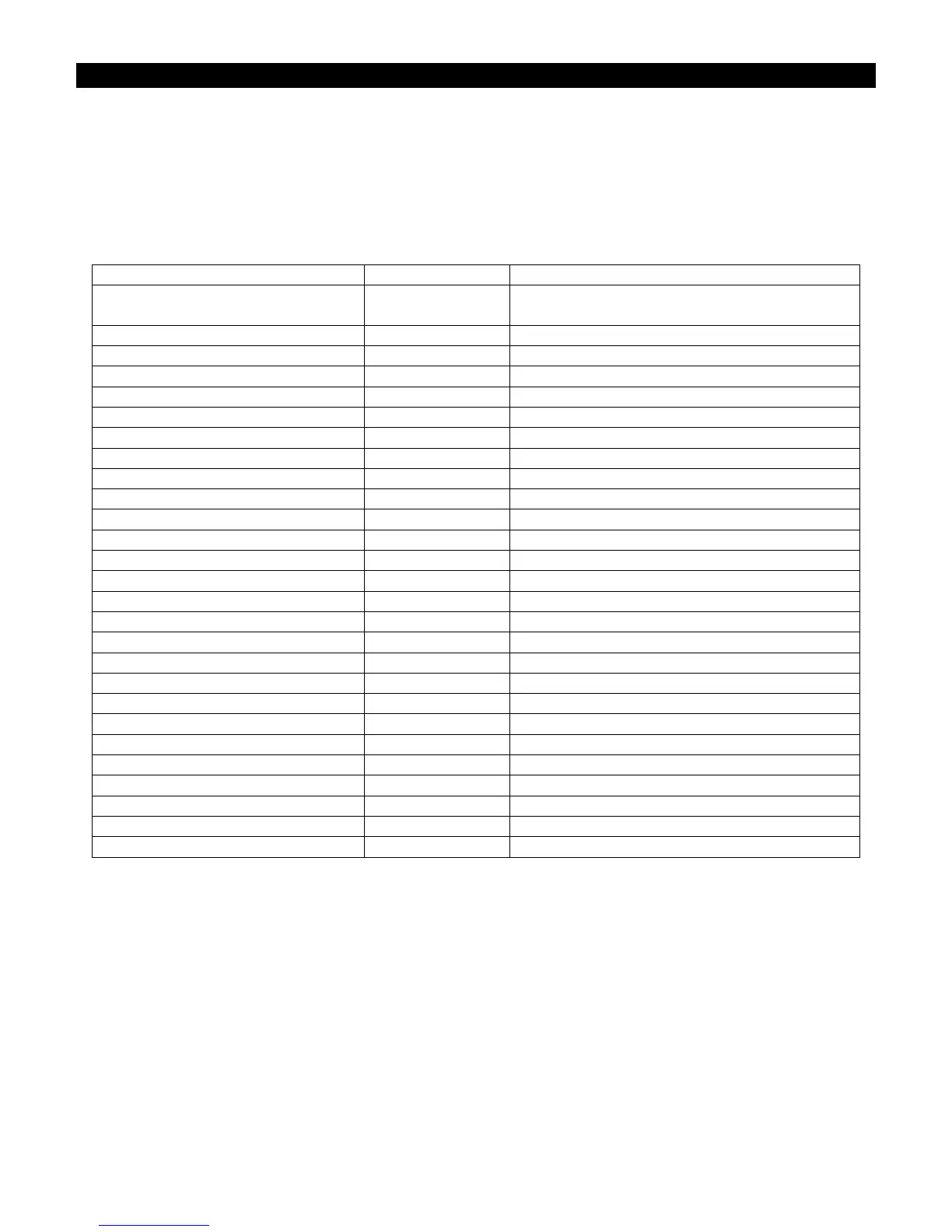
The following chart is a listing of codes that would appear on the LCD display if problems are
detected by the Smart Touch Controller.
Error, Fault, or Alert Status LCD Display Buzzer Chirp Sequence
Cannot respond due to tripped
sensor or in Entrapment mode
Entr 2 chirps/sec every 2 seconds while control
input is active
Safety Mode Alert SAFE 2 chirps once when in Safety Mode
Low 24V Control Voltage Alert Lo24 (ac or dc) N/A (display flashes 1 sec every 5 seconds)
Critical Low 24V supply power BadP (ac or dc) N/A Display steady – controls disabled
Dead 24V Battery Alert –DC only bat - dEAd 3 chirps upon any operating command
Gate forced open Alert ALE1 2 pulses/sec for 30 seconds
Gate drift closed Alert ALE2 2 pulses/sec for 10 seconds
Motor thermal overload Alert ALE4 2 chirps/sec every 15 seconds
Both limits tripped Alert ALE5 2 chirps/sec every 15 seconds
Limits not released in 10 seconds ALE6 2 chirps/sec every 15 seconds
Loop abnormal freq change alert ALE7 2 chirps/sec every 15 seconds
Loop shorted to ground alert ALE8 2 chirps/sec every 15 seconds
Loop disconnected alert ALE9 2 chirps/sec every 15 seconds
Loop detector comm. alert AL10 2 chirps/sec every 15 seconds
Loop detector function alert AL11 2 chirps/sec every 15 seconds
Loop detector active >5 minutes AL12 2 chirps/sec every 15 seconds
Maximum run Fault FAL1 1 chirp once every 15 seconds
Photo eye Fault (supervised) FAL2 2 chirps/sec once per minute
Critical AC sag – bad supply wire FAL3 2 chirps/sec once per minute
Directional motion Error Err1 3 chirps/sec once per minute
Disconnected IES Error Err2 3 chirps/sec once per minute
Loop detector failed Err3 3 chirps/sec once per minute
Master/slave RS485 comm. Error Err4 3 chirps/sec once per minute
EEPROM Data Error (factory) Err7 3 chirps/sec once per minute
EEPROM Data Error (installer) Err8 3 chirps/sec once per minute
EEPROM Data Error (user menu) Err9 3 chirps/sec once per minute
Program Data Error FAiL 3 chirps/sec once per minute
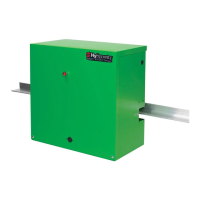
The green LED near #2 on the terminal strip is the heartbeat of the processor. This LED should
always blink brightly to indicate normal operation.
GATE SPEED: The speed in which a hydraulic operator moves a gate is determined by the size of the
pump and the size of the actuator components. Just like a gear box, this speed is not adjustable.
Attempting to slow a gate by changing any valve setting will cause a great deal of inefficiency and heat. If
the speed of a gate must be changed, contact your Hy-Security distributor. Extremely cold weather is
unlikely to seriously affect the speed of the gate, because Hy-Security employs a special grade of
hydraulic oil that we call UNIFLOW oil, which maintains a very linear viscosity over a broad range of
temperatures. Because of this high quality oil and other design considerations, we rate our operators for
service in ambient temperatures of –40F degrees to 130F degrees. If the speed of your operator has
been affected by cold weather, verify that the gate hardware s not impaired by ice and verify that the
reservoir it is filled with UNIFLOW oil. In severe conditions, consider adding a heater.


 To Next Page