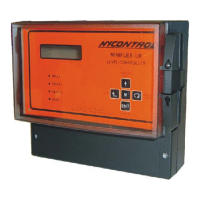
Ref: REFLEX/SCANFLEX MANUAL
EDITION 1: JULY ’97 12
PRE-START GUIDE
Pre-Start Check List
1. Check that each module enclosure is mounted securely in accordance with
Pages 2 or 7.
2. Check that the wiring is in accordance with Page 3 for a single point instrument or
Pages 8-10 for a multipoint instrument.
3. Provide a power supply for the Controller and each Module in a multipoint system.
Remember that the Controller can have 110/230V AC or 24V DC supply but
the Scanflex Modules must have 110 or 230V AC and this must be selected, on
the module.
4. Check that each module has its individual system address number by setting the
selector switch (SW1) on each module to its correct position. See Page 10.
5. Check that the data link to each module is as shown in Configuration wiring diagrams,
Pages 5 & 6 and the RS485 connections are as indicated on Pages 9 and 10
6. Check the RG62AU cable link from terminals 19 and 20 on the Controller to TB 3
on the Multiplexor.
7. Check the temperature sensor link (if required) from terminals 21 to 23 on the
Controller to TB 3 on the Multiplexor.
8. Check that any Relay or Analogue Modules are correctly wired. See Page 10.
YOU ARE NOW READY TO SWITCH ON
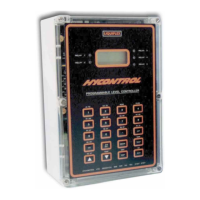
9. Check that the neon light in the Reflex Controller is flashing. The instrument will
be in the normal RUN mode.
At switch-on the instrument will show either:-
REFLEX
HYCONTROL
HYCONTROL
SCANFLEX
HYCONTROL
HYCONTROL
In single point mode Pr.1 = 1
(Under factory default programme)
In multipoint mode Pr.1 = 2 to 10
(If pre-programmed)
or
The above display will remain for 1 minute maximum and then go into its normal RUN
mode.


 To Next Page