Appendix 2
Ref: REFLEX/SCANFLEX MANUAL
EDITION 1: JULY ’97 62
SCANFLEX RELAY MODULE SR-10
DESCRIPTION
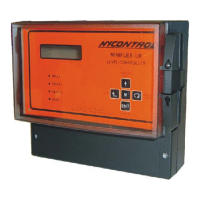
The Scanflex Relay Module is mounted in an IP65 polycarbonate enclosure with a clear lid. (See
Page 59)
The Module controls the settings of 2 relays for each point of measurement, a total of 20. The
energisation state of each relay is shown by an adjacent red l.e.d., an energised relay illuminates
the l.e.d.
The module is fitted with an RS485 serial port for communications with the controller. When a
valid message is received, the green 'comms' l.e.d. will flash. The link (LK1) located by terminal
TB1 connects a line termination resistor into the communications circuitry. It is fitted only when
the Relay Module is the last Module in the system configuration.
The selector switch (SW1) marked 'UNIT' is used to select the number that uniquely identifies the
module to the controller. For the Relay Module settings 1-15 can be used. Each Module on the
system must have a different setting number. If the switch is set to zero the module can be tested
using the momentary switches SW2 and SW3. By pressing 'TEST 1' (SW3) the relays are
energised rapidly in sequence, while 'TEST 2' (SW3) is pressed to energise the next relay in
sequence. To exit from the test condition move the selector switch (SW1) away from zero to its
correct position.
The module is fitted with two part screw terminals connectors for ease of wiring, with separate
connectors for each point. A full description of the connectors is shown on Page 63.
As the Controller can set 4 alarms per point (when 2 Relay Modules are used) relays are
programmed thus:-
1st Relay Module
Fit link at LK5 (top left of board) to define relays as 1 & 2. Programme via
Pr.08 to Pr.13 for settings and Pr.23 and 24 for fail-safe.
2nd Relay Module
Fit link at LK4 (to left of board) to define relays as 3 & 4. Programme
via Pr.14 to Pr.19 for settings and Pr.25 and 26 for fail-safe.
Note: On the Relay Module pcb the relays have dual identification i.e. 1/3 or 2/4, to
accommodate the above selections.


 To Next Page