2.5
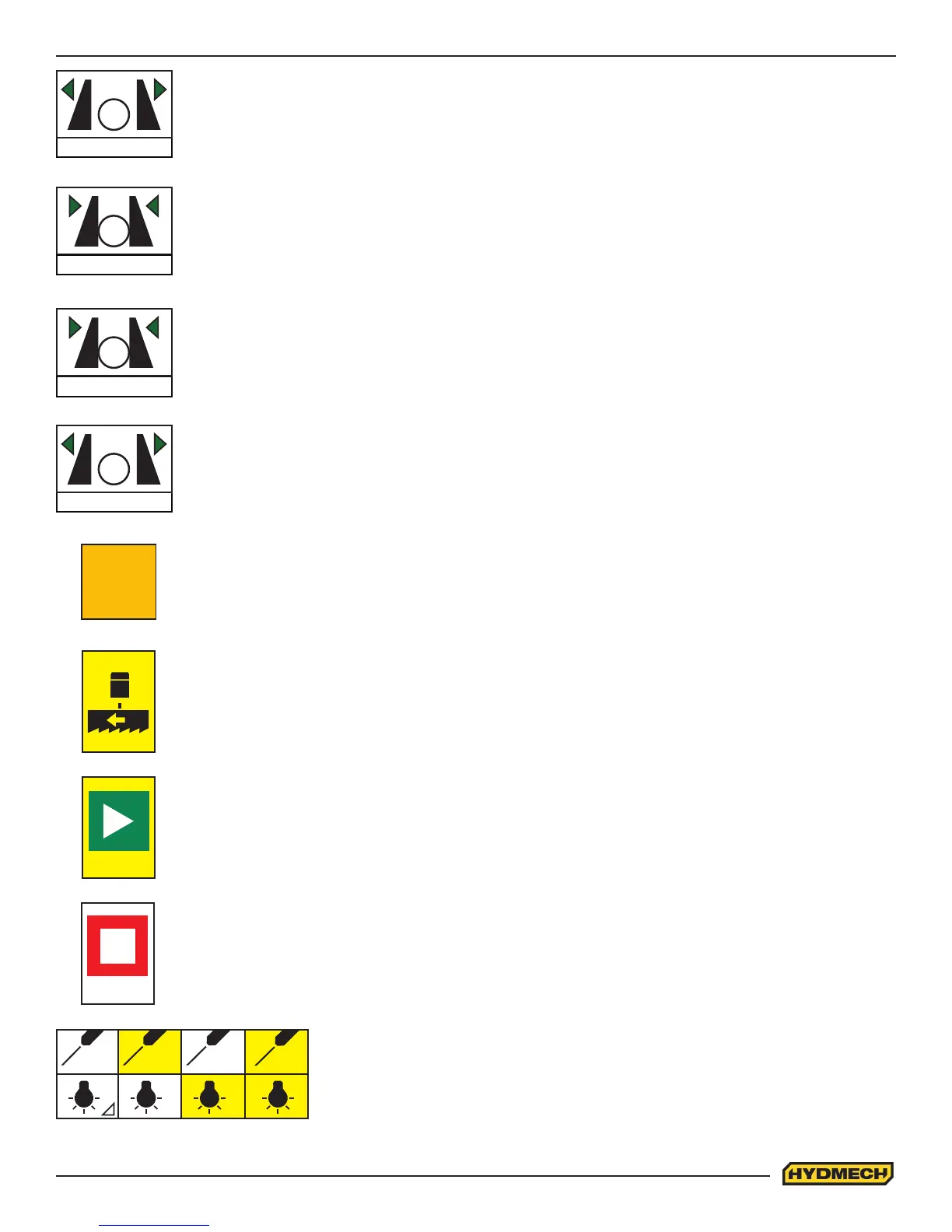
SHUTTLE VISE OPEN:
• The push button operates the shuttle vise.
• When depressed and held, the shuttle vise will open all the way, or until the push button is released.
• The pictogram will be yellow in colour when shuttle vise open is selected
SHUTTLE VISE
SHUTTLE VISE CLOSE:
• The push button operates the shuttle (rear) vise.
• When depressed the shuttle vise will close all the way to the xed jaw or until it encounters enough
resistance to stop it.
• The pictogram will be yellow in colour when shuttle vise close is selected
SHUTTLE VISE
FRONT VISE OPEN:
• The push button operates the front vise.
• When depressed and held, the xed vise will open all the way, or until the push button is released.
• The pictogram will be yellow in colour when front vise open is selected
FRONT VISE
FRONT VISE CLOSE:
• The push button operates the front vise.
• When depressed the xed vise will close all the way to the xed jaw or until it encounters enough
resistance to stop it.
• The pictogram will be yellow in colour when front vise close is selected
FRONT VISE
ON
ON (Machine Start):
• This button on the touchscreen is used on initial start up when “S23A Ready to Operate” is displayed
BLADE ENABLE “F6”:
• This button is used to enable the blade
• The blade will not start if the head is completely in the down position or if the HEAD DOWN LIMIT
setting has been reached.
STOP “F8”:
• This button is used to stop the blade.
• A lit LED will be visible when the blade is OFF. It is also used to interrupt an auto cycle program.
BLADE/CYCLE START “F7”:
• This button is used to initiate BLADE & CYCLE START in manual and automatic mode.
START
STOP
WORK LIGHT/LASER “F1”:
• Press F1 continuously until desired light, laser, or both are turned on.
• The pictogram will be changed to yellow when selected.




 To Next Page